
Web to Canvas
Convert any webstite to editable Figma design. Requires the associated Figma plugin
As of June 2026, Web to Canvas has 8 users in the Productivity category.
Usersup 100.0 percent+100.0%
8
8
Ratingno change0%
—
— reviews
Reviewsno change0%
—
Version
1.0.1
Manifest V3
History
7 snapshotsTracking since Apr 17, 2026.
View as table
| Date | Users | Rating | Reviews | Version |
|---|---|---|---|---|
| Apr 17, 2026 | 4 | — | — | 1.0.1 |
| Apr 24, 2026 | 7 | — | — | 1.0.1 |
| May 8, 2026 | 9 | — | — | 1.0.1 |
| May 12, 2026 | 10 | — | — | 1.0.1 |
| May 18, 2026 | 9 | — | — | 1.0.1 |
| May 24, 2026 | 10 | — | — | 1.0.1 |
| May 31, 2026 | 9 | — | — | 1.0.1 |
| Now | 8 | — | — | 1.0.1 |
Permissions & access
- Permissions
- activeTabscriptingdebuggerdownloadsstorage
- Host access
- None declared
Screenshots


About
Web to Canvas lets you convert any website or component into an editable Figma design.

Instead of taking screenshots or rebuilding layouts manually, you can capture a webpage and turn it into structured design layers. This makes it easier to study layouts, reuse structures, or start new designs based on real websites.

Web to Canvas works on most modern websites and can also capture interfaces generated by AI tools.

How it works:

1. Install the Web to Canvas Chrome extension
2. Open any website in your browser
3. Click the extension and choose what you want to capture:
   * Full page
   * A specific section or component
4. The extension converts the page and downloads a `.w2c` capture file
5. Open the Web to Canvas Figma plugin
6. Import the `.w2c` file to generate an editable Figma design

Features:

* Capture full webpages and convert them into Figma designs
* Capture specific sections or components from any website
* Convert HTML layouts into editable design layers
* Works with most websites and modern web applications
* Capture pages generated by AI tools
* Export captures as .w2c files for the Web to Canvas Figma plugin
* Supports responsive layouts and common web components

Why people use Web to Canvas:

Designers and developers use Web to Canvas to:

* Recreate website layouts quickly inside Figma
* Study how real websites are structured
* Collect design references and inspiration
* Start new designs using existing layouts as a base

Note:
To accurately map website to Figma, we use Chrome's debugger API solely to resolve fonts and capture hover states, no browsing data is collected or transmitted.
Technical
- Version
- 1.0.1
- Manifest
- V3
- Size
- 104KiB
- Min Chrome
- 88
- Languages
- 1
- Featured
- No
Metadata
- ID
- ladcdfpobejnamncogdknicnjpnnnnee
- Developer ID
- udead961aec9e0927582f483679684963
- Developer Email
- [email protected]
- Created
- Mar 20, 2026
- Last Updated (Store)
- Mar 20, 2026
- Last Scraped
- Jun 6, 2026
- Website
- webtocanvas.com
- Support URL
- —
- Privacy Policy
- https://webtocanvas.com/privacy-policy/
Similar extensions
Alternatives to Web to Canvas, ranked by description similarity.
Web to Figma
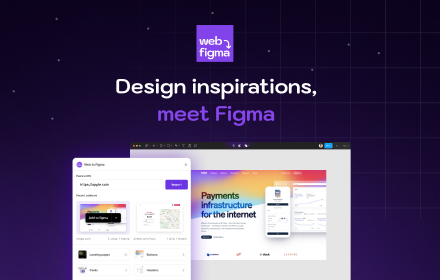
Web to Figma extension to capture pages and components and import them into Figma as editable designs. No more screenshots.
30.0K
★ 2.2

html.tomake.design (llama)
Convert any website into fully editable Figma designs. Requires the companion Figma plugin!
1.0K
★ 4.0

SiteSnap: Full Website Screenshots
Capture perfect full-page screenshots with cloud sync.
180
★ 5.0

html.to.design
Convert any website into fully editable Figma designs. Requires the associated Figma plugin!
600.0K
★ 4.7

HTML to Figma: Convert Websites into Designs & Wireframes by Wireframeit
Convert any webpage into an editable design or wireframe. Export to Figma, SVG, PNG, or JPG.
8.0K
★ 4.0

Hyperplane - Website & HTML to Design
Convert any website or HTML into editable designs with Figma Support. Scan live pages or localhost and capture multiple viewports.
172

WebSS for Figma
Capture full-page screenshot and split into 4096px JPGs.
12
★ 5.0

HTML to Figma (by Yashi Tech Solutions)
Convert webpages into a Figma design
10.0K
★ 3.0
Data sourced from the Chrome Web Store · last verified Jun 6, 2026.