
html.tomake.design (llama)
Convert any website into fully editable Figma designs. Requires the companion Figma plugin!
As of June 2026, html.tomake.design (llama) has 1,000 users and a 4.00/5 rating from 4 reviews in the Productivity category.
Usersup 20.8 percent+20.8%
1.0K
1,000
Ratingdown 20.0 percent−20.0%
4.00
4 reviews
Reviewsup 100.0 percent+100.0%
4
Version
2025.1.3
Manifest V3
History
3 snapshotsTracking since Apr 18, 2026.
View as table
| Date | Users | Rating | Reviews | Version |
|---|---|---|---|---|
| Apr 18, 2026 | 828 | 5.00 | 2 | 2025.1.3 |
| Apr 28, 2026 | 1.0K | 5.00 | 2 | 2025.1.3 |
| May 24, 2026 | 1.0K | 5.00 | 2 | 2025.1.3 |
| Now | 1.0K | 4.00 | 4 | 2025.1.3 |
Permissions & access
- Permissions
- activeTabscriptingdownloadsstoragedebugger
- Host access
- <all_urls>
Screenshots


About
Turn Any Website into Editable Figma Designs with html.tomake.design (llama)

Use html.tomake.design (llama) to instantly convert websites, even private pages behind logins, into fully editable Figma layers. Jumpstart your design process by importing existing web structures directly into Figma – no need to build from scratch!

Important: This Chrome extension works with the html.tomake.design (llama) Figma plugin. You must install the Figma plugin first.

How it works:

1. Install this Extension: Click 'Add to Chrome'.

2. Install the Figma Plugin: (Make sure this is done first!)

3. Navigate: Go to the website page you want to capture (and log in if necessary).

4. Capture HTML: Click the extension icon in your Chrome toolbar. It will extract the page's HTML and download a file. (A "debugging" message is normal).

5. Import to Figma: Open Figma, launch the html.tomake.design (llama) plugin, and drag the downloaded file onto the plugin window.

6. Done! The page will be imported as editable Figma layers.

-------

Good to Know:
- Public Websites? You can import public URLs directly using just the Figma plugin – no extension needed.
- Privacy: Your data stays local; nothing is stored or logged by us.
- Note: This tool is constantly improving, so perfect pixel accuracy isn't guaranteed yet.

Happy Designing!
Technical
- Version
- 2025.1.3
- Manifest
- V3
- Size
- 3.64MiB
- Min Chrome
- 88
- Languages
- 1
- Featured
- No
Metadata
- ID
- ijoegnplinjhfdnhgakjgfejieiclppi
- Developer ID
- u41548293d83c6810cc1e077ab8208ca6
- Developer Email
- [email protected]
- Created
- Apr 14, 2025
- Last Updated (Store)
- Nov 22, 2025
- Last Scraped
- Jun 5, 2026
- Website
- tomake.design
- Support URL
- https://docs.tomake.design
- Privacy Policy
- https://html.tofig.design/privacy
Similar extensions
Alternatives to html.tomake.design (llama), ranked by description similarity.

html.to.design
Convert any website into fully editable Figma designs. Requires the associated Figma plugin!
600.0K
★ 4.7

Web to Canvas
Convert any webstite to editable Figma design. Requires the associated Figma plugin
8

Hyperplane - Website & HTML to Design
Convert any website or HTML into editable designs with Figma Support. Scan live pages or localhost and capture multiple viewports.
172

HTML to Figma (by Yashi Tech Solutions)
Convert webpages into a Figma design
10.0K
★ 3.0
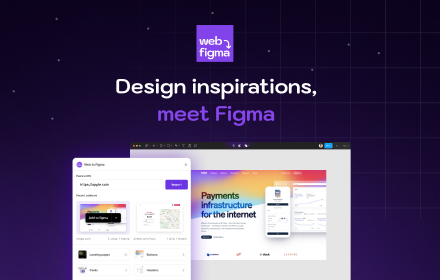
Web to Figma
Web to Figma extension to capture pages and components and import them into Figma as editable designs. No more screenshots.
30.0K
★ 2.2

Drafito
Import webpage to Figma
3.0K

Firejet - Website To Design
Convert any website into Figma designs. Simply navigate to the website you wish to import and click "Save Page to Figma"!
340

HTML to Figma: Convert Websites into Designs & Wireframes by Wireframeit
Convert any webpage into an editable design or wireframe. Export to Figma, SVG, PNG, or JPG.
8.0K
★ 4.0
Data sourced from the Chrome Web Store · last verified Jun 5, 2026.