
html.to.design
Convert any website into fully editable Figma designs. Requires the associated Figma plugin!
As of June 2026, html.to.design has 600,000 users and a 4.66/5 rating from 130 reviews in the Productivity category.
Usersup 20.0 percent+20.0%
600.0K
600,000
Ratingdown 1.3 percent−1.3%
4.66
130 reviews
Reviewsup 8.3 percent+8.3%
130
Version
0.0.203
Manifest V3
90-day change · In the last 90 days this extension gained 100.0K users, 6 version updates.
History
13 snapshotsTracking since Apr 6, 2026.
View as table
| Date | Users | Rating | Reviews | Version |
|---|---|---|---|---|
| Apr 6, 2026 | 500.0K | 4.72 | 120 | 0.0.191 |
| Apr 16, 2026 | 500.0K | 4.73 | 122 | 0.0.193 |
| Apr 20, 2026 | 500.0K | 4.71 | 124 | 0.0.196 |
| Apr 23, 2026 | 500.0K | 4.71 | 124 | 0.0.197 |
| Apr 26, 2026 | 500.0K | 4.71 | 125 | 0.0.198 |
| Apr 29, 2026 | 500.0K | 4.71 | 125 | 0.0.200 |
| May 5, 2026 | 500.0K | 4.71 | 125 | 0.0.201 |
| May 11, 2026 | 600.0K | 4.72 | 127 | 0.0.201 |
| May 17, 2026 | 600.0K | 4.72 | 128 | 0.0.201 |
| May 20, 2026 | 600.0K | 4.72 | 127 | 0.0.201 |
| May 31, 2026 | 600.0K | 4.69 | 128 | 0.0.201 |
| Jun 6, 2026 | 600.0K | 4.69 | 129 | 0.0.201 |
| Jun 21, 2026 | 600.0K | 4.69 | 128 | 0.0.201 |
| Now | 600.0K | 4.66 | 130 | 0.0.203 |
Changelog
- Apr 16, 2026description
With html.to.design, convert any website into fully editable Figma designs. Leverage an existing website and import its html to Figma to start your own designs, without building each element from scratch.

This Chrome extension is a companion to the html.to.design Figma plugin, and you’ll need to install the html.to.design Figma plugin too.

This extension also has built-in support for AI Tools like ChatGPT, Bolt and Lovable, and can directly capture their results without any extra steps.
You can find the full list of AI Tools support here: https://html.to.design/docs/import-from-ai-tools

How it works:
===========

1. Install the html.to.design Chrome extension by clicking on [Add to Chrome] on this page.

2. Navigate to the page you would like to import into Figma.

3. Click on the html.to.design extension icon in your Chrome top bar.

4. The extension will automatically start capture the page.

The result can be:

a) Stored locally in a .h2d file that must be drag-and-dropped to the html.to.design Figma plugin.

b) The result can be sent directly to the Figma plugin once you selected the option.

---
Notes:
In order to best map what you see in your browser to Figma, we need to access Chrome's debugging features.
Import any website into Figma as fully editable designs!

With html.to.design, convert any website into fully editable Figma layers. Leverage an existing website and import its HTML to Figma to start your own designs, without building each element from scratch.

This Chrome extension is a companion to the html.to.design Figma plugin, which you’ll need to install for certain features. If you are using the “Copy to clipboard” option, you do not need to run the Figma plugin — simply paste (⌘+V) your captured webpage in your canvas!

This extension also has built-in support for AI Tools like ChatGPT, Bolt and Lovable, and can directly capture their results without any extra steps. You can find the full list of AI tools supported here: https://html.to.design/docs/import-from-ai-tools

How it works:
===========

1. Install the html.to.design Chrome extension by clicking on [Add to Chrome] on this page.

2. Navigate to the page you would like to import into Figma.

3. Click on the html.to.design extension icon in your Chrome top bar.

4. Hit 'Capture' and the extension will automatically start capturing the page.


Once your webpage has been captured, there are several ways to import it into Figma:

a) Store it locally as an .h2d file that must be dropped into the html.to.design Figma plugin

b) Send it directly to the Figma plugin

c) Download it as a .make file to be used in Figma Make

d) Copy it to the clipboard to then directly paste the result in Figma

---
Notes:
In order to best map what you see in your browser to Figma, we need to access Chrome's debugging features.
Permissions & access
- Permissions
- activeTabscriptingdebuggerdownloadsidentitystoragewebNavigation
- Host access
- None declared
Screenshots


About
Import any website into Figma as fully editable designs!

With html.to.design, convert any website into fully editable Figma layers. Leverage an existing website and import its HTML to Figma to start your own designs, without building each element from scratch.

This Chrome extension is a companion to the html.to.design Figma plugin, which you’ll need to install for certain features. If you are using the “Copy to clipboard” option, you do not need to run the Figma plugin — simply paste (⌘+V) your captured webpage in your canvas!

This extension also has built-in support for AI Tools like ChatGPT, Bolt and Lovable, and can directly capture their results without any extra steps. You can find the full list of AI tools supported here: https://html.to.design/docs/import-from-ai-tools

How it works:
===========

1. Install the html.to.design Chrome extension by clicking on [Add to Chrome] on this page.

2. Navigate to the page you would like to import into Figma.

3. Click on the html.to.design extension icon in your Chrome top bar.

4. Hit 'Capture' and the extension will automatically start capturing the page.


Once your webpage has been captured, there are several ways to import it into Figma:

a) Store it locally as an .h2d file that must be dropped into the html.to.design Figma plugin

b) Send it directly to the Figma plugin

c) Download it as a .make file to be used in Figma Make

d) Copy it to the clipboard to then directly paste the result in Figma

---
Notes:
In order to best map what you see in your browser to Figma, we need to access Chrome's debugging features.
Technical
- Version
- 0.0.203
- Manifest
- V3
- Size
- 855KiB
- Min Chrome
- 88
- Languages
- 1
- Featured
- Yes
Metadata
- ID
- ldnheaepmnmbjjjahokphckbpgciiaed
- Developer ID
- u071d9bbbd3f2fc8f8eb2387094f8b884
- Developer Email
- [email protected]
- Created
- Nov 13, 2022
- Last Updated (Store)
- Jun 17, 2026
- Last Scraped
- Jun 21, 2026
- Website
- —
- Support URL
- https://html.to.design/chat
- Privacy Policy
- https://html.to.design/privacy
Similar extensions
Alternatives to html.to.design, ranked by description similarity.

html.tomake.design (llama)
Convert any website into fully editable Figma designs. Requires the companion Figma plugin!
1.0K
★ 4.0

HTML to Figma (by Yashi Tech Solutions)
Convert webpages into a Figma design
10.0K
★ 3.0

Hyperplane - Website & HTML to Design
Convert any website or HTML into editable designs with Figma Support. Scan live pages or localhost and capture multiple viewports.
172
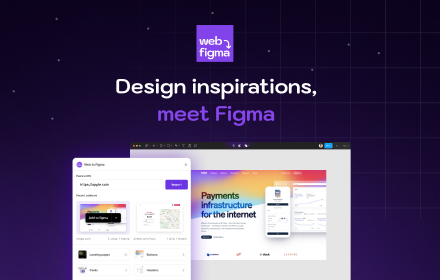
Web to Figma
Web to Figma extension to capture pages and components and import them into Figma as editable designs. No more screenshots.
30.0K
★ 2.2

Drafito
Import webpage to Figma
3.0K

Web to Canvas
Convert any webstite to editable Figma design. Requires the associated Figma plugin
8

Refore HTML to Figma (Pixel-Perfect Web to Figma Design)
Transform any web into Figma with Pixel-Perfect. AI-Generated Pages Also Supported
10.0K
★ 4.2

Firejet - Website To Design
Convert any website into Figma designs. Simply navigate to the website you wish to import and click "Save Page to Figma"!
340
Data sourced from the Chrome Web Store · last verified Jun 21, 2026.