
HTML to Figma (by Yashi Tech Solutions)
Convert webpages into a Figma design
As of June 2026, HTML to Figma (by Yashi Tech Solutions) has 10,000 users and a 3.00/5 rating from 4 reviews in the Productivity category.
Usersno change0%
10.0K
10,000
Ratingdown 18.3 percent−18.3%
3.00
4 reviews
Reviewsup 33.3 percent+33.3%
4
Version
1.3
Manifest V3
History
2 snapshotsTracking since Apr 21, 2026.
View as table
| Date | Users | Rating | Reviews | Version |
|---|---|---|---|---|
| Apr 21, 2026 | 10.0K | 3.67 | 3 | 1.3 |
| May 11, 2026 | 10.0K | 3.00 | 4 | 1.3 |
| Now | 10.0K | 3.00 | 4 | 1.3 |
Permissions & access
- Permissions
- activeTabscriptingdebuggerdownloadsmanagement
- Host access
- <all_urls>
Screenshots


About
HTML to Figma (by Yashitech Solutions) is a chrome-based browser extension that lets you to capture your webpage’s layout and elements, and save them in a file. The file can be uploaded to our figma plugin under the same name, HTML to Figma (by Yashitech Solutions), which converts the file into a fully editable Figma design by transforming them into Figma’s components, frames, and styles.

This extension and figma plugin go hand in hand to let you transfer any webpage into a figma design.

How to use this extension:
1.  Download and enable the extension.
2. Open any website or webpage that you want to convert into a figma design.
3. Open the extension and choose the presets of the design you'd like. (Partial Element Selection feature may not work sometimes)
4. Click on "Convert to Figma" button to download the design file in a .json format.
5. After the download is complete, head over to Figma, and open our figma plugin.
6. Upload the recently downloaded .json design file, and click on "Convert to Design".
7. The webpage layout will be rendered as Figma's components that can easily be customised.

Figma Plugin: https://www.figma.com/community/plugin/1459487250118622106/html-to-figma-converts-any-websites-into-fully-editable-figma-designs-by-yashitech-solutions

Discord Server: https://discord.gg/ChTBMWJd9X

Please contact [email protected] for any direct support or help, and join our discord server for updates regarding the extension and the Figma plugin.
Technical
- Version
- 1.3
- Manifest
- V3
- Size
- 70.62KiB
- Min Chrome
- 88
- Languages
- 1
- Featured
- No
Metadata
- ID
- apgdhlibcimkkffajannbmpnbjaealmo
- Developer ID
- u6c6cdc258a97e51ec846cd11475a1af7
- Developer Email
- [email protected]
- Created
- Jan 29, 2025
- Last Updated (Store)
- Apr 10, 2025
- Last Scraped
- Jun 6, 2026
- Website
- yashitechsolutions.com
- Support URL
- https://discord.gg/ChTBMWJd9X
Similar extensions
Alternatives to HTML to Figma (by Yashi Tech Solutions), ranked by description similarity.

html.to.design
Convert any website into fully editable Figma designs. Requires the associated Figma plugin!
600.0K
★ 4.7

html.tomake.design (llama)
Convert any website into fully editable Figma designs. Requires the companion Figma plugin!
1.0K
★ 4.0
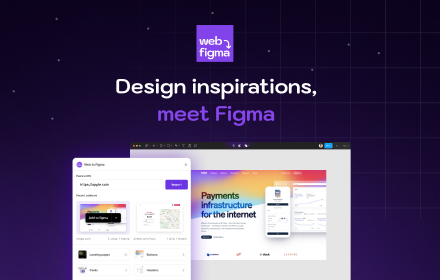
Web to Figma
Web to Figma extension to capture pages and components and import them into Figma as editable designs. No more screenshots.
30.0K
★ 2.2

Refore HTML to Figma (Pixel-Perfect Web to Figma Design)
Transform any web into Figma with Pixel-Perfect. AI-Generated Pages Also Supported
10.0K
★ 4.2

Web to Canvas
Convert any webstite to editable Figma design. Requires the associated Figma plugin
8

Drafito
Import webpage to Figma
3.0K

Hyperplane - Website & HTML to Design
Convert any website or HTML into editable designs with Figma Support. Scan live pages or localhost and capture multiple viewports.
172

Firejet - Website To Design
Convert any website into Figma designs. Simply navigate to the website you wish to import and click "Save Page to Figma"!
340
Data sourced from the Chrome Web Store · last verified Jun 6, 2026.