
Hyperplane - Website & HTML to Design
Convert any website or HTML into editable designs with Figma Support. Scan live pages or localhost and capture multiple viewports.
As of June 2026, Hyperplane - Website & HTML to Design has 172 users in the Productivity category.
Usersup 89.0 percent+89.0%
172
172
Ratingno change0%
—
— reviews
Reviewsno change0%
—
Version
1.2.0
Manifest V3
90-day change · In the last 90 days this extension 1 version update, changed permissions.
History
8 snapshotsTracking since Apr 3, 2026.
View as table
| Date | Users | Rating | Reviews | Version |
|---|---|---|---|---|
| Apr 3, 2026 | 91 | — | — | 1.1.0 |
| Apr 19, 2026 | 92 | — | — | 1.1.0 |
| Apr 29, 2026 | 111 | — | — | 1.1.0 |
| May 9, 2026 | 110 | — | — | 1.1.0 |
| May 17, 2026 | 114 | — | — | 1.1.0 |
| May 25, 2026 | 116 | — | — | 1.1.0 |
| Jun 1, 2026 | 131 | — | — | 1.2.0 |
| Jun 8, 2026 | 141 | — | — | 1.2.0 |
| Now | 172 | — | — | 1.2.0 |
Changelog
- May 25, 2026description
translate.design lets you convert real websites and HTML into fully editable Figma designs — directly from your browser.
Scan any live website or local development environment and generate a Figma file that preserves layout structure and layers, helping designers and product teams save hours of manual recreation.

How to use the translate.design Chrome extension?
1. Open the website you want to convert
2. Launch the translate.design extension
3. Start a scan to capture the page’s layout, structure, and styles.

Optional:
Choose your breakpoint
Scan the page at different viewport sizes to capture responsive layouts.
Generate the Figma design
The extension sends the captured data and creates a fully editable Figma file.
Edit in Figma
Open the generated file and modify layers, layouts, and components as needed.

What the extension supports
- Live websites
- Local development sites (localhost)
- Multiple viewport sizes
Hyperplane.design — Convert websites into editable Figma designs, right from your browser.

Turn any live website or local dev environment into a fully editable Figma file — without the manual work. Hyperplane captures layout, structure, and styles so your team can jump straight into designing.


How it works?

1. Scan the page — Open the site you want to convert and launch the Hyperplane extension to capture its layout, structure, and styles. Need just a specific section? Select individual elements — or pick multiple at once — instead of scanning the whole page. Your scan is copied to your clipboard automatically.

2. Arrange on canvas — Paste your scans into the Hyperplane canvas. Mix and match elements from different scans until you have everything you need.

3. Copy to Figma — Select your designs on the canvas, copy, and paste directly into Figma as fully editable layers.
- May 25, 2026short_description
Convert any website or HTML into fully editable Figma designs. Scan live pages or localhost and capture multiple viewports.
Convert any website or HTML into editable designs with Figma Support. Scan live pages or localhost and capture multiple viewports.
- May 25, 2026name
translate.design - Website & HTML to Figma
Hyperplane - Website & HTML to Design
- May 25, 2026host_permissions
https://api.translate.design/*, https://*.s3.amazonaws.com/*, https://*.s3.*.amazonaws.com/*, <all_urls>
https://api.hyperplane.design/*, https://*.s3.amazonaws.com/*, https://*.s3.*.amazonaws.com/*, <all_urls>
Permissions & access
- Permissions
- storageactiveTabscriptingdebugger
- Host access
- https://api.hyperplane.design/*, https://*.s3.amazonaws.com/*, https://*.s3.*.amazonaws.com/*, <all_urls>
Screenshots

About
Hyperplane.design — Convert websites into editable Figma designs, right from your browser.

Turn any live website or local dev environment into a fully editable Figma file — without the manual work. Hyperplane captures layout, structure, and styles so your team can jump straight into designing.


How it works?

1. Scan the page — Open the site you want to convert and launch the Hyperplane extension to capture its layout, structure, and styles. Need just a specific section? Select individual elements — or pick multiple at once — instead of scanning the whole page. Your scan is copied to your clipboard automatically.

2. Arrange on canvas — Paste your scans into the Hyperplane canvas. Mix and match elements from different scans until you have everything you need.

3. Copy to Figma — Select your designs on the canvas, copy, and paste directly into Figma as fully editable layers.
Technical
- Version
- 1.2.0
- Manifest
- V3
- Size
- 225KiB
- Min Chrome
- 88
- Languages
- 1
- Featured
- No
Metadata
- ID
- ifhlpkcaoambebocmoplhpajhjikaici
- Developer ID
- u77cab333cbec3256069bb012382f7f02
- Developer Email
- [email protected]
- Created
- Dec 19, 2025
- Last Updated (Store)
- May 18, 2026
- Last Scraped
- Jun 8, 2026
- Website
- hyperplane.design
- Support URL
- —
- Privacy Policy
- https://translate.design/privacy
Similar extensions
Alternatives to Hyperplane - Website & HTML to Design, ranked by description similarity.

html.to.design
Convert any website into fully editable Figma designs. Requires the associated Figma plugin!
600.0K
★ 4.7

html.tomake.design (llama)
Convert any website into fully editable Figma designs. Requires the companion Figma plugin!
1.0K
★ 4.0

Figma: interface translator — English and 133 languages
Translate Figma interface into 133 languages. Google Translate API. Not affiliated with Figma.
955
★ 4.4
Web to Figma
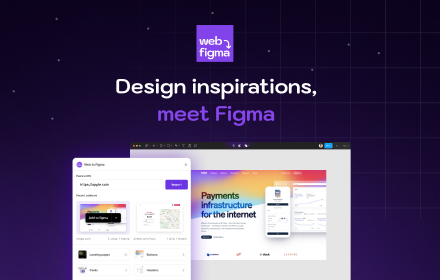
Web to Figma extension to capture pages and components and import them into Figma as editable designs. No more screenshots.
30.0K
★ 2.2

Drafito
Import webpage to Figma
3.0K

Web to Canvas
Convert any webstite to editable Figma design. Requires the associated Figma plugin
8

Firejet - Website To Design
Convert any website into Figma designs. Simply navigate to the website you wish to import and click "Save Page to Figma"!
340

HTML to Figma: Convert Websites into Designs & Wireframes by Wireframeit
Convert any webpage into an editable design or wireframe. Export to Figma, SVG, PNG, or JPG.
8.0K
★ 4.0
Data sourced from the Chrome Web Store · last verified Jun 8, 2026.