
HTML to Figma: Convert Websites into Designs & Wireframes by Wireframeit
Convert any webpage into an editable design or wireframe. Export to Figma, SVG, PNG, or JPG.
As of June 2026, HTML to Figma: Convert Websites into Designs & Wireframes by Wireframeit has 8,000 users and a 3.95/5 rating from 19 reviews in the Productivity category.
Usersup 14.3 percent+14.3%
8.0K
8,000
Ratingno change0%
3.95
19 reviews
Reviewsno change0%
19
Version
1.6.14
Manifest V3
90-day change · In the last 90 days this extension gained 1.0K users.
History
1 snapshotsTracking since Apr 18, 2026.
View as table
| Date | Users | Rating | Reviews | Version |
|---|---|---|---|---|
| Apr 18, 2026 | 7.0K | 3.95 | 19 | 1.6.14 |
| Now | 8.0K | 3.95 | 19 | 1.6.14 |
Permissions & access
- Permissions
- storageactiveTabdownloadscontextMenusscriptingoffscreenfontSettings
- Host access
- <all_urls>
Screenshots


About
Instantly Convert Any Webpage into a Pixel-Perfect Design

Transform live websites and HTML into fully editable designs or low-fidelity wireframes. Wireframeit accurately captures the layout, typography, and structure of any site and converts it into editable design files ready to export directly to Figma or download as SVG, PNG, or JPG.

⚙️ Choose Your Output
• Full Design
Retain the exact look and feel of the original webpage, including fonts, styles, and layout. Images are replaced with placeholders to streamline editing and design handoff.
• Wireframe
Reduce complexity by stripping colors, images, and detailed styles to create clean, low-fidelity wireframes, perfect for rapid prototyping and layout planning.

🛠️ Features
• One-Click Webpage Conversion
Instantly convert any live webpage into an editable design, with customization options to control fidelity and detail.
• Figma Export
Send designs directly to Figma, eliminating manual imports.
• Responsive Preview & Export
View and export designs optimized for desktop, tablet, or mobile screens.
• Media Inspector
Download all images and media assets embedded on a webpage.
• Color Inspector
Extract and export every color used on the page.
• Multiple Export Formats
Export your designs as editable SVG files or high-quality PNG and JPG images.

🚀 Quick Start
• Add Wireframeit to your browser.
• Open the webpage you want to convert.
• Click the Wireframeit icon to open the editor and customize your design.
• Export your design as a Figma file, SVG, PNG, or JPG.

🔗 Support
For assistance please visit our official website or contact [email protected].
Technical
- Version
- 1.6.14
- Manifest
- V3
- Size
- 774KiB
- Min Chrome
- 88
- Languages
- 1
- Featured
- Yes
Metadata
- ID
- nbmkpdgmnjbiohfpiofmjhpbeakpmlfd
- Developer ID
- ud2e15b9c4020f8fd65a4a39ee8dd2ede
- Developer Email
- [email protected]
- Created
- Nov 11, 2024
- Last Updated (Store)
- Dec 28, 2025
- Last Scraped
- Jun 3, 2026
- Website
- wireframeit.com
- Support URL
- https://wireframeit.com/support
- Privacy Policy
- http://wireframeit.com/privacy-policy
Similar extensions
Alternatives to HTML to Figma: Convert Websites into Designs & Wireframes by Wireframeit, ranked by description similarity.

Web to Canvas
Convert any webstite to editable Figma design. Requires the associated Figma plugin
8

Copy web to Figma - 复制为可编辑设计稿,无需安装Figma插件
一键复制网页转换为可编辑的 Figma 设计稿,支持任何网站,无需Figma插件,免费使用
428
★ 5.0

Refore HTML to Figma (Pixel-Perfect Web to Figma Design)
Transform any web into Figma with Pixel-Perfect. AI-Generated Pages Also Supported
10.0K
★ 4.2

Firejet - Website To Design
Convert any website into Figma designs. Simply navigate to the website you wish to import and click "Save Page to Figma"!
340

UI Builder – Mockup Tool
UI wireframes in Chrome. Drag sketch-style elements, resize, and screenshot easily.
849
★ 5.0

html.tomake.design (llama)
Convert any website into fully editable Figma designs. Requires the companion Figma plugin!
1.0K
★ 4.0

Hyperplane - Website & HTML to Design
Convert any website or HTML into editable designs with Figma Support. Scan live pages or localhost and capture multiple viewports.
172
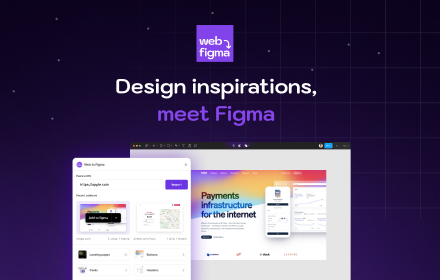
Web to Figma
Web to Figma extension to capture pages and components and import them into Figma as editable designs. No more screenshots.
30.0K
★ 2.2
Data sourced from the Chrome Web Store · last verified Jun 3, 2026.