BrowserNative
Extensions (51)

Go Incognito
FeaturedOpens current tab in an incognito window, and removes it from your browsing history.

Click and Clean
FeaturedQuickly delete your browsing data - open windows, browsing history, cookies, downloads history, form data, caches etc.

Incognito This Tab
Open current tab in an incognito window.

Open with Google Drive™ Viewer
Open online resources with Google Drive Viewer. Supports various formats including DOC, XLS, PDF, PPT, ZIP, HTML, TXT, JS etc.

Screenshot
FeaturedQuickly take screenshot of current tab. Keyboard Command: Alt+P.

Image Downloader
FeaturedSave images from Instagram.

Close All Tabs
FeaturedClose all open tabs. Optionally close pinned tabs and incognito mode tabs.

Save Webpages Offline As MHTML
FeaturedSave offline copy of current tab as MHTML file. Keyboard Command Alt+S.

Share on Twitter
FeaturedShare current tab, links and selected text on Twitter (X.com).

Downloads Folder Launcher
FeaturedQuickly open the default 'Downloads' folder. keyboard shortcut: Alt+J.

Subscribe RSS Feeds in Feedly
FeaturedSubscribe RSS and Atom Feeds in Feedly. Automatically finds feeds on the pages to let you subscribe them in Feedly.
Emoji Copy and Paste
FeaturedClick on any emoji to copy it instantly. Now paste it anywhere.

Open Online Office Files
FeaturedOpen online documents (Word), spreadsheets (Excel), PDF, presentations (PowerPoint) etc. via online services.

Language Tools - Translate, Dictionary, and Thesaurus
Translate, Dictionary, and Thesaurus. Use the Context Menu Options and the Toolbar Button.

Share on Facebook™
FeaturedEasily share web pages and links on Facebook. Unofficial Extension.

Keyboard Launcher for MS Office Online™
FeaturedKeyboard shortcuts to quickly launch Microsoft Office Online Apps: Word, Excel and PowerPoint.

Block Notifications
FeaturedBlocks annoying notification prompt appearing on websites.

Wallpaper from Bing for Chromebook™
Automatically sets Bing's image of the day as the desktop wallpaper on Chromebooks and other ChromeOS devices.

Quick QR Code
FeaturedQuickly generate QR codes. Keyboard Shortcut: Alt + Q.

User Agent Switcher
Change the default User-Agent String and other User-Agent properties.

Delete Cookies and Site Data
FeaturedDelete cookies, storage and cache of all websites except the whitelisted domains.

Startup Sound for Chromebook™
FeaturedPlay startup sound on Chromebooks and other ChromeOS devices!

Create New
FeaturedQuickly create new stuff.

DuckDuckGo Search - Context Menu and Omnibox
FeaturedSearch DuckDuckGo using the context menu option and omnibox.

Simple Privacy Settings
FeaturedEasily control privacy settings of your browser.

Share on WhatsApp™
Share current tab, links, image URLs and selected text on WhatsApp Web.

YouTube Shorts to Standard Videos
FeaturedClick the extension icon to convert YouTube Shorts URLs to standard YouTube video URLs.

Google™ AI Mode Search
Use Google's AI Mode Search using the context menu, or type '@gai' in the address bar followed by your query.
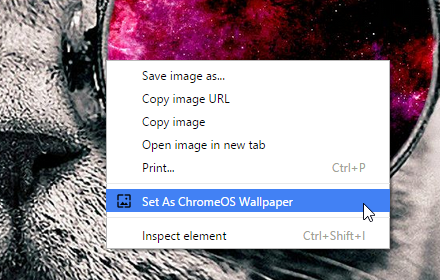
Set Image As Chrome OS Wallpaper
Set any online image as desktop wallpaper on Chromebook and other ChromeOS devices.

Multi Context Menu Search
Select text to search it on your favorite search engines.

Incognito Search Plus
FeaturedSearch Google in incognito mode. Use context menu option or omnibox keyword 'i'.

Only HTML
Allow only HTML (and inline CSS & images) to render. Block all other content types like images, scripts, web fonts etc.

SiteTools
FeaturedOne click access to many useful tools for webmasters, web developers, SEO experts and social media marketers.

Bluesky Share Extension
Share current tab, links and selected text on Bluesky.

Ask Grok
Search Grok.com by xAI using the context menu or type '@grok' in the address bar followed by your query.

DuckDuckGo to Google
FeaturedUnhappy with DuckDuckGo results? Quickly search the same query on Google. Use the toolbar button or the keyboard command shift + g

Ultimate Blocker - Ads, Trackers, Websites
FeaturedBlock annoying websites, trackers and ads. Enter domain names to block and done!

Share to Native Apps
Share current tab or selected text to the supported native apps on your computer. Powered by Web Share API.

ChatGPT Context Menu
Select text and send it to OpenAI ChatGPT. Prepend prompts to add instructions or search.

Snippets Manager
Save text snippets, and use them later.

Hacker News Tools
Enhance your Hacker News experience with useful tools and features like dark mode and more.

Search This Site
Search your query only in the current site on Google, DuckDuckGo or Brave Search. Use Omnibox, Toolbar Icon and Context Menu.

Social Share
Share the current page on Twitter, Facebook, Reddit and many other popular sites.

Open in Kaggle Notebooks
Open online Jupyter notebooks in Kaggle Notebooks.

Reading List Extension
Save web pages to Chrome's built-in reading list.

Better ChatGPT Search
Use ChatGPT Search without changing your default search engine. Search using address bar and context menu.

Perplexity Search
Search Perplexity.ai by using the context menu or type '@plex' in the address bar followed by your query.

Save Image as JPG PNG WebP
Save images to a specific file format: JPG, PNG or WebP

Bookmarks New Tab Page
Override new tab page with a customizable bookmark folder dashboard

arXiv Tools
Useful utilities and customizations for arXiv.org.