
Screenshot
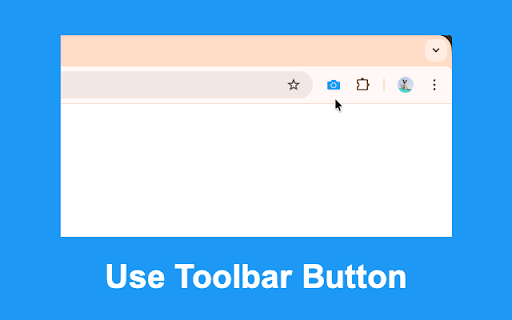
Quickly take screenshot of current tab. Keyboard Command: Alt+P.
As of May 2026, Screenshot has 40,000 users and a 4.58/5 rating from 62 reviews in the Productivity category.
Usersup 33.3 percent+33.3%
40.0K
40,000
Ratingup 0.9 percent+0.9%
4.58
62 reviews
Reviewsup 8.8 percent+8.8%
62
Version
0.0.7
Manifest V3
90-day change · In the last 90 days this extension gained 10.0K users.
History
3 snapshotsTracking since Apr 1, 2026.
View as table
| Date | Users | Rating | Reviews | Version |
|---|---|---|---|---|
| Apr 1, 2026 | 30.0K | 4.54 | 57 | 0.0.7 |
| Apr 21, 2026 | 30.0K | 4.55 | 58 | 0.0.7 |
| May 17, 2026 | 30.0K | 4.57 | 60 | 0.0.7 |
| Now | 40.0K | 4.58 | 62 | 0.0.7 |
Permissions & access
- Permissions
- activeTabdownloadsstorage
- Host access
- None declared
Screenshots


About
Users can select the screenshot format (PNG or JPEG) in Options. After capture, the extension saves the file automatically, with an optional setting to open it in a new tab.

Extremely fast, light-weight and privacy friendly extension by BrowserNative.

Visit homepage for user guide: https://browsernative.com/screenshot-chrome-extension/
Technical
- Version
- 0.0.7
- Manifest
- V3
- Size
- 12.82KiB
- Min Chrome
- 88
- Languages
- 1
- Featured
- Yes
Metadata
- ID
- mafopchedjkbgkpbbnbgifaolempmdgh
- Developer ID
- uc60968e0b1e89845e2ee80c502e47d91
- Developer Email
- [email protected]
- Created
- Aug 13, 2016
- Last Updated (Store)
- Sep 18, 2025
- Last Scraped
- May 31, 2026
- Website
- browsernative.com
- Privacy Policy
- https://browsernative.com/extensions-privacy-policy/
Similar extensions
Alternatives to Screenshot, ranked by description similarity.

Screenshot Capture
Capture a screenshot of the current tab.
52
★ 5.0

Screenshot for Google Chrome
One-Button Screenshot extension for Chrome web browser. Simply click the extension icon in your Chrome browser!
15

Fast Screenshot - One Click Capture
Capture full-page screenshots instantly with just one click. Simple, fast and lightweight tool for quick screen captures.
122

Screenshot Capture
Capture webpages instantly with a lightweight screenshot tool built for speed and simplicity.
Screenshot Capture helps you take…
—

TheFlaMes:ScreenShot Extension
This Chrome extension is a versatile screenshot tool that provides users with three powerful features for capturing webpage content…
2

Swift Screenshot
Fast screenshots with keyboard shortcuts.
5
★ 5.0

Instant Screenshot
One-click screenshot tool that instantly captures and saves your current browser tab with automatic timestamp-based file naming.
46
★ 5.0

Instant Screenshot + Copy
Capture full-page or custom area screenshots and save or copy them instantly. Fast, flexible, and private.
144
★ 1.0
Data sourced from the Chrome Web Store · last verified May 31, 2026.