
Incognito This Tab
Open current tab in an incognito window.
As of May 2026, Incognito This Tab has 50,000 users and a 3.64/5 rating from 74 reviews in the Productivity category.
Usersno change0%
50.0K
50,000
Ratingno change0%
3.64
74 reviews
Reviewsno change0%
74
Version
0.9
Manifest V3
Permissions & access
- Permissions
- contextMenusactiveTab
- Host access
- None declared
Screenshots

About
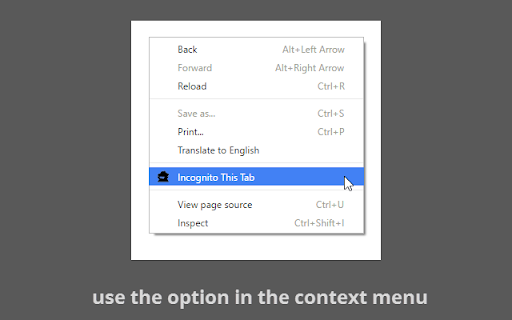
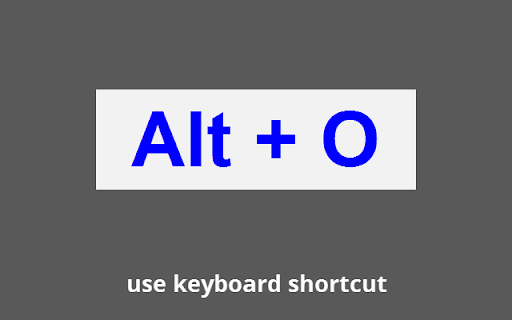
Use keyboard shortcut "Alt + O", toolbar button or the context menu option.

Simple and light-weight extension, doesn't require any special permission. No Adware or any malicious activity.

Enable "Allow in incognito" on Extensions page to use it in incognito mode for reverse functionality.
Technical
- Version
- 0.9
- Manifest
- V3
- Size
- 12.64KiB
- Min Chrome
- 88
- Languages
- 1
- Featured
- No
Metadata
- ID
- nhockicmnnjibbhgcpphjicilgcfehdi
- Developer ID
- uce8c71d584218f0da97a6564a3b62a18
- Developer Email
- [email protected]
- Created
- Dec 17, 2013
- Last Updated (Store)
- Apr 30, 2024
- Last Scraped
- May 27, 2026
- Website
- —
- Support URL
- https://browsernative.com/incognito-chrome/
- Privacy Policy
- https://browsernative.com/extensions-privacy-policy/
Similar extensions
Alternatives to Incognito This Tab, ranked by description similarity.

Open Incognito
Instantly open the current page in an Incognito window.
2
★ 5.0

New incognito window
Provides a quick access to the secure incognito mode.
718
★ 5.0

Private Duplicate
Open current page in Incognito via icon, context menu or shortcut
—

Open Incognito
Tools for opening tabs in incognito mode
2

Un-Incognit-izer
Move all active tabs from an incognito to a normal window
14
★ 5.0

Quick Incognito Switch
Quickly switch between incognito and normal tabs. Open links in opposite tab type with context menu or modifier key.
—

Open Incognito Tab
Open a new incognito tab with a single click.
—

Hide my history
A better way to hide your browsing history
1.0K
★ 4.6
Data sourced from the Chrome Web Store · last verified May 27, 2026.