
Blurry Bear
Use Blurry Bear to quickly hide some personal identifying info (PII) like a patient's name, an email address, or a phone number!
As of May 2026, Blurry Bear has 14 users and a 5.00/5 rating from 1 reviews in the Workflow & Planning category.
Usersup 7.7 percent+7.7%
14
14
Ratingno change0%
5.00
1 reviews
Reviewsdown 50.0 percent−50.0%
1
Version
1.0
Manifest V3
History
2 snapshotsTracking since Apr 25, 2026.
View as table
| Date | Users | Rating | Reviews | Version |
|---|---|---|---|---|
| Apr 25, 2026 | 13 | 5.00 | 2 | 1.0 |
| May 22, 2026 | 17 | 5.00 | 2 | 1.0 |
| Now | 14 | 5.00 | 1 | 1.0 |
Permissions & access
- Permissions
- contextMenus
- Host access
- None declared
Screenshots

About
Need to hide some information like an account number, a transaction, a name, an email address, a phone number, or any other private information? Blurry Bear has you covered! 🐻

Blurry Bear temporarily masks selected text in the browser so that you can take screenshots or screen shares without fear of sharing something private.

It's bear-y simple to use. Once installed, simply highlight the text you'd like to blur, then right-click and select "Blur with Blurry Bear". Ta-da! You're done.

To clear the redactions, just refresh the page! :)
Technical
- Version
- 1.0
- Manifest
- V3
- Size
- 12.69KiB
- Min Chrome
- 88
- Languages
- 1
- Featured
- No
Metadata
- ID
- pdlpiilhojoojfnloojeocoimccggmkj
- Developer ID
- u047df97e1f3ed40d55c6f01e64f8bf66
- Developer Email
- [email protected]
- Created
- Aug 3, 2022
- Last Updated (Store)
- Aug 16, 2022
- Last Scraped
- May 22, 2026
- Website
- —
- Support URL
- https://linkedin.com/in/wrightdotclick
- Privacy Policy
- —
Similar extensions
Alternatives to Blurry Bear, ranked by description similarity.

Blur It
Instantly blur sensitive data on any page. Perfect for screen sharing, demos, and tutorials. Hide text, images, or draw blur boxes.
427
★ 4.1

BlurAny - Privacy Protector
Instantly blur any web element - text, images, inputs, or areas. Protect privacy with one click during screen sharing or recordings.
34

Page Blur - Hide Sensitive Info for Screen Sharing
Blur sensitive information and hide private data when screen sharing.
212
★ 5.0
blurweb.app
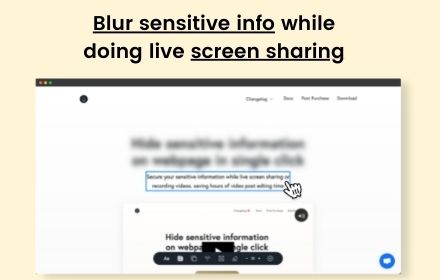
Blur any element text, image, input or paragraphs with single click.
10.0K
★ 4.4

RedactWeb
Blur, protect and hide sensitive content on any website. Premium license required after 7-day trial.
23
★ 5.0

Blur Screen - Sensitive Data Protection
Instantly blur sensitive data, text, images on any website. Perfect for screen sharing, demos, recordings & privacy protection.
57
★ 5.0

ScreenSafe Blur
Instantly hide sensitive information on your screen with one click.
2

Autoblur - One-Click Blur for Screen Sharing & Privacy
Blur sensitive data instantly while screen sharing and browsing.
27
Data sourced from the Chrome Web Store · last verified May 22, 2026.