
RedactWeb
Blur, protect and hide sensitive content on any website. Premium license required after 7-day trial.
As of June 2026, RedactWeb has 23 users and a 5.00/5 rating from 4 reviews in the Workflow & Planning category.
Usersup 53.3 percent+53.3%
23
23
Ratingno change0%
5.00
4 reviews
Reviewsno change0%
4
Version
1.0.2
Manifest V3
History
9 snapshotsTracking since Apr 3, 2026.
View as table
| Date | Users | Rating | Reviews | Version |
|---|---|---|---|---|
| Apr 3, 2026 | 15 | 5.00 | 4 | 1.0.2 |
| Apr 17, 2026 | 38 | 5.00 | 4 | 1.0.2 |
| Apr 23, 2026 | 3 | 5.00 | 4 | 1.0.2 |
| Apr 28, 2026 | 33 | 5.00 | 4 | 1.0.2 |
| May 11, 2026 | — | 5.00 | 4 | 1.0.2 |
| May 16, 2026 | 113 | 5.00 | 4 | 1.0.2 |
| May 29, 2026 | — | 5.00 | 4 | 1.0.2 |
| Jun 5, 2026 | 34 | 5.00 | 4 | 1.0.2 |
| Jun 11, 2026 | 11 | 5.00 | 4 | 1.0.2 |
| Now | 23 | 5.00 | 4 | 1.0.2 |
Permissions & access
- Permissions
- storageactiveTab
- Host access
- <all_urls>
Screenshots


About
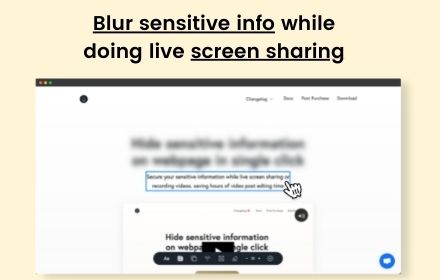
RedactWeb is a powerful privacy extension that lets you blur and hide sensitive information on any website instantly. Whether you are presenting, recording tutorials, taking screenshots, or sharing your screen, RedactWeb gives you precise control over what others can see.

All redaction happens locally in your browser, so your data remains private. You can quickly mask text, images, numbers, or entire sections of a webpage without altering the original site or exporting screenshots for post-editing.

Key Features

Instant redaction of text and images on any webpage
Precise selection: choose exactly what to blur or hide
Works on virtually all websites and web applications
Ideal for screen sharing, video calls, webinars, and online classes
Simplifies taking screenshots and recording videos without exposing sensitive information
Fully local processing; no data is uploaded or shared externally
Simple, intuitive interface with minimal learning curve

Use Cases

Protect personal or financial information during online meetings
Hide proprietary data or metrics in presentations and demos
Mask passwords, emails, names, or other sensitive details before taking screenshots
Ensure privacy when sharing your screen or recording content
With RedactWeb, you can control your privacy online and keep sensitive information secure without extra steps.

Install today and take full control over what is visible on your browser.
Technical
- Version
- 1.0.2
- Manifest
- V3
- Size
- 34.75KiB
- Min Chrome
- 88
- Languages
- 1
- Featured
- No
Metadata
- ID
- ogpbohcpbinhiokckeifiimbhghkdpkd
- Developer ID
- ub25320a9a4ef3433028f334bbdff7c1c
- Developer Email
- [email protected]
- Created
- Mar 2, 2026
- Last Updated (Store)
- Mar 23, 2026
- Last Scraped
- Jun 11, 2026
- Website
- redactweb.com
- Support URL
- https://redactweb.com/
- Privacy Policy
- https://redactweb.com/
Similar extensions
Alternatives to RedactWeb, ranked by description similarity.

Blur It
Instantly blur sensitive data on any page. Perfect for screen sharing, demos, and tutorials. Hide text, images, or draw blur boxes.
427
★ 4.1

Page Blur - Hide Sensitive Info for Screen Sharing
Blur sensitive information and hide private data when screen sharing.
212
★ 5.0

Blur Screen - Sensitive Data Protection
Instantly blur sensitive data, text, images on any website. Perfect for screen sharing, demos, recordings & privacy protection.
57
★ 5.0

ScreenSafe Blur
Instantly hide sensitive information on your screen with one click.
2
blurweb.app
Blur any element text, image, input or paragraphs with single click.
10.0K
★ 4.4

Web Edit & Blur
Edit text, replace images, and blur content on any webpage. Ideal for mockups, change communication, and privacy protection
31

Dont Get Leaked | Web Blur
Instantly blur sensitive content with one click and premade blur templates for Google, YouTube, Gmail, WhatsApp and more.
2

Censor Ultimate
If you are a how-to creator, you know how much time and/or money redacting personal information in your videos can cost. Finally,…
53
★ 5.0
Data sourced from the Chrome Web Store · last verified Jun 11, 2026.