
Page Blur - Hide Sensitive Info for Screen Sharing
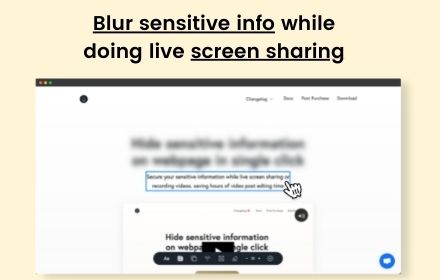
Blur sensitive information and hide private data when screen sharing.
As of June 2026, Page Blur - Hide Sensitive Info for Screen Sharing has 212 users and a 5.00/5 rating from 1 reviews in the Workflow & Planning category.
Usersup 46.2 percent+46.2%
212
212
Ratingno change0%
5.00
1 reviews
Reviewsno change0%
1
Version
1.0.0
Manifest V3
History
7 snapshotsTracking since Apr 1, 2026.
View as table
| Date | Users | Rating | Reviews | Version |
|---|---|---|---|---|
| Apr 1, 2026 | 145 | 5.00 | 1 | 1.0.0 |
| Apr 19, 2026 | 149 | 5.00 | 1 | 1.0.0 |
| Apr 29, 2026 | 181 | 5.00 | 1 | 1.0.0 |
| May 8, 2026 | 179 | 5.00 | 1 | 1.0.0 |
| May 16, 2026 | 181 | 5.00 | 1 | 1.0.0 |
| May 25, 2026 | 189 | 5.00 | 1 | 1.0.0 |
| Jun 4, 2026 | 202 | 5.00 | 1 | 1.0.0 |
| Now | 212 | 5.00 | 1 | 1.0.0 |
Permissions & access
- Permissions
- storageactiveTabscriptingcontextMenus
- Host access
- None declared
Screenshots


About
Page Blur lets you instantly blur sensitive information on any webpage before screen sharing, recording, or taking screenshots.

KEY FEATURES:
✦ Blur Element - Click to blur any element (emails, names, account numbers, balances)
✦ Blur Area - Draw a box to blur any region on the page
✦ Hide Tab Name - Replace tab title and favicon with a generic icon for extra privacy
✦ Adjustable Blur Intensity - Control how strong the blur effect is (1-20)
✦ Persistent Blurs - Your blurs are saved and automatically re-applied when you revisit the page
✦ Undo/Redo - Made a mistake? Easily undo or redo your actions

PERFECT FOR:
✦ Remote workers sharing screens on Zoom, Google Meet, or Teams
✦ Content creators recording tutorials without exposing personal data
✦ Developers doing live demos while protecting sensitive test data
✦ Anyone who values privacy when presenting their screen

100% FREE - No account required, no data collected, works offline.

Simply click the extension icon to toggle blurs on/off. Use keyboard shortcuts for faster workflow (Ctrl+Shift+E for element blur, Ctrl+Shift+A for area blur).

Protect your privacy in seconds. Install Page Blur today.
Technical
- Version
- 1.0.0
- Manifest
- V3
- Size
- 84.99KiB
- Min Chrome
- 88
- Languages
- 1
- Featured
- Yes
Metadata
- ID
- mekiecmbbmjhakpahnijnhgbpkiifnop
- Developer ID
- u2e2795cf3cac4d462d2eca9e6137a43e
- Developer Email
- [email protected]
- Created
- Dec 24, 2025
- Last Updated (Store)
- Dec 24, 2025
- Last Scraped
- Jun 4, 2026
- Website
- —
- Support URL
- —
- Privacy Policy
- —
Similar extensions
Alternatives to Page Blur - Hide Sensitive Info for Screen Sharing, ranked by description similarity.

BlurAny - Privacy Protector
Instantly blur any web element - text, images, inputs, or areas. Protect privacy with one click during screen sharing or recordings.
34

Blur Screen - Sensitive Data Protection
Instantly blur sensitive data, text, images on any website. Perfect for screen sharing, demos, recordings & privacy protection.
57
★ 5.0

Blur It
Instantly blur sensitive data on any page. Perfect for screen sharing, demos, and tutorials. Hide text, images, or draw blur boxes.
427
★ 4.1
blurweb.app
Blur any element text, image, input or paragraphs with single click.
10.0K
★ 4.4

Dont Get Leaked | Web Blur
Instantly blur sensitive content with one click and premade blur templates for Google, YouTube, Gmail, WhatsApp and more.
2

ScreenSafe Blur
Instantly hide sensitive information on your screen with one click.
2

Autoblur - One-Click Blur for Screen Sharing & Privacy
Blur sensitive data instantly while screen sharing and browsing.
27

ScreenShield — Blur Sensitive Info for Screen Sharing
Instantly blur any text, image or area on any webpage. Perfect for screen recording, live demos & presentations.
26
★ 1.0
Data sourced from the Chrome Web Store · last verified Jun 4, 2026.