
ScreenSafe Blur
Instantly hide sensitive information on your screen with one click.
As of June 2026, ScreenSafe Blur has 2 users in the Workflow & Planning category.
Usersno change0%
2
2
Ratingno change0%
—
— reviews
Reviewsno change0%
—
Version
1.2.0
Manifest V3
History
4 snapshotsTracking since Apr 17, 2026.
View as table
| Date | Users | Rating | Reviews | Version |
|---|---|---|---|---|
| Apr 17, 2026 | — | — | — | 1.2.0 |
| Apr 28, 2026 | — | — | — | 1.2.0 |
| May 5, 2026 | — | — | — | 1.2.0 |
| May 30, 2026 | 1 | — | — | 1.2.0 |
| Now | 2 | — | — | 1.2.0 |
Permissions & access
- Permissions
- activeTabstorage
- Host access
- <all_urls>
Screenshots

About
ScreenSafe Blur – One-Click Screen Privacy Protection

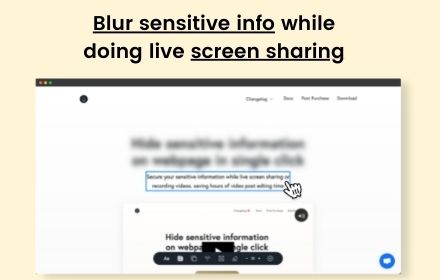
ScreenSafe Blur is a lightweight Chrome extension that helps you protect your privacy by visually blurring sensitive information on web pages with a single click.

It is designed for screen sharing, online meetings, presentations, interviews, recordings, and live demos where personal or confidential information should not be visible.

Key Features

One-click privacy ON / OFF toggle

Visually blurs email addresses

Visually blurs phone numbers

Visually blurs long numeric values (such as IDs or account numbers)

Supports custom user-defined keywords

Works across websites when enabled

All blurring is visual only and does not permanently change any webpage content.

Privacy & Security

No login required

No tracking or analytics

No data collection or storage

No data is sent to any server

All processing happens locally in your browser.

How It Works

Open any webpage

Click the ScreenSafe Blur extension icon

Enable privacy mode

Sensitive-looking text is visually blurred

Disable anytime to instantly restore the page

The extension works only when activated by the user.

Ideal For

Screen sharing during meetings

Online interviews and demos

Teaching and training sessions

Presentations and recordings

Protecting personal or confidential information on screen

Why ScreenSafe Blur

Simple and easy to use

User-controlled activation

Lightweight and fast

Works on modern websites

Privacy-focused by design

ScreenSafe Blur keeps your screen private—only when you choose.

🔑 Why access to websites is required

This extension applies visual blur effects only after the user enables it. Sensitive information can appear on any webpage during screen sharing, so access is needed to apply blur on the current page. No webpage data is collected, stored, or transmitted.
Technical
- Version
- 1.2.0
- Manifest
- V3
- Size
- 995KiB
- Min Chrome
- 88
- Languages
- 1
- Featured
- No
Metadata
- ID
- bmddfmeofhpkgadmmebolagbfbfpioif
- Developer ID
- u7c344b0a32da58cab87c142db1024e96
- Developer Email
- [email protected]
- Created
- Jan 30, 2026
- Last Updated (Store)
- Jan 30, 2026
- Last Scraped
- Jun 8, 2026
- Website
- —
- Support URL
- —
- Privacy Policy
- https://sites.google.com/view/screensafe-blur
Similar extensions
Alternatives to ScreenSafe Blur, ranked by description similarity.

Blur Screen - Sensitive Data Protection
Instantly blur sensitive data, text, images on any website. Perfect for screen sharing, demos, recordings & privacy protection.
57
★ 5.0

Page Blur - Hide Sensitive Info for Screen Sharing
Blur sensitive information and hide private data when screen sharing.
212
★ 5.0

Autoblur - One-Click Blur for Screen Sharing & Privacy
Blur sensitive data instantly while screen sharing and browsing.
27

Screen Blur Pro
Focus your audience’s attention by blurring distractions during screen sharing and presentations.
175
★ 4.0

Dont Get Leaked | Web Blur
Instantly blur sensitive content with one click and premade blur templates for Google, YouTube, Gmail, WhatsApp and more.
2

Blur It
Instantly blur sensitive data on any page. Perfect for screen sharing, demos, and tutorials. Hide text, images, or draw blur boxes.
427
★ 4.1

Blurred Out
The smart way to selectively blur parts of a website when sharing your screen.
516
★ 5.0
blurweb.app
Blur any element text, image, input or paragraphs with single click.
10.0K
★ 4.4
Data sourced from the Chrome Web Store · last verified Jun 8, 2026.