blurweb.app
Blur any element text, image, input or paragraphs with single click.
As of June 2026, blurweb.app has 10,000 users and a 4.36/5 rating from 118 reviews in the Workflow & Planning category.
Usersno change0%
10.0K
10,000
Ratingno change0%
4.36
118 reviews
Reviewsno change0%
118
Version
1.5.0
Manifest V3
History
2 snapshotsTracking since Apr 20, 2026.
View as table
| Date | Users | Rating | Reviews | Version |
|---|---|---|---|---|
| Apr 20, 2026 | 10.0K | 4.36 | 118 | 1.5.0 |
| May 5, 2026 | 10.0K | 4.36 | 118 | 1.5.0 |
| Now | 10.0K | 4.36 | 118 | 1.5.0 |
Permissions & access
- Permissions
- activeTabscriptingstorage
- Host access
- <all_urls>
Screenshots


About
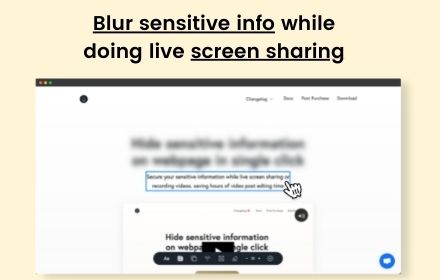
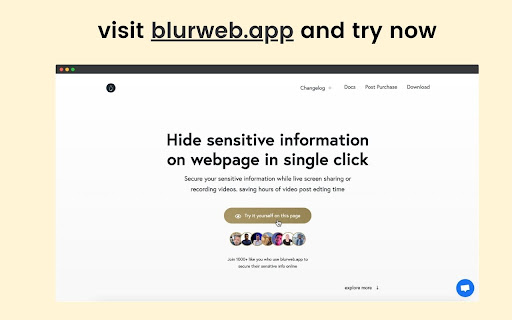
🔒 Blurweb.app - Protect Your Sensitive Data on the Web Instantly! 🔒 Whether you're recording, screen sharing, or presenting online, blurweb.app ensures your sensitive information remains private. No editing required! 🎥✨ Easily blur text, paragraphs, images, inputs, or any selected elements with just one click. Now featuring a new 'Keep Blur' function that maintains your blur settings even after a reload. 🔄 🌟 Key Features 🌟 💨 Single Click Blur: Effortlessly blur headings, paragraphs, images, or videos with just one click. 🖍️ Blur Area: Draw a rectangle anywhere on the page, and we'll blur it while keeping it in place. 🔄 Keep Blur: Click 'Keep Blur' before applying any blurs to maintain them after reloading or revisiting the URL. 🔧 Customizable: Control blur intensity, clear all blurs with a click, and even blur selected text. Plus, hide tab titles & icons for added privacy. 🔥 Use Cases 🔥 📺 Content creators: Protect sensitive information while live streaming or recording. 🏢 Agency owners: Share client projects securely during presentations or demos. 👩🏫 Teachers: Keep students' personal information confidential during online classes. 💼 Professionals: Safeguard sensitive company data during remote meetings. 🛍️ Online shoppers: Conceal personal details while sharing screens for shopping assistance. 🎮 Gamers: Hide private in-game chats or messages while live streaming. ✅ Pros Easy to use: Simply click to blur any element on the page. Customizable: Adjust blur intensity, hide tab titles & icons. Versatile: Suitable for various professional and personal use cases. ❌ Cons Requires a license: Visit blurweb.app to purchase your license. Limited compatibility: May not work with certain websites or web elements. 🛍️ Frequently Bought Together 🛍️ blurscreen.app: Blur anything on your screen. quickpresent.app: One-click worry-free screen sharing. Join 5000+ content creators, agency owners, teachers, and more who already trust blurweb.app for their privacy needs. Visit blurweb.app to grab your license today! 🚀 🎉 Enjoy a more secure and private browsing experience with blurweb.app! 🎉
Technical
- Version
- 1.5.0
- Manifest
- V3
- Size
- 38.9KiB
- Min Chrome
- 88
- Languages
- 1
- Featured
- No
Metadata
- ID
- oeingmcibfkfneecplcppjhcekgedmco
- Developer ID
- u6cad3bc6f232f837873f418c58e29be4
- Developer Email
- [email protected]
- Created
- Jan 17, 2021
- Last Updated (Store)
- Sep 13, 2025
- Last Scraped
- Jun 10, 2026
- Website
- https://blurweb.app/
- Support URL
- https://blurweb.app
- Privacy Policy
- https://blurweb.app/privacy-policy
Similar extensions
Alternatives to blurweb.app, ranked by description similarity.

BlurAny - Privacy Protector
Instantly blur any web element - text, images, inputs, or areas. Protect privacy with one click during screen sharing or recordings.
34

Blur Screen - Sensitive Data Protection
Instantly blur sensitive data, text, images on any website. Perfect for screen sharing, demos, recordings & privacy protection.
57
★ 5.0

Blur It
Instantly blur sensitive data on any page. Perfect for screen sharing, demos, and tutorials. Hide text, images, or draw blur boxes.
427
★ 4.1

Page Blur - Hide Sensitive Info for Screen Sharing
Blur sensitive information and hide private data when screen sharing.
212
★ 5.0

Dont Get Leaked | Web Blur
Instantly blur sensitive content with one click and premade blur templates for Google, YouTube, Gmail, WhatsApp and more.
2

Autoblur - One-Click Blur for Screen Sharing & Privacy
Blur sensitive data instantly while screen sharing and browsing.
27

Screen Blur Pro
Focus your audience’s attention by blurring distractions during screen sharing and presentations.
175
★ 4.0

GetBlur.io
Secure your sensitive info by blurring and hiding any element text, image, input or paragraphs with single click.
20
★ 5.0
Data sourced from the Chrome Web Store · last verified Jun 10, 2026.