
Blur
Detects emails, phone numbers, names, and personal data in ChatGPT, Claude, and Gemini so you can mask them before sending
As of June 2026, Blur has 22 users and a 5.00/5 rating from 3 reviews in the Workflow & Planning category.
Usersdown 12.0 percent−12.0%
22
22
Ratingno change0%
5.00
3 reviews
Reviewsno change0%
3
Version
v2.0.1
Manifest V3
90-day change · In the last 90 days this extension 1 version update, changed permissions.
History
6 snapshotsTracking since Apr 7, 2026.
View as table
| Date | Users | Rating | Reviews | Version |
|---|---|---|---|---|
| Apr 7, 2026 | 25 | 5.00 | 3 | 2.0.0 |
| Apr 26, 2026 | 24 | 5.00 | 3 | 2.0.0 |
| May 3, 2026 | 23 | 5.00 | 3 | 2.0.0 |
| May 14, 2026 | 22 | 5.00 | 3 | 2.0.0 |
| May 27, 2026 | 24 | 5.00 | 3 | 2.0.0 |
| Jun 3, 2026 | 23 | 5.00 | 3 | v2.0.1 |
| Now | 22 | 5.00 | 3 | v2.0.1 |
Changelog
- May 27, 2026description
Blur detects emails, phone numbers, names, and personal data in ChatGPT, Claude, and Gemini so
you can review and mask them before sending.

No account required. Install and it works immediately.

HOW IT WORKS
  1. Go to chatgpt.com, claude.ai, or gemini.google.com
  2. Start typing a message containing an email, phone number, or name.
  3. A green status pill appears in the bottom-right corner
  4. When sensitive data is detected, the pill turns yellow or red and shows a count
  5. Click the pill to see all detected items
  6. Click "Mask" on any item, or "Protect All" to mask everything at once

WHAT BLUR DETECTS (FREE)
  - Names and entities (people, companies, job titles)
  - Email addresses and phone numbers (US and international)
  - URLs and personal links (LinkedIn, portfolios, social media)
  - Individual item masking and "Protect All" bulk masking
  - Real-time privacy score
  - Dark mode

ENTERPRISE FEATURES
  Upgrade to unlock expanded detection categories and controls:
  - Social Security Numbers (dashed format, e.g. 123-45-6789)
  - Credit card numbers (validated with Luhn algorithm)
  - Medical information (conditions, medications, procedures)
  - Demographic data (age, gender, race, religion, disability)
  - Financial details (salary, income, bank terms)
  - Relationship status
  - IP addresses, IBANs, passport numbers, routing and account numbers
  - Aggressive Mode (dates, 9-digit SSNs, driver's license patterns)
  - Smart Placeholders (realistic replacements instead of brackets)

ONE-CLICK MASKING

Replace detected items with safe placeholders:
  - "Dr. Sarah Chen" → "[name]"
  - "[email protected]" → "[email]"
  - "555-867-5309" → "[phone number]"
  - "https://linkedin.com/in/schen" → "[URL]"

Enterprise users get additional detections like SSNs, credit cards, and realistic replacements like "John Doe" and "[email protected]".

PRIVACY SCORE

See your message safety at a glance:
  - Green (100%): No sensitive data detected
  - Yellow (70-99%): Some data found, review recommended
  - Red (below 70%): High-risk content, mask before sending

KEY FEATURES
  - Real-time scanning as you type
  - Works on ChatGPT, Claude, and Gemini
  - 100% local processing — your text never leaves your device
  - Hybrid detection using regex patterns and NLP entity extraction
  - No account required for core features
  - Dark mode support
  - Zero data collection

FOR TEAMS
    Blur offers per-seat licensing for organizations:
      - Centralized billing and seat management
      - Role-based access control
      - Priority support

SUPPORTED PLATFORMS
  - ChatGPT (chatgpt.com)
  - Claude (claude.ai)
  - Google Gemini (gemini.google.com)

SUPPORT
    Questions? Contact us at [email protected]
    Website: https://blurprivacy.app
Blur detects emails, phone numbers, names, and personal data in ChatGPT, Claude, and Gemini so you can review and mask them before sending. No account required for the free tier. Install and it works immediately. HOW IT WORKS 1. Go to chatgpt.com, claude.ai, or gemini.google.com 2. Start typing a message containing an email, phone number, or name 3. A green status pill appears in the bottom-right corner 4. When sensitive data is detected, the pill turns yellow or red and shows a count 5. Click the pill to see all detected items 6. Click "Mask" on any item, or "Protect All" to mask everything at once PLANS FREE — $0, no account needed - Contact & Addresses: emails, phone numbers (US and international), URLs, personal links - Names & Entities: people, companies, job titles, institutions - Individual masking and "Protect All" bulk masking - Real-time privacy score - Works on ChatGPT, Claude, and Gemini - Dark mode INDIVIDUAL — solo paid plan for power users Everything in Free, plus: - Financial & IDs: credit cards (Luhn-validated), SSNs, IBANs, passport numbers, routing and account numbers, IP addresses - Sensitive Attributes: medical conditions and medications, demographics (age, gender, race, religion, disability), financial details (salary, income), relationship status - Aggressive Mode: dates, 9-digit SSNs, driver's license patterns, and other rare formats - Smart Placeholders: realistic replacements (e.g., "John Doe", "[email protected]") instead of bracket tags - Personal allowlist — skip detection on terms you choose - Personal analytics: redactions, categories, top rules - Settings sync across devices ENTERPRISE — team plan, per seat Everything in Individual, per seat, plus: - Shared admin dashboard for team, billing, and policies - Role-based access control (owner, admin, member) - Shared custom rules, allowlist, and detection policies - Per-member analytics and alerts - Priority customer support ONE-CLICK MASKING Replace detected items with safe placeholders: - "Dr. Sarah Chen" → "[name]" - "[email protected]" → "[email]" - "555-867-5309" → "[phone number]" - "https://linkedin.com/in/schen" → "[URL]" Individual and Enterprise users get Smart Placeholders with realistic replacements like "John Doe" and "[email protected]". PRIVACY SCORE See your message safety at a glance: - Green (100%): No sensitive data detected - Yellow (70-99%): Some data found, review recommended - Red (below 70%): High-risk content, mask before sending KEY FEATURES - Real-time scanning as you type - Works on ChatGPT, Claude, and Gemini - 100% local processing — your text never leaves your device - Hybrid detection using regex patterns and NLP entity extraction - No account required for free-tier detection - Dark mode support - Zero prompt data collection CHROME ENTERPRISE Blur can be force-installed or pre-approved through Chrome Enterprise policies (ExtensionInstallForcelist / ExtensionInstallAllowlist) for managed device deployment. SUPPORTED PLATFORMS - ChatGPT (chatgpt.com) - Claude (claude.ai) - Google Gemini (gemini.google.com) SUPPORT Questions? Contact us at [email protected] Website: https://blurprivacy.app - May 27, 2026host_permissions
(empty)
https://chatgpt.com/*, https://chat.openai.com/*, https://claude.ai/*, https://gemini.google.com/*
- May 27, 2026permissions
activeTab, storage
activeTab, storage, alarms, scripting
Permissions & access
- Permissions
- activeTabstoragealarmsscripting
- Host access
- https://chatgpt.com/*, https://chat.openai.com/*, https://claude.ai/*, https://gemini.google.com/*
Screenshots


About
Blur detects emails, phone numbers, names, and personal data in ChatGPT, Claude, and Gemini so
  you can review and mask them before sending.

  No account required for the free tier. Install and it works immediately.

  HOW IT WORKS
    1. Go to chatgpt.com, claude.ai, or gemini.google.com
    2. Start typing a message containing an email, phone number, or name
    3. A green status pill appears in the bottom-right corner
    4. When sensitive data is detected, the pill turns yellow or red and shows a count
    5. Click the pill to see all detected items
    6. Click "Mask" on any item, or "Protect All" to mask everything at once

  PLANS

  FREE — $0, no account needed
    - Contact & Addresses: emails, phone numbers (US and international), URLs, personal links
    - Names & Entities: people, companies, job titles, institutions
    - Individual masking and "Protect All" bulk masking
    - Real-time privacy score
    - Works on ChatGPT, Claude, and Gemini
    - Dark mode

  INDIVIDUAL — solo paid plan for power users
    Everything in Free, plus:
    - Financial & IDs: credit cards (Luhn-validated), SSNs, IBANs, passport numbers, routing and
  account numbers, IP addresses
    - Sensitive Attributes: medical conditions and medications, demographics (age, gender, race,
  religion, disability), financial details (salary, income), relationship status
    - Aggressive Mode: dates, 9-digit SSNs, driver's license patterns, and other rare formats
    - Smart Placeholders: realistic replacements (e.g., "John Doe", "[email protected]")
  instead of bracket tags
    - Personal allowlist — skip detection on terms you choose
    - Personal analytics: redactions, categories, top rules
    - Settings sync across devices

  ENTERPRISE — team plan, per seat
    Everything in Individual, per seat, plus:
    - Shared admin dashboard for team, billing, and policies
    - Role-based access control (owner, admin, member)
    - Shared custom rules, allowlist, and detection policies
    - Per-member analytics and alerts
    - Priority customer support

  ONE-CLICK MASKING

  Replace detected items with safe placeholders:
    - "Dr. Sarah Chen" → "[name]"
    - "[email protected]" → "[email]"
    - "555-867-5309" → "[phone number]"
    - "https://linkedin.com/in/schen" → "[URL]"

  Individual and Enterprise users get Smart Placeholders with realistic replacements like "John
  Doe" and "[email protected]".

  PRIVACY SCORE

  See your message safety at a glance:
    - Green (100%): No sensitive data detected
    - Yellow (70-99%): Some data found, review recommended
    - Red (below 70%): High-risk content, mask before sending

  KEY FEATURES
    - Real-time scanning as you type
    - Works on ChatGPT, Claude, and Gemini
    - 100% local processing — your text never leaves your device
    - Hybrid detection using regex patterns and NLP entity extraction
    - No account required for free-tier detection
    - Dark mode support
    - Zero prompt data collection

  CHROME ENTERPRISE

  Blur can be force-installed or pre-approved through Chrome Enterprise policies
  (ExtensionInstallForcelist / ExtensionInstallAllowlist) for managed device deployment.

  SUPPORTED PLATFORMS
    - ChatGPT (chatgpt.com)
    - Claude (claude.ai)
    - Google Gemini (gemini.google.com)

  SUPPORT
    Questions? Contact us at [email protected]
    Website: https://blurprivacy.app
Technical
- Version
- v2.0.1
- Manifest
- V3
- Size
- 735KiB
- Min Chrome
- 88
- Languages
- 1
- Featured
- No
Metadata
- ID
- oiplfeogpmoefgheiinjlemhdfekgphl
- Developer ID
- udee1844474f8d3834569f3c516262e38
- Developer Email
- [email protected]
- Created
- Dec 18, 2025
- Last Updated (Store)
- May 25, 2026
- Last Scraped
- Jun 8, 2026
- Website
- —
- Support URL
- https://blurprivacy.app/support
- Privacy Policy
- https://blurprivacy.app/privacy
Similar extensions
Alternatives to Blur, ranked by description similarity.

Blur It
Instantly blur sensitive data on any page. Perfect for screen sharing, demos, and tutorials. Hide text, images, or draw blur boxes.
427
★ 4.1

PrePrompt - Privacy-First AI Assistant
Clean sensitive data before AI chat - everything runs locally
3

AI Privacy Guard
Blurs the sensitive chat history sidebar on ChatGPT and Gemini for enhanced privacy.
3

Page Blur - Hide Sensitive Info for Screen Sharing
Blur sensitive information and hide private data when screen sharing.
212
★ 5.0

ScreenSafe Blur
Instantly hide sensitive information on your screen with one click.
2

Autoblur - One-Click Blur for Screen Sharing & Privacy
Blur sensitive data instantly while screen sharing and browsing.
27

Blurred Out
The smart way to selectively blur parts of a website when sharing your screen.
516
★ 5.0
blurweb.app
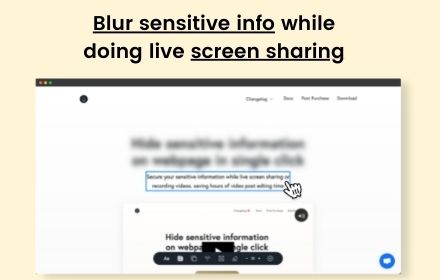
Blur any element text, image, input or paragraphs with single click.
10.0K
★ 4.4
Data sourced from the Chrome Web Store · last verified Jun 8, 2026.