
Blurred Out
The smart way to selectively blur parts of a website when sharing your screen.
As of June 2026, Blurred Out has 516 users and a 5.00/5 rating from 76 reviews in the Workflow & Planning category.
Usersup 6.8 percent+6.8%
516
516
Ratingno change0%
5.00
76 reviews
Reviewsno change0%
76
Version
1.0.3
Manifest V3
History
6 snapshotsTracking since Apr 1, 2026.
View as table
| Date | Users | Rating | Reviews | Version |
|---|---|---|---|---|
| Apr 1, 2026 | 483 | 5.00 | 76 | 1.0.3 |
| Apr 18, 2026 | 504 | 5.00 | 76 | 1.0.3 |
| Apr 28, 2026 | 521 | 5.00 | 76 | 1.0.3 |
| May 10, 2026 | 523 | 5.00 | 76 | 1.0.3 |
| May 22, 2026 | 512 | 5.00 | 76 | 1.0.3 |
| Jun 5, 2026 | 523 | 5.00 | 76 | 1.0.3 |
| Now | 516 | 5.00 | 76 | 1.0.3 |
Permissions & access
- Permissions
- contextMenussidePanelactiveTabtabsstoragealarms
- Host access
- <all_urls>
Screenshots


About
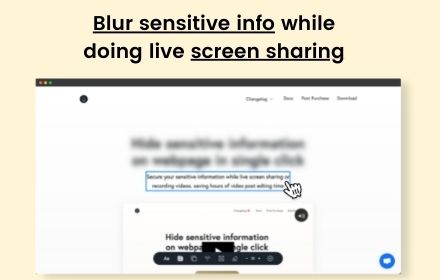
Keep your private parts hidden with Blurred Out. It’s an intelligent Chrome extension that lets you hide exactly what you need on any web page—live during meetings, demos, and recordings—while everything else stays visible. Manage everything from a simple side panel, and keep your data completely on your device.

Key Features

✨ Smart Detection
- Automatically detect common sensitive content with built‑in plugins
- Email addresses, phone numbers, money amounts, names, and input fields
- Preview detected items before applying blur
- Enable/disable individual detection plugins to fit your needs

🎯 Precision Controls
- Click‑to‑blur in Simple Mode
- Numeric hotkeys to capture multiple items in Advanced Mode
- Bulk apply to similar elements (e.g., all prices or PII)
- Smart selection for table rows and columns—great for tables

📌 Pinning & Positioning
- Pin rectangles to page content (moves with the page)
- Pin to viewport to keep overlays fixed while scrolling
- Switch pin modes anytime; states persist across sessions

🎥 Presentation & Resizing Capabilities
- Demo Mode opens a clean, presentation‑ready window without the address bar
- Window resizing presets (800×600, 1024×768, 1280×720, 1920×1080, iPhone, iPad)
- Custom dimensions supported for exact recording targets

🎛️ Side Panel & Workflow
- Manage all blurred elements from a tidy Chrome side panel
- Enhanced hover/selection feedback and clearer icons
- One‑click picker, real‑time preview, and four modes: Off, Capture, Draw, Blur
- Import/export configurations; Keep your data local and safe

🔒 Privacy & Control
- 100% local: no cloud, no external servers
- Zero data collection
- Works across multiple tabs and modern, dynamic web apps

⚡ Performance & Stability
- Faster startup and lower memory usage
- Optimized detection and improved cross‑site compatibility

Benefits
- Protect sensitive info during screen sharing
- No need to create fake/sample data for demos
- Professional presentations without switching apps or views
- Save time with bulk selection and smart detection

Perfect For
- Customer demos and webinars
- Teachers and tutorial creators
- Developers showing code or dashboards
- Anyone sharing screens that include private data

What’s New in v1.0.3
- New plugin‑based Smart Detection system (emails, phones, money, names, inputs)
- New rectangle pinning: Pin to Content or Pin to Viewport (persistent states)
- New window resizing presets plus custom sizing controls
- New Demo Mode for clean, presentation‑ready windows
- Update extension badge to indicate the view mode
- Improved side panel UX, import/export
- Performance gains and numerous fixes

Technical Details
- Lightweight and performance‑optimized
- Compatible with the latest Chrome versions
- Zero data collection—privacy by design
Technical
- Version
- 1.0.3
- Manifest
- V3
- Size
- 2.01MiB
- Min Chrome
- 88
- Languages
- 1
- Featured
- Yes
Metadata
- ID
- goncjmclfcobfokbehhinncaoakndmlj
- Developer ID
- ua2a90c2f7640e2ff807158dea42de680
- Developer Email
- [email protected]
- Created
- Mar 23, 2025
- Last Updated (Store)
- Oct 30, 2025
- Last Scraped
- Jun 5, 2026
- Website
- getblurredout.com
- Support URL
- https://getblurredout.com/faqs
- Privacy Policy
- https://getblurredout.com/privacy
Similar extensions
Alternatives to Blurred Out, ranked by description similarity.

Screen Blur Pro
Focus your audience’s attention by blurring distractions during screen sharing and presentations.
175
★ 4.0

Page Blur - Hide Sensitive Info for Screen Sharing
Blur sensitive information and hide private data when screen sharing.
212
★ 5.0

ScreenSafe Blur
Instantly hide sensitive information on your screen with one click.
2

Blur It
Instantly blur sensitive data on any page. Perfect for screen sharing, demos, and tutorials. Hide text, images, or draw blur boxes.
427
★ 4.1
blurweb.app
Blur any element text, image, input or paragraphs with single click.
10.0K
★ 4.4

Blur Screen - Sensitive Data Protection
Instantly blur sensitive data, text, images on any website. Perfect for screen sharing, demos, recordings & privacy protection.
57
★ 5.0

ScreenShield — Blur Sensitive Info for Screen Sharing
Instantly blur any text, image or area on any webpage. Perfect for screen recording, live demos & presentations.
26
★ 1.0

Dont Get Leaked | Web Blur
Instantly blur sensitive content with one click and premade blur templates for Google, YouTube, Gmail, WhatsApp and more.
2
Data sourced from the Chrome Web Store · last verified Jun 5, 2026.