
Web Edit & Blur
Edit text, replace images, and blur content on any webpage. Ideal for mockups, change communication, and privacy protection
As of May 2026, Web Edit & Blur has 31 users in the Workflow & Planning category.
Usersup 3.3 percent+3.3%
31
31
Ratingno change0%
—
— reviews
Reviewsno change0%
—
Version
1.0.0
Manifest V3
History
2 snapshotsTracking since Apr 25, 2026.
View as table
| Date | Users | Rating | Reviews | Version |
|---|---|---|---|---|
| Apr 25, 2026 | 30 | — | — | 1.0.0 |
| May 22, 2026 | 32 | — | — | 1.0.0 |
| Now | 31 | — | — | 1.0.0 |
Permissions & access
- Permissions
- activeTabscripting
- Host access
- None declared
Screenshots


About
Web Edit & Blur: Customize Any Webpage Instantly

Effortlessly edit text, replace images, and blur content on any webpage. Perfect for quick mockups, demonstrating changes, and protecting sensitive information.

✨ Key Features ✨
- Edit text directly on webpages
- Replace images with a double-click
- Blur sensitive content with ease

✨ How to Use ✨
1. Click on the extension's icon to switch between the 3 modes: Normal, Edit, Blur
2. In Edit mode: Click or select text to replace it
3. In Edit mode: Double-click any image to replace it
4. In Edit mode: Select text and press Ctrl+R (Windows) or Cmd+R (Mac) to replace all occurrences
5. In Blur mode: Click any element once to blur it, click twice for extra blur, click again to unblur
6. Press ESC key anytime to return to Normal mode

🎉 Streamline your web editing process with Web Edit & Blur. Download now for a more efficient and secure browsing experience! 🎉
Technical
- Version
- 1.0.0
- Manifest
- V3
- Size
- 13.76KiB
- Min Chrome
- 88
- Languages
- 1
- Featured
- No
Metadata
- ID
- akjibpmckplfjofkllfbhnddmjcjenim
- Developer ID
- uc1294bc33551ac05569e8e3c0383949e
- Developer Email
- [email protected]
- Created
- Oct 17, 2024
- Last Updated (Store)
- Oct 17, 2024
- Last Scraped
- May 22, 2026
- Website
- —
- Support URL
- —
- Privacy Policy
- —
Similar extensions
Alternatives to Web Edit & Blur, ranked by description similarity.

Content Edit & Blur
Easily edit, replace or blur elements on any webpage
7.0K
★ 4.6
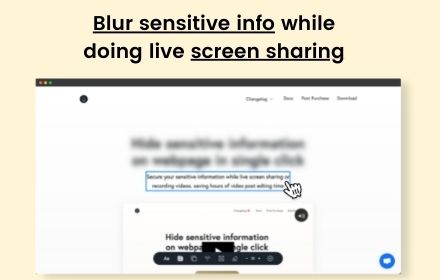
blurweb.app
Blur any element text, image, input or paragraphs with single click.
10.0K
★ 4.4

BlurAny - Privacy Protector
Instantly blur any web element - text, images, inputs, or areas. Protect privacy with one click during screen sharing or recordings.
34

Page Blur - Hide Sensitive Info for Screen Sharing
Blur sensitive information and hide private data when screen sharing.
212
★ 5.0

RedactWeb
Blur, protect and hide sensitive content on any website. Premium license required after 7-day trial.
23
★ 5.0

Good Riddance
This tool helps you modify and even remove content on the screen with just few clicks.
17
★ 5.0

Dont Get Leaked | Web Blur
Instantly blur sensitive content with one click and premade blur templates for Google, YouTube, Gmail, WhatsApp and more.
2

ScreenSafe Blur
Instantly hide sensitive information on your screen with one click.
2
Data sourced from the Chrome Web Store · last verified May 22, 2026.