
Keyboard Shortcuts
Set custom keyboard shortcuts for Chrome: View extension options, or browse to chrome://extensions/shortcuts to set.
As of May 2026, Keyboard Shortcuts has 40,000 users and a 4.48/5 rating from 121 reviews in the Workflow & Planning category.
Usersdown 42.9 percent−42.9%
40.0K
40,000
Ratingno change0%
4.48
121 reviews
Reviewsno change0%
121
Version
1.1
Manifest V3
90-day change · In the last 90 days this extension lost 30.0K users.
History
2 snapshotsTracking since Apr 24, 2026.
View as table
| Date | Users | Rating | Reviews | Version |
|---|---|---|---|---|
| Apr 24, 2026 | 70.0K | 4.48 | 121 | 1.1 |
| May 20, 2026 | 40.0K | 4.47 | 120 | 1.1 |
| Now | 40.0K | 4.48 | 121 | 1.1 |
Permissions & access
- Permissions
- None declared
- Host access
- None declared
Screenshots

About
This extension adds the ability to set 25 different custom keyboard shortcuts for Chrome.

By design, this extension does not require any additional Chrome permissions at all. Everything is performed locally in Chrome, so it does not need access to any sites or data.

All 25 keyboard shortcut settings are optional and can be changed at any time.

All keyboard shortcuts can be changed at chrome://extensions/shortcuts. You can navigate there via your address bar, or by selecting options from the Keyboard Shortcuts extension.


List of keyboard shortcuts that can be set:

Select previous tab
Select next tab
Move current tab left
Move current tab right
Open Chrome Bookmarks (chrome://bookmarks)
Open Chrome Downloads (chrome://downloads)
Open Extensions (chrome://extensions)
Open Extension Shortcuts (chrome://extensions/shortcuts)
Open Chrome Flags (chrome://flags)
Open Chrome Help (chrome://help)
Open Chrome History (chrome://history)
Open Chrome Settings (chrome://settings)
Close current tab
New tab
Unload tab from memory
Duplicate current tab
Go back to the previous page
Go forward to the next page
Move current tab to first
Move current tab to last
Mute / Unmute current tab
Pin / Unpin current tab
Reload tab
New window
New incognito window


Icon design:

Extension icon made by Freepik from www.flaticon.com
Technical
- Version
- 1.1
- Manifest
- V3
- Size
- 33.04KiB
- Min Chrome
- 88
- Languages
- 1
- Featured
- Yes
Metadata
- ID
- lplcmnhgijkkmflbmhabnccgelffpnog
- Developer ID
- u001bee83292396d18d27de47798cda30
- Developer Email
- [email protected]
- Created
- Feb 16, 2019
- Last Updated (Store)
- Apr 4, 2024
- Last Scraped
- May 20, 2026
- Website
- —
- Support URL
- —
- Privacy Policy
- —
Similar extensions
Alternatives to Keyboard Shortcuts, ranked by description similarity.

Reorder Chrome Windows
Switch between Chrome windows or move tabs in a custom window order.
10

Quick URL Shortcuts
Assign keyboard shortcuts for your favourite sites
51
★ 4.5

Bookmark Shortcuts Extension
Add keyboard shortcuts for 10 of your bookmarks.
3.0K
★ 3.3
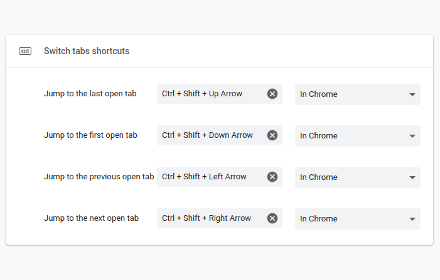
Switch tabs shortcuts
Adds custom shortcuts for switching tabs.
707
★ 4.7

TabPal
Chrome extension for managing tabs and adding shorcuts and behaviours
10

Tab Shortcuts - Rearrange Chrome Tabs
Add keyboard shortcuts for moving tabs between windows
46

Keyboard Shortcuts to Reorder Tabs
Chrome extension adding shortcuts for moving tabs around
330
★ 4.0

Keyboard Shortcuts
Map custom keyboard shortcuts to any Chrome browser command
18
Data sourced from the Chrome Web Store · last verified May 20, 2026.