
Quick URL Shortcuts
Assign keyboard shortcuts for your favourite sites
As of June 2026, Quick URL Shortcuts has 51 users and a 4.50/5 rating from 2 reviews in the Workflow & Planning category.
Usersdown 7.3 percent−7.3%
51
51
Ratingno change0%
4.50
2 reviews
Reviewsno change0%
2
Version
1.0
Manifest V3
History
3 snapshotsTracking since Apr 22, 2026.
View as table
| Date | Users | Rating | Reviews | Version |
|---|---|---|---|---|
| Apr 22, 2026 | 55 | 4.50 | 2 | 1.0 |
| May 12, 2026 | 42 | 4.50 | 2 | 1.0 |
| Jun 7, 2026 | 46 | 4.50 | 2 | 1.0 |
| Now | 51 | 4.50 | 2 | 1.0 |
Permissions & access
- Permissions
- storage
- Host access
- None declared
Screenshots


About
As Chrome does not natively support adding keyboard shortcuts to bookmarks this extension tries to fill that role until they add native support.

How to use:

1. Go to the extension settings.
2. Assign as many URLs as you need, remember which URL you assigned to which number.
3. Go to chrome://extensions/shortcuts and assign keyboard shortcut to each number.
4. Now, the URL you assigned will open to a new tab when you invoke the keyboard shortcut.

You can assign up to 25 URLs. This number cannot be dynamically changed because of technical restrictions in how the extension shortcuts work.

More details on this in the GitHub page: https://github.com/PGHM/quick_url_shortcuts
Technical
- Version
- 1.0
- Manifest
- V3
- Size
- 9.32KiB
- Min Chrome
- 88
- Languages
- 1
- Featured
- No
Metadata
- ID
- ogobhopommhbfnaghacgikgieebfadkf
- Developer ID
- uad31ef955be395563dbdceb05c2bc2f7
- Developer Email
- [email protected]
- Created
- Mar 10, 2025
- Last Updated (Store)
- Mar 11, 2025
- Last Scraped
- Jun 7, 2026
- Website
- —
- Support URL
- —
- Privacy Policy
- —
Similar extensions
Alternatives to Quick URL Shortcuts, ranked by description similarity.

Bookmark Shortcuts Extension
Add keyboard shortcuts for 10 of your bookmarks.
3.0K
★ 3.3

Shortcut2Url
Shortcut2Url gives you 4 keyboard shortcuts for your favorite sites
82
★ 5.0

Keyboard Shortcuts
Set custom keyboard shortcuts for Chrome: View extension options, or browse to chrome://extensions/shortcuts to set.
40.0K
★ 4.5

Omnibox Shortcuts
Press ` and then press Tab in the Omnibar to access your shortcuts
124
★ 4.5

Link Adder
This extension will send a link of current page to LinkAdder.com
12
★ 5.0
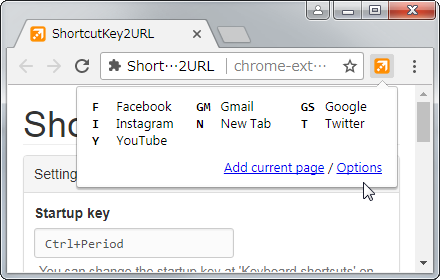
ShortcutKey2URL
ShortcutKey2URL provide a shortcut key to easily access frequently visit sites.
3.0K
★ 4.6

Shortcuts for websites
Assign keyboard shortcuts to specific websites.
16
★ 5.0

Shortcuts Manager — Bookmark & Link Organizer
Unlimited folder-based shortcuts and one-click link launches — organize bookmarks, tabs, and links with ease.
353
★ 4.9
Data sourced from the Chrome Web Store · last verified Jun 7, 2026.