
Reorder Chrome Windows
Switch between Chrome windows or move tabs in a custom window order.
As of June 2026, Reorder Chrome Windows has 10 users in the Workflow & Planning category.
Usersup 233.3 percent+233.3%
10
10
Ratingno change0%
—
— reviews
Reviewsno change0%
—
Version
1.7
Manifest V3
History
6 snapshotsTracking since Apr 17, 2026.
View as table
| Date | Users | Rating | Reviews | Version |
|---|---|---|---|---|
| Apr 17, 2026 | 3 | — | — | 1.7 |
| Apr 27, 2026 | 3 | — | — | 1.7 |
| May 4, 2026 | 4 | — | — | 1.7 |
| May 10, 2026 | 5 | — | — | 1.7 |
| May 15, 2026 | 6 | — | — | 1.7 |
| Jun 3, 2026 | 8 | — | — | 1.7 |
| Now | 10 | — | — | 1.7 |
Permissions & access
- Permissions
- windowsstoragetabs
- Host access
- None declared
Screenshots

About
Set a custom order for your Chrome windows, then use custom keyboard shortcuts to move selected tabs or simply move focus to the next/previous window.

You may need to restart Chrome after installing the extension or changing the keyboard shortcuts.

Note that this extension cannot change the order of windows at the operating system level, so the custom window order only works with the shortcuts in this extension.

Default shortcuts
Ctrl/Cmd + Shift + K focuses previous Chrome window
Ctrl/Cmd + Shift + L focuses next Chrome window
Ctrl/Cmd + Shift + < moves selected tabs to previous window
Ctrl/Cmd + Shift + > moves selected tabs to next window

Click the extension icon to change your window order, or set a shortcut to activate the extension at chrome://extensions/shortcuts. Chrome allows a maximum of 4 default shortcuts per extension, or else I would have assigned one (Ctrl/Cmd + Shift + J, perhaps).

Additional shortcuts can be set to multi-select tabs to the left/right of active tab.

You may also opt to change the focus shortcuts to Ctrl/Cmd + < and Ctrl/Cmd + >. The latter will not load from the extension by default since it is used as the "Stop" shortcut in Chrome.
Technical
- Version
- 1.7
- Manifest
- V3
- Size
- 24.34KiB
- Min Chrome
- 88
- Languages
- 1
- Featured
- No
Metadata
- ID
- giccmpfaeonkhpdojelelngnebamkmhe
- Developer ID
- uf22c3139c7b719bffe343274643a6e5e
- Developer Email
- [email protected]
- Created
- Nov 18, 2025
- Last Updated (Store)
- Feb 13, 2026
- Last Scraped
- Jun 3, 2026
- Website
- —
Similar extensions
Alternatives to Reorder Chrome Windows, ranked by description similarity.

Alt Tab Shortcuts
Speeds up tab management with simple shortcuts
284
★ 5.0

Tab Shortcuts - Rearrange Chrome Tabs
Add keyboard shortcuts for moving tabs between windows
46
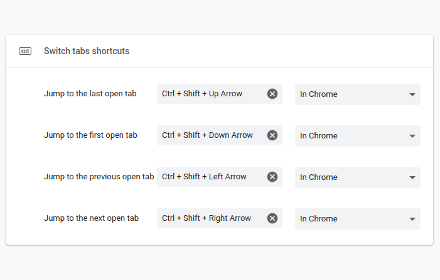
Switch tabs shortcuts
Adds custom shortcuts for switching tabs.
707
★ 4.7

Keyboard Shortcuts
Set custom keyboard shortcuts for Chrome: View extension options, or browse to chrome://extensions/shortcuts to set.
40.0K
★ 4.5

Tab Groups Manager
A Chrome extension to manage tab groups
101
★ 4.0

Keyboard Shortcuts to Reorder Tabs
Chrome extension adding shortcuts for moving tabs around
330
★ 4.0

CLUT: Cycle Last Used Tabs
Cycle through last used Chrome tabs using keyboard shortcut.
20.0K
★ 4.6

Window Shortcut Placer (Chrome OS)
Window Shortcut Placer (Chrome OS)
54
★ 5.0
Data sourced from the Chrome Web Store · last verified Jun 3, 2026.