
Keyboard Shortcuts to Reorder Tabs
Chrome extension adding shortcuts for moving tabs around
As of May 2026, Keyboard Shortcuts to Reorder Tabs has 330 users and a 4.00/5 rating from 16 reviews in the Workflow & Planning category.
Usersup 2.2 percent+2.2%
330
330
Ratingno change0%
4.00
16 reviews
Reviewsno change0%
16
Version
1.0.0
Manifest V3
History
2 snapshotsTracking since Apr 25, 2026.
View as table
| Date | Users | Rating | Reviews | Version |
|---|---|---|---|---|
| Apr 25, 2026 | 323 | 4.00 | 16 | 1.0.0 |
| May 21, 2026 | 307 | 4.00 | 16 | 1.0.0 |
| Now | 330 | 4.00 | 16 | 1.0.0 |
Permissions & access
- Permissions
- None declared
- Host access
- None declared
Screenshots


About
The extension consists of four keyboard shortcuts (VIM style):

* Alt-Shift-L: Move Tab Right
* Alt-Shift-H: Move Tab Left
* Alt-Shift-K: Move Tab to Start Position
* Alt-Shift-J: Move Tab to End Position

A separate extension, tabasco, adds the following shortcuts to Chrome

* Close Other Tabs
* Close Tabs to the Right
* Pin Tab

Chrome extensions currently only allow for a maximum of four shortcuts, which is why they are not included in tabloid.

You can fetch tabasco here: https://chrome.google.com/webstore/detail/tabasco/dkoadhojigekhckndaehenfbhcgfeepl
Technical
- Version
- 1.0.0
- Manifest
- V3
- Size
- 3.75KiB
- Min Chrome
- 88
- Languages
- 1
- Featured
- No
Metadata
- ID
- femidpfpildjfepkcaodpalpakgadjih
- Developer ID
- u5f96a2c5ae3aeef2b46084eec1e0b924
- Developer Email
- [email protected]
- Created
- Jan 5, 2013
- Last Updated (Store)
- Oct 27, 2023
- Last Scraped
- May 21, 2026
- Website
- —
- Support URL
- —
- Privacy Policy
- —
Similar extensions
Alternatives to Keyboard Shortcuts to Reorder Tabs, ranked by description similarity.

Alt Tab Shortcuts
Speeds up tab management with simple shortcuts
284
★ 5.0

Tab Groups Manager
A Chrome extension to manage tab groups
101
★ 4.0

Tab Shortcuts - Rearrange Chrome Tabs
Add keyboard shortcuts for moving tabs between windows
46
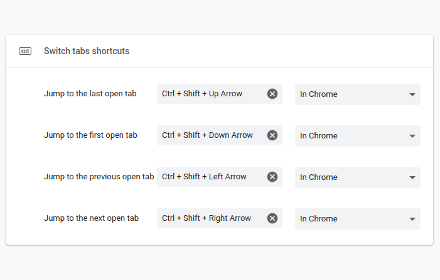
Switch tabs shortcuts
Adds custom shortcuts for switching tabs.
707
★ 4.7

Reorder Chrome Windows
Switch between Chrome windows or move tabs in a custom window order.
10
Tab and Tab Group Shortcuts
Adds shortcuts for creating tabs, reorganizing tabs, and moving the focus.
1.0K
★ 5.0

Tab Move To Side Screen
Moving tabs with a shortcut.
157
★ 5.0

Tab Shortcut Tools
Duplicate Tab, Pop out Tab, and New Tab to the Right - Configurable Shortcuts
357
★ 4.7
Data sourced from the Chrome Web Store · last verified May 21, 2026.