
TabPal
Chrome extension for managing tabs and adding shorcuts and behaviours
As of May 2026, TabPal has 10 users in the Workflow & Planning category.
Usersno change0%
10
10
Ratingno change0%
—
— reviews
Reviewsno change0%
—
Version
0.3.7
Manifest V3
History
2 snapshotsTracking since Apr 25, 2026.
View as table
| Date | Users | Rating | Reviews | Version |
|---|---|---|---|---|
| Apr 25, 2026 | 10 | — | — | 0.3.7 |
| May 22, 2026 | 9 | — | — | 0.3.7 |
| Now | 10 | — | — | 0.3.7 |
Permissions & access
- Permissions
- tabsstorage
- Host access
- None declared
Screenshots
About
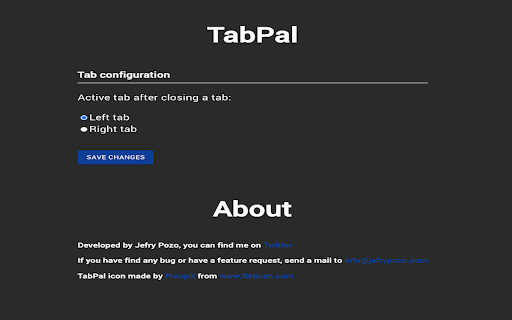
A simple extension that allows you to customize the behaviour of chrome regarding opening and closing tabs. It also adds some shorcuts so you can pin, mute, or go to a tab playing sound using the keyboard.

Changelog:
v0.3.7
-Fixed issues with muteTabs and pinTabs shorcuts
-Removed history from extension since it wasn't working as expected due to the way browsers handle events

v0.3.6
-Modified extension to keep history in memory
-Close extension service worker when browser is closed

v0.3.5:
-Added missing shorcuts
-Add link to shorcuts page in the options page
-Fix issue when creating a new empty tab

v0.3:
-Rewrote the extension to use MV3
-Handle child, parent and sibling tabs
-Currently, shorcuts are missing and will be implemented in the next version

v0.2:
-Added option to select last active tab after closing a tab
-Added option to select first tab from same domain after closing a tab
-Fixed a bug with the right and left tab options

*v0.1

-Option to customize if the next active tab after tabs are closed should be the tab to its left or its right

-If the tab is in a group, the next tab will be the leftmost in that group

-Shorcuts:

-Alt + Shift + T: Open a new tab to the right

-Alt + Shift + P: Pin selected tabs

-Alt + Shift + M: Mute selected tabs (the tab, not the whole site)

-Alt + Shift + S: Go to the first tab playing sounds

There are additional shorcuts that you can configure in the chrome://extensions/shortcuts page.

Privacy policy:
This extension does not store, use, transfer or sell any user information. It only needs access to the tabs and windows to handle the opening and and closing, and the storage permission to save the user settings on the options page.

If you find a bug or a feature request, send a mail to [email protected].

TabPal icon made by Freepik from [www.flaticon.com](http://www.flaticon.com/).
Technical
- Version
- 0.3.7
- Manifest
- V3
- Size
- 96.39KiB
- Min Chrome
- 88
- Languages
- 1
- Featured
- Yes
Metadata
- ID
- kaaidgmlmkcafpheocflaeblnolaiecc
- Developer ID
- u1d3c23b0393cee9e2f8f3f6bf87a0cd9
- Developer Email
- [email protected]
- Created
- Jul 2, 2021
- Last Updated (Store)
- Jul 30, 2024
- Last Scraped
- May 22, 2026
- Website
- jefrypozo.com
- Support URL
- —
- Privacy Policy
- —
Similar extensions
Alternatives to TabPal, ranked by description similarity.

Tab-Manager
A basic tab manager that allows you to find or navigate to tabs quickly.
103
★ 4.0

Close Other Tabs+
Close/pin/unpin/group/ungroup multiple tabs at once, filtering them by a window, pin/group state, or URL.
5.0K
★ 4.4

Tab History
View the recently visited tabs
267
★ 3.0

Mute Tab
Convenient and fast to 'Mute Tab'
1.0K
★ 5.0

Shut the tab up!
Auto mutes tabs that are inactive.
819
★ 4.6

Vertical Tabs - Tabybara
Display and manage your tabs vertically in side panel.
360
★ 4.9

Clear Tabs
This extension clears all but the active tab in your browser.
1.0K
★ 4.8
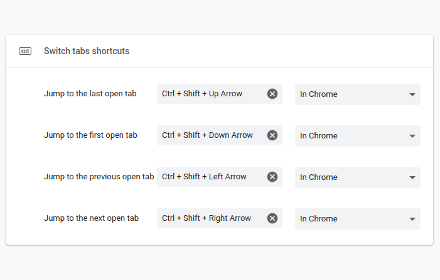
Switch tabs shortcuts
Adds custom shortcuts for switching tabs.
707
★ 4.7
Data sourced from the Chrome Web Store · last verified May 22, 2026.