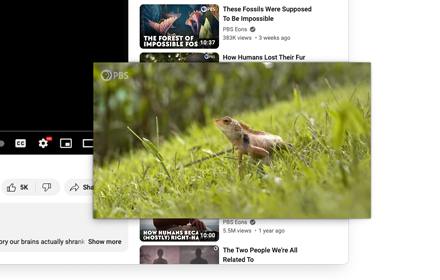
Picture-in-Picture Shortcut
Switch videos to Picture-in-Picture mode with a keyboard shortcut or toolbar button.
As of June 2026, Picture-in-Picture Shortcut has 10,000 users and a 4.65/5 rating from 23 reviews in the Functionality & UI category.
Usersup 100.0 percent+100.0%
10.0K
10,000
Ratingup 0.2 percent+0.2%
4.65
23 reviews
Reviewsup 4.5 percent+4.5%
23
Version
1.3
Manifest V3
90-day change · In the last 90 days this extension gained 5.0K users.
History
1 snapshotsTracking since Jun 4, 2026.
View as table
| Date | Users | Rating | Reviews | Version |
|---|---|---|---|---|
| Jun 4, 2026 | 5.0K | 4.64 | 22 | 1.3 |
| Now | 10.0K | 4.65 | 23 | 1.3 |
Permissions & access
- Permissions
- activeTabscripting
- Host access
- None declared
Screenshots

About
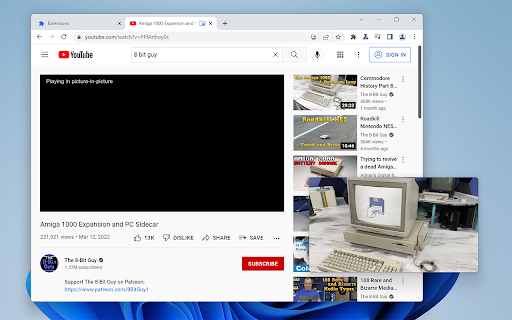
Picture-in-Picture Shortcut adds a keyboard shortcut and toolbar button for switching video players to the Picture-in-Picture mode in web browsers. The default keyboard shortcut is Ctrl+Period (Command+Period on Mac), but it can be changed from the browser settings. The Picture-in-Picture Shortcut extension button in the browser's toolbar can be used to toggle PiP mode.

Google Chrome and other Chromium browsers have a built-in Picture-in-Picture button in the default media controls, but it isn't always available and requires multiple mouse clicks. Picture-in-Picture Shortcut also overrides sites that don't normally allow Picture-in-Picture mode, and attempts to add a play/pause button to the PiP popup. However, this may not always work for sites and players not originally built for PiP mode.

This extension is open-source under the GPLv3 license, the code is available on GitHub: https://github.com/corbindavenport/pip-shortcut
Technical
- Version
- 1.3
- Manifest
- V3
- Size
- 125KiB
- Min Chrome
- 88
- Languages
- 1
- Featured
- No
Metadata
- ID
- ednlokepbjfieampgfdabeglnceoheni
- Developer ID
- u1b5ba35b5063b3e70e257b1abcc4f627
- Developer Email
- [email protected]
- Created
- Mar 25, 2022
- Last Updated (Store)
- Apr 21, 2025
- Last Scraped
- Jun 4, 2026
- Website
- —
Similar extensions
Alternatives to Picture-in-Picture Shortcut, ranked by description similarity.

PiP Button
Toggle Picture-in-Picture for any video. Set your shortcut in chrome://extensions/shortcuts (e.g., Alt+P) after installing.
51
★ 5.0

PiP: Seamless Picture-in-Picture
Transform your video watching experience with PiP! The effortless way to enable Picture-in-Picture mode on any website. A one-click…
13

Media player classic
Watch videos using Picture-in-Picture mode (Floating Video Player).
1.0K
★ 4.6

PIPElement
View highligthed elements (or page) Picture-In-Picture
43
★ 5.0

PiP Anywhere
Picture-in-Picture mode for any website with full interactivity — scroll, click, type, and navigate in an always-on-top window.
52
★ 1.0

Picture in Picture
Picture in Picture for video on any site.
23

YouTube Picture in Picture
Watch videos using the YouTube Picture in Picture feature. It allows to use picture-in-picture mode on YouTube or other websites.
10.0K
★ 4.2

PiPlet
Toggle Picture-in-Picture on YouTube with a toolbar button or in-page pill.
4
★ 5.0
Data sourced from the Chrome Web Store · last verified Jun 4, 2026.