
PiP Button
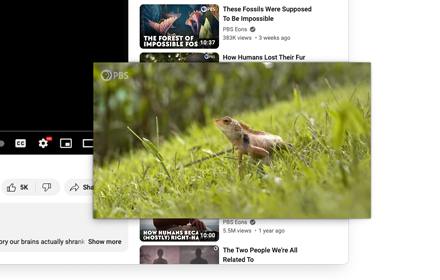
Toggle Picture-in-Picture for any video. Set your shortcut in chrome://extensions/shortcuts (e.g., Alt+P) after installing.
As of June 2026, PiP Button has 51 users and a 5.00/5 rating from 1 reviews in the Functionality & UI category.
Usersdown 1.9 percent−1.9%
51
51
Ratingno change0%
5.00
1 reviews
Reviewsno change0%
1
Version
0.3.0
Manifest V3
90-day change · In the last 90 days this extension 1 version update, changed permissions.
History
4 snapshotsTracking since Apr 20, 2026.
View as table
| Date | Users | Rating | Reviews | Version |
|---|---|---|---|---|
| Apr 20, 2026 | 52 | 5.00 | 1 | 0.2.0 |
| May 5, 2026 | 50 | 5.00 | 1 | 0.2.0 |
| May 15, 2026 | 50 | 5.00 | 1 | 0.2.0 |
| Jun 9, 2026 | 54 | 5.00 | 1 | 0.2.0 |
| Now | 51 | 5.00 | 1 | 0.3.0 |
Changelog
- Jun 9, 2026host_permissions
<all_urls>
(empty)
Permissions & access
- Permissions
- scriptingactiveTab
- Host access
- None declared
Screenshots


About
📌 PiP Button — Quick Overview
A minimalist Chrome extension to toggle Picture-in-Picture mode on any video with a single click or shortcut.

Description:
Toggle Picture-in-Picture mode for videos using the extension icon or a custom shortcut (e.g., Alt+P).
Set your shortcut at: chrome://extensions/shortcuts → PiP Button.

💡 Why It's Better:

🚀 Just ~7KB — ultra-lightweight and bloat-free

⚙️ No unnecessary permissions or tracking

🎯 Faster than Google's own PiP extension (19.4KB)

🧼 Pure JS, zero dependencies — clean and efficient
Technical
- Version
- 0.3.0
- Manifest
- V3
- Size
- 6.49KiB
- Min Chrome
- 88
- Languages
- 1
- Featured
- No
Metadata
- ID
- kgphnhobjfmhlboikldfajonheanjnef
- Developer ID
- ua550c74738d7103d0204c7dab6e3a1eb
- Developer Email
- [email protected]
- Created
- May 3, 2025
- Last Updated (Store)
- May 20, 2026
- Last Scraped
- Jun 9, 2026
- Website
- naxl.dev
- Support URL
- https://github.com/naxl/PiP-Button
- Privacy Policy
- https://github.com/naxl/pip-button
Similar extensions
Alternatives to PiP Button, ranked by description similarity.
Picture-in-Picture Shortcut
Switch videos to Picture-in-Picture mode with a keyboard shortcut or toolbar button.
10.0K
★ 4.7

PiP: Seamless Picture-in-Picture
Transform your video watching experience with PiP! The effortless way to enable Picture-in-Picture mode on any website. A one-click…
13

EnhanceTube: Sound, Themes & Bookmarks
Enhance YouTube: Picture-in-Picture, Smart Mini Player, Shorts Blocker, Volume Booster, Bookmarks, and Customization.
10

PiP Anywhere
Picture-in-Picture mode for any website with full interactivity — scroll, click, type, and navigate in an always-on-top window.
52
★ 1.0

YouTube Picture in Picture
Watch videos using the YouTube Picture in Picture feature. It allows to use picture-in-picture mode on YouTube or other websites.
10.0K
★ 4.2

Better Auto PiP
Automatically enable Picture-in-Picture for videos when switching tabs or collapsing panels (Vivialdi only).
—
★ 5.0

PIPElement
View highligthed elements (or page) Picture-In-Picture
43
★ 5.0

BetterPiP (Picture-in-Picture)
Unlock PiP on any site, enabling floating video windows, even on restricted elements.
231
★ 5.0
Data sourced from the Chrome Web Store · last verified Jun 9, 2026.