
Chrome Tab Switcher
Switches tabs in the order you used them (use Ctrl+Q or Ctrl+Shift+Q to swith backward or forward in tab history)
As of June 2026, Chrome Tab Switcher has 96 users in the Workflow & Planning category.
Usersdown 6.8 percent−6.8%
96
96
Ratingno change0%
—
— reviews
Reviewsno change0%
—
Version
1.0
Manifest V3
History
3 snapshotsTracking since Apr 23, 2026.
View as table
| Date | Users | Rating | Reviews | Version |
|---|---|---|---|---|
| Apr 23, 2026 | 103 | — | — | 1.0 |
| May 12, 2026 | 101 | — | — | 1.0 |
| Jun 7, 2026 | 91 | — | — | 1.0 |
| Now | 96 | — | — | 1.0 |
Permissions & access
- Permissions
- tabs
- Host access
- None declared
Screenshots

About
If you find Chrome's default tab switching behavior unsatisfying, and you would like to switch tabs based on your usage, remembering what tabs you used recently, you should give this extension a try.

Using the keyboard shortcut Ctrl+Q, or Ctrl+Shift+Q you'll be able to have the improved tab switching you expect. (we use Q key as TAB key is disallowed by chrome for accessibility reasons).

Please me know your thoughts and if you find bugs I would appreciate if you report them so we make this extension better for everyone.
Technical
- Version
- 1.0
- Manifest
- V3
- Size
- 10.93KiB
- Min Chrome
- 88
- Languages
- 1
- Featured
- Yes
Metadata
- ID
- bkbgaghgmheigkbmnjkhekclllokejml
- Developer ID
- uef09c088d195a0ab0064b7ff63d3b821
- Developer Email
- [email protected]
- Created
- Oct 13, 2021
- Last Updated (Store)
- Oct 13, 2021
- Last Scraped
- Jun 7, 2026
- Website
- —
- Support URL
- —
- Privacy Policy
- —
Similar extensions
Alternatives to Chrome Tab Switcher, ranked by description similarity.

Quick Tab Switch
⚡ Instantly switch between your two most recent tabs with Alt+Q. Like Alt+Tab for windows, but for Chrome tabs!
9.0K
★ 4.8

CLUT: Cycle Last Used Tabs
Cycle through last used Chrome tabs using keyboard shortcut.
20.0K
★ 4.6

Switch Last Tab
Switch to the last active tab with Alt+Q — even across windows.
42
★ 5.0

Tab Quick Switch
Quickly switch between previous and current tab
91
★ 5.0

Quick Tab Switch
Quickly switch between tabs using custom keyboard shortcuts. Assign keys to tabs for fast navigation and seamless tab management.
19
★ 5.0

Quick Tab Search
Quickly search and switch between open tabs
209
★ 5.0

Toggle tabs chrome
Toggle tabs in chrome.
7
★ 1.0
Just a Tab Switcher
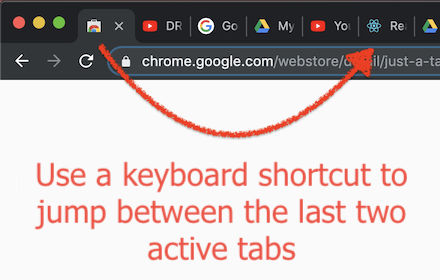
Switches between the last 2 active tabs
114
★ 4.6
Data sourced from the Chrome Web Store · last verified Jun 7, 2026.