
CLUT: Cycle Last Used Tabs
Cycle through last used Chrome tabs using keyboard shortcut.
As of May 2026, CLUT: Cycle Last Used Tabs has 20,000 users and a 4.57/5 rating from 291 reviews in the Workflow & Planning category.
Usersno change0%
20.0K
20,000
Ratingno change0%
4.57
291 reviews
Reviewsup 0.3 percent+0.3%
291
Version
2.1
Manifest V3
History
2 snapshotsTracking since Apr 1, 2026.
View as table
| Date | Users | Rating | Reviews | Version |
|---|---|---|---|---|
| Apr 1, 2026 | 20.0K | 4.57 | 290 | 2.1 |
| Apr 29, 2026 | 20.0K | 4.57 | 291 | 2.1 |
| Now | 20.0K | 4.57 | 291 | 2.1 |
Permissions & access
- Permissions
- tabs
- Host access
- None declared
Screenshots
About
This extension tries to mimic the ALT+TAB behavior from Windows(or Command+TAB in Mac) to allow to switch between open tabs in a Most Recently Used fashion.
It remembers the order in which you switched tabs (made a tab active) and it updates its records so that you can switch to the recently used ones quickly.

Note: Sometimes after updating the extension the keyboard shortcut settings get reset. Hence you might want to set the desired keyboard shortcuts again in the keyboard shortcut settings in the Chrome Extensions page.
Alternatively, navigate to chrome://extensions/shortcuts from your address bar to change shortcuts.


Please rate and comment.

The project is made open source in GitHub:
https://github.com/harshayburadkar/clut-chrome-extension.git

Default Keys*:
ALT+W: Quick switch
ALT + S: Normal switch
ALT + Shift + S: Normal switch (in opposite direction)
*Keys can be changed in keyboard shortcut settings on the Chrome extensions page.


=Quick switch=:
Use for rapid switching to last tab (by pressing once) or to the second to last used tab(by pressing rapidly twice) and so on.

=Normal switch=:
Use when you want to look for a tab recently used but when you would want to go in a slower pace (needing to glimpse for a bit to see if it is the page you need)

Most other extensions meant to accomplish the same thing don’t work well since there are some limitations/difficulties in the Chrome API. This extension uses some basic algorithms and timers of intervals between key presses to get over these problems. That is the reason there is separate keys for quick and slower switches with different timer settings.

Features:
* Can cycle through ALL open tabs from all Chrome windows in a most recently used order
* Extension DOES NOT need access to any of your visited website's data
* Can work through tabs across different Chrome windows
* Snappy and fast switches


FAQ:

- Why are there two sets of shortcuts one for quick switch and one for a slower switch. Isn’t it possible to simplify like ALT+TAB behavior ?
A: There are some restrictions in Chrome API which makes it difficult to implement this feature in the most natural way. The intention was to make this extension work as close to Alt+Tab in Windows (or Cmd+Tab for Mac). Unfortunately due to these limitations though, this extension relies on time intervals in between your key presses. That is the reason there is a concept of quick switch (faster timer) and a normal switch (slower timer).

- Where can I change the shortcut key for switching tabs ?
A: To change shortcut, go to the Extensions pane in your Chrome browser. Press the menu icon
 and find the Keyboard Shortcuts option in the list. You can change keyboard shortcuts of your installed extensions and apps here.

Alternatively, you can access and change extension keyboard shortcuts by going to this special address from your browser address bar.
chrome://extensions/shortcuts

Note: Few shortcuts may be not allowed to be set by Chrome if Chrome itself uses that shortcut or the shortcut is needed for system level operations.


Feel free to post feedback, comments and suggestions.
Technical
- Version
- 2.1
- Manifest
- V3
- Size
- 22.84KiB
- Min Chrome
- 88
- Languages
- 1
- Featured
- Yes
Metadata
- ID
- cobieddmkhhnbeldhncnfcgcaccmehgn
- Developer ID
- u3496e3058647038a43db24b7d059d79b
- Developer Email
- [email protected]
- Created
- May 28, 2014
- Last Updated (Store)
- Mar 24, 2025
- Last Scraped
- May 27, 2026
- Website
- —
- Support URL
- —
- Privacy Policy
- —
Similar extensions
Alternatives to CLUT: Cycle Last Used Tabs, ranked by description similarity.

Simple Tabs
Press Alt+Q to show a center overlay with tab previews
1

Quick Tab Switch
Quickly switch between tabs using custom keyboard shortcuts. Assign keys to tabs for fast navigation and seamless tab management.
19
★ 5.0
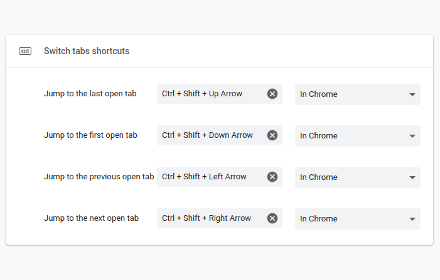
Switch tabs shortcuts
Adds custom shortcuts for switching tabs.
707
★ 4.7

Chrome Tab Switcher
Switches tabs in the order you used them (use Ctrl+Q or Ctrl+Shift+Q to swith backward or forward in tab history)
96

Switch Last Tab
Switch to the last active tab with Alt+Q — even across windows.
42
★ 5.0

Alt Tab Shortcuts
Speeds up tab management with simple shortcuts
284
★ 5.0

Tab History
View the recently visited tabs
267
★ 3.0

Quick Tab Switch
⚡ Instantly switch between your two most recent tabs with Alt+Q. Like Alt+Tab for windows, but for Chrome tabs!
9.0K
★ 4.8
Data sourced from the Chrome Web Store · last verified May 27, 2026.