
Switch Last Tab
Switch to the last active tab with Alt+Q — even across windows.
As of June 2026, Switch Last Tab has 42 users and a 5.00/5 rating from 3 reviews in the Workflow & Planning category.
Usersup 200.0 percent+200.0%
42
42
Ratingno change0%
5.00
3 reviews
Reviewsno change0%
3
Version
1.1
Manifest V3
History
8 snapshotsTracking since Apr 7, 2026.
View as table
| Date | Users | Rating | Reviews | Version |
|---|---|---|---|---|
| Apr 7, 2026 | 14 | 5.00 | 3 | 1.1 |
| Apr 19, 2026 | 18 | 5.00 | 3 | 1.1 |
| Apr 24, 2026 | 14 | 5.00 | 3 | 1.1 |
| May 5, 2026 | 13 | 5.00 | 3 | 1.1 |
| May 11, 2026 | 18 | 5.00 | 3 | 1.1 |
| May 20, 2026 | 20 | 5.00 | 3 | 1.1 |
| May 30, 2026 | 29 | 5.00 | 3 | 1.1 |
| Jun 8, 2026 | 36 | 5.00 | 3 | 1.1 |
| Now | 42 | 5.00 | 3 | 1.1 |
Permissions & access
- Permissions
- tabswindowscommands
- Host access
- None declared
Screenshots

About
Switch Last Tab is a lightweight Chrome extension that lets you instantly switch back to your last active tab using a simple keyboard shortcut — Alt + Q. It's like using Alt + Tab for your Chrome tabs.

If you're a multi-tab user in Chrome, you'll love it. No more wasting time searching through open tabs — just press Alt + Q and jump straight back to where you were.

Features:

Fast and seamless tab switching using Alt + Q

Automatically remembers your last active tab

No popup, no clutter — just efficient tab movement

100% private — no tracking or data collection

Works perfectly across all Chrome tabs in a single window

Whether you're coding, researching, writing, or managing multiple tools at once — this extension keeps your workflow sharp and focused. If you rely on Chrome for multitasking, Switch Last Tab will quickly become your favorite tool.
Technical
- Version
- 1.1
- Manifest
- V3
- Size
- 4.31MiB
- Min Chrome
- 88
- Languages
- 1
- Featured
- No
Metadata
- ID
- alblkoeelfldfpgcepgdlpoeplbfeila
- Developer ID
- u7ba293cc8afe612c9f2009cd18097cc2
- Developer Email
- [email protected]
- Created
- Jan 24, 2026
- Last Updated (Store)
- Jan 24, 2026
- Last Scraped
- Jun 8, 2026
- Website
- —
- Support URL
- —
- Privacy Policy
- —
Similar extensions
Alternatives to Switch Last Tab, ranked by description similarity.

Toggle tabs chrome
Toggle tabs in chrome.
7
★ 1.0

Braidata Last Tab Switcher
Switch to the last used tab with 'Ctrl+Q' shortcut.
12
★ 5.0
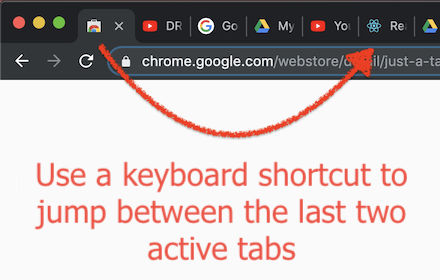
Just a Tab Switcher
Switches between the last 2 active tabs
114
★ 4.6

Quick Tab Switch
⚡ Instantly switch between your two most recent tabs with Alt+Q. Like Alt+Tab for windows, but for Chrome tabs!
9.0K
★ 4.8

CLUT: Cycle Last Used Tabs
Cycle through last used Chrome tabs using keyboard shortcut.
20.0K
★ 4.6

Chrome Tab Switcher
Switches tabs in the order you used them (use Ctrl+Q or Ctrl+Shift+Q to swith backward or forward in tab history)
96

Simple Tabs
Press Alt+Q to show a center overlay with tab previews
1

Tab Quick Switch
Quickly switch between previous and current tab
91
★ 5.0
Data sourced from the Chrome Web Store · last verified Jun 8, 2026.