
Tab Quick Switch
Quickly switch between previous and current tab
As of May 2026, Tab Quick Switch has 91 users and a 5.00/5 rating from 2 reviews in the Workflow & Planning category.
Usersup 26.4 percent+26.4%
91
91
Ratingno change0%
5.00
2 reviews
Reviewsno change0%
2
Version
1.3.3
Manifest V3
History
2 snapshotsTracking since Apr 24, 2026.
View as table
| Date | Users | Rating | Reviews | Version |
|---|---|---|---|---|
| Apr 24, 2026 | 72 | 5.00 | 2 | 1.3.3 |
| May 19, 2026 | 74 | 5.00 | 2 | 1.3.3 |
| Now | 91 | 5.00 | 2 | 1.3.3 |
Permissions & access
- Permissions
- storagetabs
- Host access
- None declared
Screenshots

About
This extension allows you to easily and quickly switch between the previous tab you clicked on and your current tab.

To use it simply hit CTRL+Q, on macOs you can use CTRL+Q.
Technical
- Version
- 1.3.3
- Manifest
- V3
- Size
- 132KiB
- Min Chrome
- 88
- Languages
- 1
- Featured
- No
Metadata
- ID
- ildaacajbplialbaihaedagcifcmgiif
- Developer ID
- u2c122580424d52fa3bd2714359bb327d
- Developer Email
- [email protected]
- Created
- Jul 8, 2020
- Last Updated (Store)
- Aug 6, 2021
- Last Scraped
- May 19, 2026
- Website
- —
- Support URL
- —
- Privacy Policy
- —
Similar extensions
Alternatives to Tab Quick Switch, ranked by description similarity.

Toggle tabs chrome
Toggle tabs in chrome.
7
★ 1.0
Simple Tab Switcher
A Chrome tab switcher which enables a shortcut to switch the current tab to latest one.
324
★ 4.9

Switch Last Tab
Switch to the last active tab with Alt+Q — even across windows.
42
★ 5.0

Chrome Tab Switcher
Switches tabs in the order you used them (use Ctrl+Q or Ctrl+Shift+Q to swith backward or forward in tab history)
96

Quick Tab Switch
⚡ Instantly switch between your two most recent tabs with Alt+Q. Like Alt+Tab for windows, but for Chrome tabs!
9.0K
★ 4.8

Braidata Last Tab Switcher
Switch to the last used tab with 'Ctrl+Q' shortcut.
12
★ 5.0
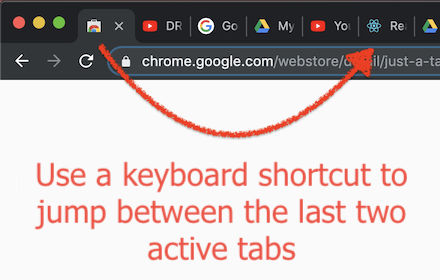
Just a Tab Switcher
Switches between the last 2 active tabs
114
★ 4.6

Quick Tab Search
Quickly search and switch between open tabs
209
★ 5.0
Data sourced from the Chrome Web Store · last verified May 19, 2026.