
Quick Tab Switch
⚡ Instantly switch between your two most recent tabs with Alt+Q. Like Alt+Tab for windows, but for Chrome tabs!
As of June 2026, Quick Tab Switch has 9,000 users and a 4.80/5 rating from 105 reviews in the Workflow & Planning category.
Usersup 28.6 percent+28.6%
9.0K
9,000
Ratingup 0.2 percent+0.2%
4.80
105 reviews
Reviewsup 14.1 percent+14.1%
105
Version
1.5.0
Manifest V3
90-day change · In the last 90 days this extension gained 2.0K users.
History
4 snapshotsTracking since Apr 21, 2026.
View as table
| Date | Users | Rating | Reviews | Version |
|---|---|---|---|---|
| Apr 21, 2026 | 7.0K | 4.79 | 92 | 1.5.0 |
| May 7, 2026 | 8.0K | 4.81 | 97 | 1.5.0 |
| May 18, 2026 | 9.0K | 4.82 | 101 | 1.5.0 |
| Jun 1, 2026 | 8.0K | 4.82 | 101 | 1.5.0 |
| Now | 9.0K | 4.80 | 105 | 1.5.0 |
Permissions & access
- Permissions
- storage
- Host access
- None declared
Screenshots

About
Perfect for comparing pages, copying information between tabs, or quickly going back and forth while working. No mouse needed, no clicking through tabs.

✨ Features:
• Simple Alt+Q shortcut (⌥Q on Mac) - fully customizable
• Switch between your last 2 used tabs instantly
• Works on all websites and pages
• Lightweight and fast - no performance impact
• Zero permissions required - completely private

🚀 How to use:
1. Install the extension
2. Press Alt+Q to jump between your two most recent tabs
3. Customize the shortcut at chrome://extensions/shortcuts if needed

💡 Perfect for:
• Comparing information between two pages
• Copying data from one tab to another
• Quick research and fact-checking
• Bouncing between work documents
• Any workflow requiring back-and-forth navigation

⚙️ Advanced Setup:
Want to use Ctrl+Tab instead? You can modify Chrome's settings file:
• Windows: Win+R → "notepad %LOCALAPPDATA%\Google\Chrome\User Data\Default\Preferences"
• Linux: gedit ~/.config/google-chrome/Default/Preferences
• Change all occurrences of "Alt+Q" to "Ctrl+Tab"
• Disable Chrome sync to prevent overrides

If the above way doesn't work for you, follow the instructions on this Gist: https://gist.github.com/ilyachase/49c7a6d1aa543d16568520560cfaf226

This extension is free and always will be. However, if you want to buy the author a coffee, it will be much appreciated 🤗
https://buymeacoffee.com/ilyachase
Technical
- Version
- 1.5.0
- Manifest
- V3
- Size
- 20.24KiB
- Min Chrome
- 88
- Languages
- 12
- Featured
- Yes
Metadata
- ID
- jceaicinopjaoknlhdfdjileacogogep
- Developer ID
- ub02ea106939c1d5325befe867187540d
- Developer Email
- [email protected]
- Created
- Nov 14, 2021
- Last Updated (Store)
- Aug 26, 2025
- Last Scraped
- Jun 1, 2026
- Website
- —
- Support URL
- —
- Privacy Policy
- —
Similar extensions
Alternatives to Quick Tab Switch, ranked by description similarity.

Switch Last Tab
Switch to the last active tab with Alt+Q — even across windows.
42
★ 5.0
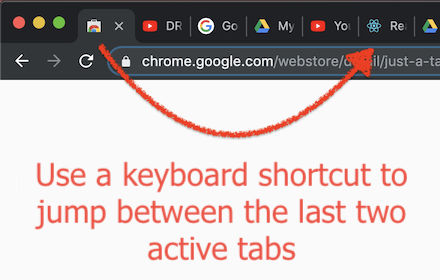
Just a Tab Switcher
Switches between the last 2 active tabs
114
★ 4.6

Chrome Tab Switcher
Switches tabs in the order you used them (use Ctrl+Q or Ctrl+Shift+Q to swith backward or forward in tab history)
96

Quick Tab Search
Quickly search and switch between open tabs
209
★ 5.0

CLUT: Cycle Last Used Tabs
Cycle through last used Chrome tabs using keyboard shortcut.
20.0K
★ 4.6

Toggle tabs chrome
Toggle tabs in chrome.
7
★ 1.0

Tab Quick Switch
Quickly switch between previous and current tab
91
★ 5.0

Simple Tabs
Press Alt+Q to show a center overlay with tab previews
1
Data sourced from the Chrome Web Store · last verified Jun 1, 2026.