
QuickSwitch
Speed dial for chrome
As of June 2026, QuickSwitch has 8 users in the Workflow & Planning category.
Usersdown 20.0 percent−20.0%
8
8
Ratingno change0%
—
— reviews
Reviewsno change0%
—
Version
3.2
Manifest V3
History
2 snapshotsTracking since Apr 20, 2026.
View as table
| Date | Users | Rating | Reviews | Version |
|---|---|---|---|---|
| Apr 20, 2026 | 10 | — | — | 3.2 |
| May 11, 2026 | 10 | — | — | 3.2 |
| Now | 8 | — | — | 3.2 |
Permissions & access
- Permissions
- activeTabstoragetabs
- Host access
- None declared
Screenshots


About
Switch between infinite tabs in seconds.

Quick Switch for Chrome lets you switch between tabs instantly using a predefined hotkey.

★ Switch to 'URLs' using hotkeys

Switch to an existing URL or open the URL in a new tab with 2 keystrokes.

1. Open Quick Switch window using `Alt/Option+J`
2. Navigate to that tab by pressing the defined hotkey

Getting started

1. Press `Alt/Option+J` to open the Quick Switch window
2. Go to ‘Create shortcut’
3. Current tab’s URL is auto populated
4. Assign any hotkey from A-Z

★ Cycle between same domains

Switch between domains have the same URL using the keyboard shortcut `Alt/Option+Shift+K`

ex., If there are 3 tabs with the same domain (google.com) open in your window, use the shortcut to cycle between these tabs

★ Cycle between favorite URLs

You can mark a URL as favorite when creating a new shortcut from ‘Add shortcut’ page

Once marked as favorite, press `Alt/Option+K` to cycle between all the favorite URLs that are open in your window

★ Sort tabs alphabetically by URL

Press `Alt/Option+Shift+J` to sort all your tabs in alphabetical order

★ View all tabs from your window

Go to ‘Tabs’ menu to see all the tabs from current window. Click to switch to that tab.

Note: Use the shortcut `Alt/Option+J` to toggle ‘Quick Switch’ window. Incase it does not work, try reloading the tab.
Technical
- Version
- 3.2
- Manifest
- V3
- Size
- 6.64MiB
- Min Chrome
- 88
- Languages
- 1
- Featured
- No
Metadata
- ID
- opmkdcghgfeofhpoefbehjgfjekbdhnc
- Developer ID
- uec386d36819055f354d1c16fd8386199
- Developer Email
- [email protected]
- Created
- Jan 13, 2023
- Last Updated (Store)
- Apr 1, 2025
- Last Scraped
- Jun 6, 2026
- Website
- —
- Support URL
- —
- Privacy Policy
- https://quickswitch.vercel.app/privacy-policy
Similar extensions
Alternatives to QuickSwitch, ranked by description similarity.

Quick Tab Switch
Quickly switch between tabs using custom keyboard shortcuts. Assign keys to tabs for fast navigation and seamless tab management.
19
★ 5.0

CLUT: Cycle Last Used Tabs
Cycle through last used Chrome tabs using keyboard shortcut.
20.0K
★ 4.6

TabControl FS
Switch tabs instantly with Alt+PageUp/PageDown. Fast, lightweight navigation with a built-in switch counter. Works in fullscreen.
1

Tabkey
Assign number keys to open tabs and jump between them instantly.
—
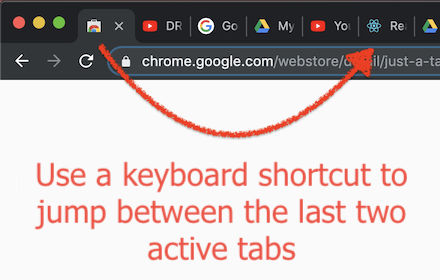
Just a Tab Switcher
Switches between the last 2 active tabs
114
★ 4.6

Simple Tab Switcher
A Chrome tab switcher which enables a shortcut to switch the current tab to latest one.
324
★ 4.9

Quick Tab Search
Quickly search and switch between open tabs
209
★ 5.0

Switch Last Tab
Switch to the last active tab with Alt+Q — even across windows.
42
★ 5.0
Data sourced from the Chrome Web Store · last verified Jun 6, 2026.