
Blur Page
Hide sensitive information on page
As of May 2026, Blur Page has 503 users and a 1.00/5 rating from 3 reviews in the Workflow & Planning category.
Usersup 8.4 percent+8.4%
503
503
Ratingno change0%
1.00
3 reviews
Reviewsno change0%
3
Version
2.0.0
Manifest V3
History
3 snapshotsTracking since Apr 1, 2026.
View as table
| Date | Users | Rating | Reviews | Version |
|---|---|---|---|---|
| Apr 1, 2026 | 464 | 1.00 | 3 | 2.0.0 |
| Apr 30, 2026 | 478 | 1.00 | 3 | 2.0.0 |
| May 27, 2026 | 481 | 1.00 | 3 | 2.0.0 |
| Now | 503 | 1.00 | 3 | 2.0.0 |
Permissions & access
- Permissions
- activeTabcontextMenusstorage
- Host access
- None declared
Screenshots

About
This BlurPage extension provides a different ways to hide any information on the page without leaving your Chrome.

It allows you to hide anything on your screen including:

1. Hide multiple words
You can hide multiple words in the same or different paragraphs
2. Hide multiple lines
It is easy to hide multiple lines at the same time
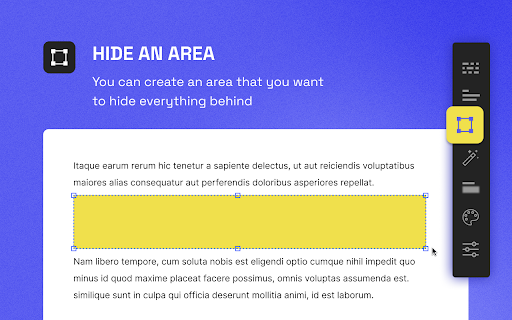
3. Hide an area
You can create an area that you want to hide everything behind
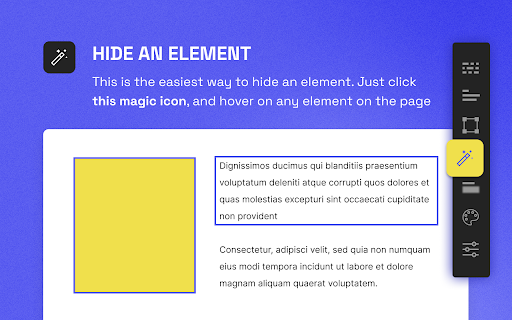
4. Hide an element
This is the easiest way to hide an element. Just click a magic icon in the toolbar, and hover on any element on the page

There are different effects that you can apply for an area or multiple areas:

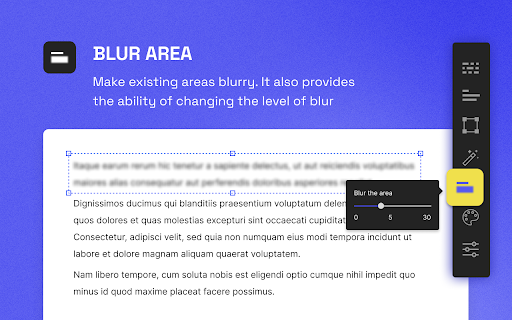
1. Blur
Make existing areas blurry. It also provides the ability of changing the level of blur
2. Redact
Redact areas with different colors
3. Mask
Replace text with asterisks

In addition to that, BlurPage provides a smart way to manage the areas.

1. Persists areas
Prepare areas and reload the browsers by accident! Don't worry, the areas are still there and ready to be blurred!
2. Do more
Apply an effect to multiple areas at the same time

For more information on the extension, you can visit its official website at https://blur.page
Technical
- Version
- 2.0.0
- Manifest
- V3
- Size
- 55.25KiB
- Min Chrome
- 88
- Languages
- 1
- Featured
- No
Metadata
- ID
- olfnnakonkojpehcikfoooejonacljel
- Developer ID
- ud95ca31ee18b459baf86eebdf5dec968
- Developer Email
- [email protected]
- Created
- Sep 9, 2022
- Last Updated (Store)
- Sep 9, 2022
- Last Scraped
- May 27, 2026
- Website
- blur.page
- Support URL
- https://blur.page
- Privacy Policy
- —
Similar extensions
Alternatives to Blur Page, ranked by description similarity.

Page Blur - Hide Sensitive Info for Screen Sharing
Blur sensitive information and hide private data when screen sharing.
212
★ 5.0

BlurAny - Privacy Protector
Instantly blur any web element - text, images, inputs, or areas. Protect privacy with one click during screen sharing or recordings.
34

Blurred Out
The smart way to selectively blur parts of a website when sharing your screen.
516
★ 5.0
Privacy Screen and Security Blur
Enhance Privacy and Security by Automatically Blurring Pages
3.0K
★ 3.5

Hide the Page
This browser extension hides your page if you don't want anyone to see it when they around you.
71
★ 3.0

Web Edit & Blur
Edit text, replace images, and blur content on any webpage. Ideal for mockups, change communication, and privacy protection
31

Screen Blur Pro
Focus your audience’s attention by blurring distractions during screen sharing and presentations.
175
★ 4.0

ScreenSafe Blur
Instantly hide sensitive information on your screen with one click.
2
Data sourced from the Chrome Web Store · last verified May 27, 2026.