
Focus on first input (keyboard shortcut)
Adds a shortcut that focuses the cursor on the first text input.
As of June 2026, Focus on first input (keyboard shortcut) has 543 users and a 4.43/5 rating from 14 reviews in the Workflow & Planning category.
Usersup 20.9 percent+20.9%
543
543
Ratingno change0%
4.43
14 reviews
Reviewsno change0%
14
Version
0.1.11
Manifest V3
History
3 snapshotsTracking since Apr 22, 2026.
View as table
| Date | Users | Rating | Reviews | Version |
|---|---|---|---|---|
| Apr 22, 2026 | 449 | 4.43 | 14 | 0.1.11 |
| May 12, 2026 | 466 | 4.43 | 14 | 0.1.11 |
| Jun 7, 2026 | 510 | 4.43 | 14 | 0.1.11 |
| Now | 543 | 4.43 | 14 | 0.1.11 |
Permissions & access
- Permissions
- None declared
- Host access
- None declared
Screenshots

About
The default shortcuts are:
'Alt+I' - to focus on the first input on the entire page
'Alt+S' - to focus on the first input visible on the screen

The shortcuts are fully rebindable via the extension shortcut menu (chrome://extensions/shortcuts).

To view the code you can visit my GitHub repository: https://github.com/mikesglitch/Focus-First-Input
Technical
- Version
- 0.1.11
- Manifest
- V3
- Size
- 6.26KiB
- Min Chrome
- 88
- Languages
- 1
- Featured
- Yes
Metadata
- ID
- ofngolgonfcpdanjehfjmcealkclchjg
- Developer ID
- uda9060ce0c9a95e9c709efdf4fb51afc
- Developer Email
- [email protected]
- Created
- May 7, 2018
- Last Updated (Store)
- Oct 22, 2024
- Last Scraped
- Jun 7, 2026
- Website
- mikesglitch.com
- Privacy Policy
- —
Similar extensions
Alternatives to Focus on first input (keyboard shortcut), ranked by description similarity.

Reorder Chrome Windows
Switch between Chrome windows or move tabs in a custom window order.
10

Go Back Last Tab History
Go Back and Forward to Last Viewed Tabs In Current Window
173
★ 5.0

Keyboard Shortcuts
Map custom keyboard shortcuts to any Chrome browser command
18
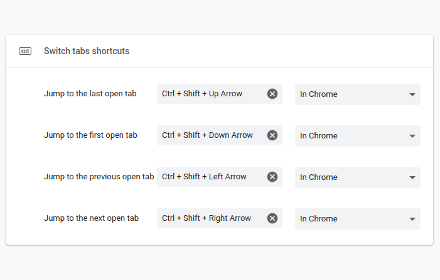
Switch tabs shortcuts
Adds custom shortcuts for switching tabs.
707
★ 4.7
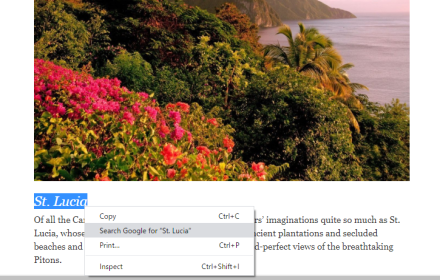
Shortcut keys for selection search
Add shortcut keys to open a new google result tab for selected text. Shortcut keys can be set in above left menu in Extensions.
4.0K
★ 4.8

Moly Keys
Optimum key bindings.
135
★ 2.6

Bookmark Shortcuts Extension
Add keyboard shortcuts for 10 of your bookmarks.
3.0K
★ 3.3

Focus On Search
Press the hotkey (Ctrl+Shift+F or Command+Shift+F) to instantly focus on the search bar of a page and select its text.
17
Data sourced from the Chrome Web Store · last verified Jun 7, 2026.