
Quick Image Search
Right click an image or some selected text and use that for a secure search using Google Images.
As of June 2026, Quick Image Search has 30,000 users and a 4.00/5 rating from 40 reviews in the Productivity category.
Usersno change0%
30.0K
30,000
Ratingno change0%
4.00
40 reviews
Reviewsup 2.6 percent+2.6%
40
Version
5.2
Manifest V3
History
1 snapshotsTracking since Apr 18, 2026.
View as table
| Date | Users | Rating | Reviews | Version |
|---|---|---|---|---|
| Apr 18, 2026 | 30.0K | 4.00 | 39 | 5.2 |
| Now | 30.0K | 4.00 | 40 | 5.2 |
Permissions & access
- Permissions
- contextMenus
- Host access
- None declared
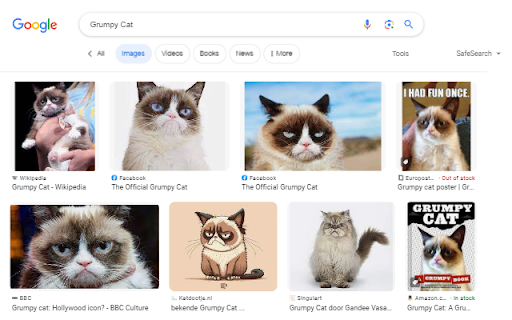
Screenshots




About
Seen an image on a website and you'd like to know who or what it is?

Found someone's name and you like to know what that person looks like?

After installing this extension there will be a new entry in the context menu (right-click menu) when an image or some selected text is right-clicked. Selecting this menu option will start a secure Google Image search via HTTPS.

Release notes:
- v5.0 (2025-11-23): Open the results tab directly next to the active tab
- v4.0 (2022-12-11): Reverse image search now uses Google Lens. Google Images does not support reverse image search anymore.
Technical
- Version
- 5.2
- Manifest
- V3
- Size
- 10.52KiB
- Min Chrome
- 88
- Languages
- 2
- Featured
- Yes
Metadata
- ID
- ihbfgploaolhdcfohgmkgeelahfghngd
- Developer ID
- u067b736c6c2e3a4b8744c91495f9e993
- Developer Email
- [email protected]
- Created
- Jul 11, 2014
- Last Updated (Store)
- Dec 10, 2025
- Last Scraped
- Jun 2, 2026
- Privacy Policy
- —
Similar extensions
Alternatives to Quick Image Search, ranked by description similarity.

Reverse Image Search
a powerful capturing reverse image search tool built on top of TinEye/Google Images engines
5.0K
★ 3.3

Fast Image Research
Right click any image to instantly get reverse image search results from Google, TinEye, Yandex, Bing, or a combination.
8.0K
★ 4.4

Google Lens ImageSearcher
Search images using Google Lens directly from the context menu
20.0K
★ 4.3
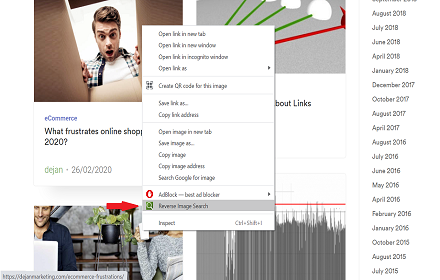
Reverse Image Search
Right click on an image and find it's origin in Google image search.
6.0K
★ 4.0

Search by Image
A powerful reverse image search tool, with support for various search engines, such as Google, Bing, Yandex, Baidu and TinEye.
400.0K
★ 4.1

RevEye Reverse Image Search
Perform a search by image. Choose between the image search engines Google, Bing, Yandex, TinEye, or user-defined engines.
100.0K
★ 4.1

Image Search
Find similar images in popular search engines
10.0K
★ 3.6

Reverse Image Search Tool
Search by image using Google, Bing, Yandex, and Lenso.ai. Upload, paste a URL, or right-click any image to search instantly.
546
★ 4.6
Data sourced from the Chrome Web Store · last verified Jun 2, 2026.