
Google Lens ImageSearcher
Search images using Google Lens directly from the context menu
As of June 2026, Google Lens ImageSearcher has 20,000 users and a 4.28/5 rating from 18 reviews in the Productivity category.
Usersno change0%
20.0K
20,000
Ratingdown 2.7 percent−2.7%
4.28
18 reviews
Reviewsup 80.0 percent+80.0%
18
Version
2.0.1
Manifest V3
90-day change · In the last 90 days this extension 2 version updates.
History
7 snapshotsTracking since Apr 1, 2026.
View as table
| Date | Users | Rating | Reviews | Version |
|---|---|---|---|---|
| Apr 1, 2026 | 20.0K | 4.40 | 10 | 1.0.0 |
| Apr 18, 2026 | 20.0K | 4.09 | 11 | 1.0.0 |
| Apr 25, 2026 | 20.0K | 4.17 | 12 | 2.0.0 |
| May 9, 2026 | 30.0K | 4.23 | 13 | 2.0.0 |
| May 20, 2026 | 20.0K | 4.27 | 15 | 2.0.0 |
| May 23, 2026 | 20.0K | 4.19 | 16 | 2.0.1 |
| Jun 3, 2026 | 20.0K | 4.17 | 18 | 2.0.1 |
| Now | 20.0K | 4.28 | 18 | 2.0.1 |
Changelog
- May 20, 2026name
ImageSearcher for Google Lens
Google Lens ImageSearcher
- Apr 18, 2026description
This extension makes it easy to search with Google Lens.
If you see an image or want to highlight a part of a webpage, just right-click and Google Lens will open with the results right away.

You can also click the extension icon and drag to select an area on the page. As soon as you release the mouse, it searches directly with Google Lens, no extra steps.

It’s simple, fast, and very handy if you want to recognize images, find products, copy text from pictures, or just get more information about something you see online.
This extension makes it easy to search with Google Lens.
If you see an image or want to highlight a part of a webpage, just right-click and Google Lens will open with the results right away.

You can also click the extension icon and drag to select an area on the page. As soon as you release the mouse, it searches directly with Google Lens, no extra steps.

It’s simple, fast, and very handy if you want to recognize images, find products, copy text from pictures, or just get more information about something you see online.


Recent Updates:

Added Languages & Minimalism: Now supports multiple languages for better accessibility, alongside a new minimalist mode with absolutely no text. Just pure functionality.

Better Performance: Under-the-hood improvements for even faster search execution.
- Apr 18, 2026name
Google Lens Extension
ImageSearcher for Google Lens
Permissions & access
- Permissions
- contextMenusactiveTabstoragetabsscripting
- Host access
- <all_urls>
Screenshots

About
This extension makes it easy to search with Google Lens.
If you see an image or want to highlight a part of a webpage, just right-click and Google Lens will open with the results right away.

You can also click the extension icon and drag to select an area on the page. As soon as you release the mouse, it searches directly with Google Lens, no extra steps.

It’s simple, fast, and very handy if you want to recognize images, find products, copy text from pictures, or just get more information about something you see online.


Recent Updates:

Added Languages & Minimalism: Now supports multiple languages for better accessibility, alongside a new minimalist mode with absolutely no text. Just pure functionality.

Better Performance: Under-the-hood improvements for even faster search execution.
Technical
- Version
- 2.0.1
- Manifest
- V3
- Size
- 19.81KiB
- Min Chrome
- 88
- Languages
- 1
- Featured
- No
Metadata
- ID
- okkmmheplgoglaiofliglhekamdfepmc
- Developer ID
- ua8b5686f3fc16bba34b539f66183d533
- Developer Email
- [email protected]
- Created
- Dec 9, 2025
- Last Updated (Store)
- May 16, 2026
- Last Scraped
- Jun 16, 2026
- Website
- —
- Support URL
- —
- Privacy Policy
- —
Similar extensions
Alternatives to Google Lens ImageSearcher, ranked by description similarity.

Google Lens Image Search
Enable this extension to quickly search, identify image patterns, and download in one click
20.0K
★ 4.3

Screen Lens - Search Screen with Google Lens
Search your screen with Google Lens in a single click!
1.0K
★ 4.0

Image More Like This
Adds a smart tooltip to images for finding similar images on Google.
11
★ 5.0
Screenshot Search
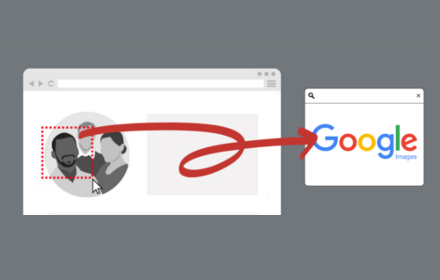
select and capture any area on a web page, then effortlessly perform reverse image searches on Google Images
3.0K
★ 3.7

Google Lens - Search your screen
Google Lens brings visual search to your browser. Search your screen or any image for products, translations, and more.
20.0K
★ 4.3

Quick Image Search
Right click an image or some selected text and use that for a secure search using Google Images.
30.0K
★ 4.0

ScreenScan - Instant Screenshot Search
Instantly capture, search, and explore any image, video or text on the web with a click and discover more with Google Lens.
569
★ 3.8

Screen Search - Search Screen with Google Lens
Search anything on your screen with Google Lens. Instant visual search, translations, and product info at your fingertips.
10.0K
★ 4.6
Data sourced from the Chrome Web Store · last verified Jun 16, 2026.