
Email List Builder by cloudHQ
Build a spreadsheet with all your Gmail contacts and emails
As of June 2026, Email List Builder by cloudHQ has 5,000 users and a 4.53/5 rating from 15 reviews in the Workflow & Planning category.
Usersno change0%
5.0K
5,000
Ratingno change0%
4.53
15 reviews
Reviewsno change0%
15
Version
1.0.2.1
Manifest V3
History
1 snapshotsTracking since Apr 19, 2026.
View as table
| Date | Users | Rating | Reviews | Version |
|---|---|---|---|---|
| Apr 19, 2026 | 5.0K | 4.53 | 15 | 1.0.2.1 |
| Now | 5.0K | 4.53 | 15 | 1.0.2.1 |
Permissions & access
- Permissions
- scriptingstoragebackground
- Host access
- https://mail.google.com/, https://www.cloudhq.net/
Screenshots




About
Are you looking for an email list builder that will create an email list for you in a matter of seconds? Email List Builder by cloudHQ gets you a list all of the people that you've ever had contact with in your Gmail™, into a neat and organized Google Sheet™ for you.
This is an excellent solution to use so that you can:
✅ Create an email list to send an email campaign (*tip: use mailking.io, another one of our services for free email campaigns)
✅ Monitor interactions with your customers or your suppliers
✅ Keep an updated list of your email contacts in Google Sheets™
You'll get every email merge tag identifier needed in order to build an impressive email list of all your contacts and their information. You can even set this service up so that it can continuously update the contact information from your Gmail™ emails, to be captured and updated for you in your Google Sheet™ spreadsheet.
Here is a list of all the email merge tag identifiers that you'll get in separate columns in your Google Sheet™:
1) Email Address
2) First name
3) Last Name
4) Full Name
5) Bio
6) Location
7) Personal Website
8) Last Sent Email Date (Last email sent to the contact)
9) Last Sent Email (A link to the actual email you sent)
10) Total Number of Emails Sent
11) Awaiting for Reply? (Awaiting reply from the contact)
12) Last Received Email Date (Last email received from the contact)
13) Last Received Email (A link to the actual email you received)
14) Total Number of Emails Received
15) Not Replied? (Not replied to the contact)
16) Company Name
17) Role at Company
18) Company Website
19) Company Logo
20) LinkedIn (Link to profile)
21) Facebook (Link to profile)
22) Twitter (Link to profile)
We hope you enjoy this simple solution to help you build your email list! Happy email campaigning from your friends at cloudHQ.

This is an excellent solution for small businesses to improve communications with their customer or supplier relationships. Your spreadsheet will automatically be updated in real-time as new emails or new contacts come into your inbox, so you will always have full visibility of each business-related relationship in an organized report whenever you need it, in a shareable way via Google Sheets.

cloudHQ. Helping your productivity, 1 click at a time.


cloudHQ website: https://www.cloudhq.net/
App website: https://www.email-list-builder.com/
Pricing: https://www.email-list-builder.com/pricing
Support page: https://support.cloudhq.net/category/browser-extensions/email-list-builder/
Blog: https://blog.cloudhq.net

Google Gmail and Google Sheets are trademarks of Google LLC. Use of these trademark are subject to Google Permissions.

cloudHQ is trademark of CloudHQ LLC. https://www.cloudhq.net/trademark
Technical
- Version
- 1.0.2.1
- Manifest
- V3
- Size
- 545KiB
- Min Chrome
- 88
- Languages
- 1
- Featured
- Yes
Metadata
- ID
- flhabflppadhfbfhhdldooihfkbkaaci
- Developer ID
- u9999076a1cee8608be24fd86bc3000b6
- Developer Email
- [email protected]
- Created
- Jul 7, 2020
- Last Updated (Store)
- Nov 29, 2025
- Last Scraped
- Jun 4, 2026
- Privacy Policy
- https://www.cloudhq.net/privacy
Similar extensions
Alternatives to Email List Builder by cloudHQ, ranked by description similarity.
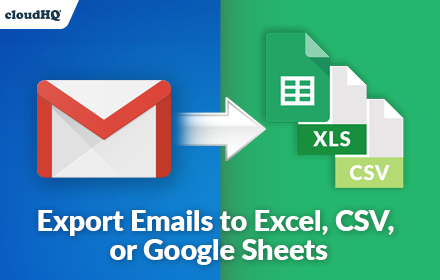
Export Emails to Sheets by cloudHQ
Back up, export or parse your Gmail email messages and labels to Google Sheets
40.0K
★ 4.3
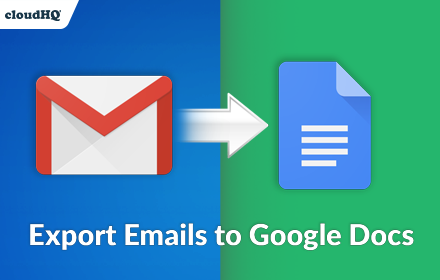
Export Emails to Docs
Consolidate emails into nicely organized Google Docs
9.0K
★ 4.6

Templates for Google Sheets™ by cloudHQ
Modern and Beautiful Templates for Google Sheets™
10.0K
★ 5.0
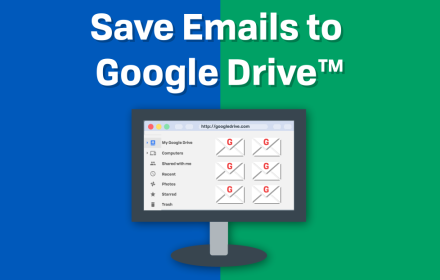
Save Emails to Drive by cloudHQ
Save any Gmail™ email to Google Drive™ with one click. Autosave of all emails in a label. Multiple formats: PDF, HTML, EML, TXT, ...
40.0K
★ 4.3

Save Emails as PDF by cloudHQ
Export, convert and save Gmail™ emails as a PDF document
100.0K
★ 4.3
MassMerge: Latest mail merge for Gmail
A powerful tool for cold email, mass mail, and mail merge for Gmail
351
★ 4.6

Mail Merge for Gmail
Simple app to send emails to multiple destinations at the same time
10.0K
★ 2.7

NetHunt CRM for Gmail
From a Gmail inbox to a full-featured CRM. Access 100% of CRM functionality from Gmail inbox.
8.0K
★ 4.8
Data sourced from the Chrome Web Store · last verified Jun 4, 2026.