
Keep Awake
Override system power-saving settings.
As of June 2026, Keep Awake has 900,000 users and a 4.00/5 rating from 506 reviews in the Workflow & Planning category.
Usersdown 10.0 percent−10.0%
900.0K
900,000
Ratingno change0%
4.00
506 reviews
Reviewsup 0.2 percent+0.2%
506
Version
1.9
Manifest V3
90-day change · In the last 90 days this extension lost 100.0K users.
History
3 snapshotsTracking since Apr 23, 2026.
View as table
| Date | Users | Rating | Reviews | Version |
|---|---|---|---|---|
| Apr 23, 2026 | 1.0M | 4.00 | 505 | 1.9 |
| May 12, 2026 | 1.0M | 4.00 | 506 | 1.9 |
| Jun 7, 2026 | — | 4.00 | 506 | 1.9 |
| Now | 900.0K | 4.00 | 506 | 1.9 |
Permissions & access
- Permissions
- powerstorage
- Host access
- None declared
Screenshots

About
This extension makes it easy to temporarily disable power management on Chrome OS.

It adds an icon in the upper-right corner of the browser that can be clicked to switch between modes where the screen is kept on (sun icon), the system is prevented from sleeping (sunset), or power-saving settings are left unchanged (moon).

----

Frequently-asked questions:

* Will this extension prevent a Chromebook from suspending when its lid is closed?

No, but if an external display is connected, recent versions of Chrome OS will remain awake when the lid is closed.

* What's the difference between the "screen is kept on" and "system is prevented from sleeping" modes?

When the system is prevented from sleeping (sunset icon), network connections will remain active; this may be useful if using e.g. the Secure Shell app. The screen will still dim and turn off eventually, though. In the "screen is kept on" mode (sun icon), the system will avoid sleeping and the display will additionally remain on.

* What do the icons mean?

The sun icon means that the screen will be kept on. The moon icon means that the system will behave the same way that it would if the extension were not installed. The sunset icon is a middle ground: the system will avoid sleeping (as described above) but the screen will still turn off.

----

Release notes for version 1.8 (1.7 was never published):

Removed windows.onCreated hack added to work around http://crbug.com/222473 on Chrome OS.

Release notes for version 1.6:

Removed scary "tabs" permission.  (Technical details: There's a bug where Chrome doesn't notify extensions after the user logs in on Chrome OS.  This extension loads its saved state whenever a window is created instead.  The chrome.windows API is documented as requiring the "tabs" permission but listening for window creation appears to work without it.)

Release notes for version 1.5:

This version fixes a bug where the previous mode would not be correctly restored after logging out and back in.

Note also that only the "keep the screen on" and "unchanged" modes are available in Chrome 26.  In Chrome 27, the "prevent the system from sleeping" mode is also available.
Technical
- Version
- 1.9
- Manifest
- V3
- Size
- 30.73KiB
- Min Chrome
- 88
- Languages
- 1
- Featured
- No
Metadata
- ID
- bijihlabcfdnabacffofojgmehjdielb
- Developer ID
- ud11867cff2d5cf57293c9020ad93943b
- Developer Email
- [email protected]
- Created
- Sep 18, 2012
- Last Updated (Store)
- Aug 4, 2023
- Last Scraped
- Jun 7, 2026
- Website
- —
- Support URL
- —
- Privacy Policy
- —
Similar extensions
Alternatives to Keep Awake, ranked by description similarity.
Keep Awake
Override system power settings.
—
★ 4.2

Google Keep - Full Screen Edit
Makes note editing take up the full browser window
20.0K
★ 4.6
Keyboard Shortcuts to Reorder Tabs
Reorder shortcuts using ctrl-shift pgup/pgdn on Windows/Mac just like you can already do in Linux.
3.0K
★ 3.8
Tiny Suspender
Unload / suspend / hibernate idle tabs to reduce memory and cpu usage.
20.0K
★ 4.0
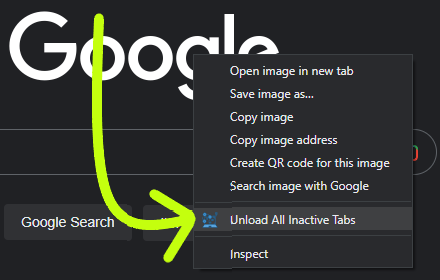
OnLoad Unload Tabs
When you open chrome, and it restores all your tabs, this extension unloads all tabs except the active tab
452
★ 5.0
Instant Dark Mode
Lightweight extension to instantly invert website colors for dark mode. Smart invert does not invert colors on images and videos.
2.0K
★ 3.2

Keep One Pinned Tab
Keep one (optionally unfocusable) per window pinned tab open at all times. Prevents Chrome windows from closing with last tab.
3.0K
★ 4.4

Clear Tabs
This extension clears all but the active tab in your browser.
1.0K
★ 4.8
Data sourced from the Chrome Web Store · last verified Jun 7, 2026.