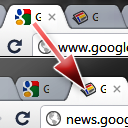
Keyboard Shortcuts to Reorder Tabs
Reorder shortcuts using ctrl-shift pgup/pgdn on Windows/Mac just like you can already do in Linux.
As of May 2026, Keyboard Shortcuts to Reorder Tabs has 3,000 users and a 3.75/5 rating from 118 reviews in the Workflow & Planning category.
Usersno change0%
3.0K
3,000
Ratingno change0%
3.75
118 reviews
Reviewsno change0%
118
Version
2.01
Manifest V3
Permissions & access
- Permissions
- tabs
- Host access
- None declared
Screenshots
About
What's New?

Works on Chrome OS only now that other OS support this natively.

About

Chrome on most operating systems lets you re-order your tabs using the keyboard shortcuts ctrl-shift-pgup and ctrl-shift-pgdn. However, if you use ChromeOS these shortcuts are not available to you. This tiny, unobtrusive extension fixes that.

Shortcuts

  Move active tab left - ctrl-shift-pgup
  Move active tab right - ctrl-shift-pgdn
  Move active tab to first position - ctrl-shift-1
  Move active tab to last position - ctrl-shift-9
  Move active tab to nth position - ctrl-shift-<2..8>

Changelog

v2.01
 - Fixed for Mac

v2.0
  - Manifest v3 support
  - Only needed on Chrome OS now!

v1.7 Thanks Yonathon Randolph!
  - Listen on keydown instead of keyup
  - Update to manifest verison 2
  - Prevent events from reaching webpage
  - Minor code cleanup

F.A.Q.

  Q:  It's not working on this page!
  A:  Please note that NO Chrome extensions with a content script (such as this) are allowed to run in the Google Chrome Webstore (i.e. this page!)

  Q:  It's not working on other pages!
  A:  Tabs you had open prior to installing this extensions need to be reloaded before this will work. Otherwise check your org's policy on Chrome extension as it may be restricted by your administrator.


  Q:  I sync my extensions across different Operating Systems. Will this break things on e.g. Windows?
  A:  No. The extension does nothing on Linux to avoid ctrl-shift-pgup/down moving the tab twice.

  Q:  Still having problems?
  A:  Let me know and I will fix it. Don't make me ask for obvious details though. I would need browser version and operating system. Did you try it with no other extensions installed?
Technical
- Version
- 2.01
- Manifest
- V3
- Size
- 41.79KiB
- Min Chrome
- 88
- Languages
- 1
- Featured
- No
Metadata
- ID
- moigagbiaanpboaflikhdhgdfiifdodd
- Developer ID
- u5e8d08c91a4c358793493c28f1109c52
- Developer Email
- [email protected]
- Created
- May 11, 2011
- Last Updated (Store)
- Jan 31, 2024
- Last Scraped
- May 29, 2026
- Website
- http://bonstio.net/
- Support URL
- —
- Privacy Policy
- —
Similar extensions
Alternatives to Keyboard Shortcuts to Reorder Tabs, ranked by description similarity.

Alt Tab Shortcuts
Speeds up tab management with simple shortcuts
284
★ 5.0

Rearrange Tabs
Allows users to rearrange tabs using keyboard shortcuts
10.0K
★ 4.8

Tab Shortcuts - Rearrange Chrome Tabs
Add keyboard shortcuts for moving tabs between windows
46

Tab Resize - split screen layouts
The ORIGINAL Tab Resize. Split Screen made easy. Resize the CURRENT tab and tabs to the RIGHT into layouts on separate windows.
1.0M
★ 4.3

CLUT: Cycle Last Used Tabs
Cycle through last used Chrome tabs using keyboard shortcut.
20.0K
★ 4.6

Chrome Tab Switcher
Switches tabs in the order you used them (use Ctrl+Q or Ctrl+Shift+Q to swith backward or forward in tab history)
96

Show Apps in new tab
This extension shows the apps overview when opening a new tab in Chrome.
40.0K
★ 3.9
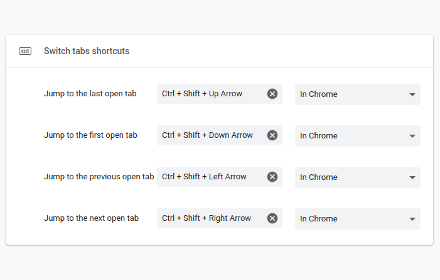
Switch tabs shortcuts
Adds custom shortcuts for switching tabs.
707
★ 4.7
Data sourced from the Chrome Web Store · last verified May 29, 2026.