
Keep One Pinned Tab
Keep one (optionally unfocusable) per window pinned tab open at all times. Prevents Chrome windows from closing with last tab.
As of May 2026, Keep One Pinned Tab has 3,000 users and a 4.36/5 rating from 64 reviews in the Workflow & Planning category.
Usersno change0%
3.0K
3,000
Ratingup 0.2 percent+0.2%
4.36
64 reviews
Reviewsup 1.6 percent+1.6%
64
Version
5.0
Manifest V3
History
1 snapshotsTracking since May 2, 2026.
View as table
| Date | Users | Rating | Reviews | Version |
|---|---|---|---|---|
| May 2, 2026 | 3.0K | 4.35 | 63 | 5.0 |
| Now | 3.0K | 4.36 | 64 | 5.0 |
Permissions & access
- Permissions
- tabstabGroupsstoragealarms
- Host access
- None declared
Screenshots

About
Keep one (optionally unfocusable) per window pinned tab open at all times. Prevents Chrome windows from closing with last tab.
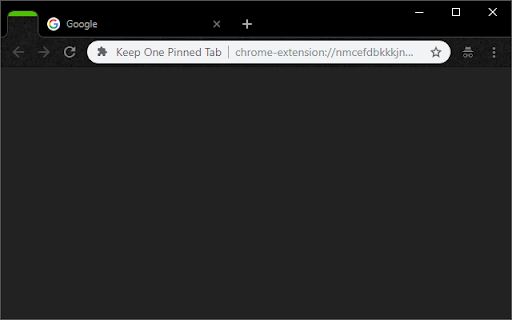
This extension prevents Chrome from closing when you close the final tab in a window. It keeps one pinned, blank tab always open as the first tab in your tab bar, and reopens it if it is closed.

------------------------

Inspired by "Live On":
https://chrome.google.com/webstore/detail/live-on/oficfgdfeoknbjfhommlpiekdapmnebh/

Icons by Everaldo Coelho:
http://www.everaldo.com/

Project released open-source, Github project available:
https://github.com/theborg3of5/KeepOnePinnedTab

------------------------

Please note that this was made for personal use, so replies and fixes may be delayed.

------------------------

Changelog:
1.0: Initial Release.
1.1: Bugfix: now takes into account whether the window is a popup vs. normal, and allows selection of special tab to aid in easier ctrl+tabbing.
1.2: Broke main functionality with last update, now fixed.
1.3: Extending closing functionality to second, semi-special tab.
2.0: Back from hiatus! Fixed the issue where a new pinned tab would appear upon every startup for some users, and moved the close-extra-new-tabs functionality out to a new extension, called "Close Extra New Tabs" (see other apps by this developer).
3.0: Added an options page! You can now set what URL you want the pinned tab to have, rather than it always being your new tab page. Defaults to new tab page if you don't set it.
3.1: Fixed an issue where the extension would open tabs forever, sorry folks!
3.2: Took out a console.log() that was left in (no functional impact).
4.0: Major update! Changes:
  - Built-in options for pages to pin.
  - Option: no focus special pinned tab.
  - Squashed all known bugs.
4.1: A few small bugfixes:
  - Don't open two new tabs (+ pinned one) when opening a new window.
  - Work correctly in incognito mode.
4.2: Fix issue where we keep opening new pinned tabs when Chrome is allowed to stay open in the background
5.0: Complete rewrite and upgrade to manifest v3!
  - Fixes the "never focus pinned tab" setting.
  - Cleans up the settings page (and changes how we store settings behind the scenes).
Technical
- Version
- 5.0
- Manifest
- V3
- Size
- 17.5KiB
- Min Chrome
- 88
- Languages
- 1
- Featured
- Yes
Metadata
- ID
- nmcefdbkkkjndgafnlaikloffhdeknod
- Developer ID
- uc74671cdfb805702ae4282f61b853b0d
- Developer Email
- [email protected]
- Created
- Sep 9, 2013
- Last Updated (Store)
- Jan 8, 2024
- Last Scraped
- May 31, 2026
- Website
- —
- Support URL
- —
- Privacy Policy
- —
Similar extensions
Alternatives to Keep One Pinned Tab, ranked by description similarity.

Don't Close Window With Last Tab
Prevent closing of Google Chrome with the last tab, the least intrusive way.
50.0K
★ 4.0

Clear Tabs
This extension clears all but the active tab in your browser.
1.0K
★ 4.8

Child Tab Next
Force new/duplicated tabs (but not those opened via links) to open next to their opener, not at the very end.
775
★ 4.0

OneInATabRow
Closes and lists your recent tabs is one page
24

Pingardium Leviosa
A Chrome Extension built with TypeScript
2

Focus Page - Your All-in-One Link Workspace for Work & Life
Your All-in-One Link, Tab, and Bookmark Manager - one place for everything you care about online | Extension & Web App available
31
★ 4.0

tabtiles
Control your tabs with tiles - useful for large monitors and full screen (F11) browsing.
10.0K
★ 3.7

Google Keep - Full Screen Edit
Makes note editing take up the full browser window
20.0K
★ 4.6
Data sourced from the Chrome Web Store · last verified May 31, 2026.