
BoostPic - Google Reverse Image Search on the fly
Uncover the possibility to perform Google Reverse Image Search quickly and incredibly, with clip & paste.
As of June 2026, BoostPic - Google Reverse Image Search on the fly has 278 users in the Productivity category.
Usersup 7.8 percent+7.8%
278
278
Ratingno change0%
—
— reviews
Reviewsno change0%
—
Version
4.6.14
Manifest V3
90-day change · In the last 90 days this extension 1 version update.
History
8 snapshotsTracking since Apr 7, 2026.
View as table
| Date | Users | Rating | Reviews | Version |
|---|---|---|---|---|
| Apr 7, 2026 | 258 | — | — | 4.6.5 |
| Apr 21, 2026 | 266 | — | — | 4.6.5 |
| May 1, 2026 | 276 | — | — | 4.6.5 |
| May 9, 2026 | 277 | — | — | 4.6.5 |
| May 17, 2026 | 282 | — | — | 4.6.5 |
| May 31, 2026 | 281 | — | — | 4.6.5 |
| Jun 5, 2026 | 272 | — | — | 4.6.14 |
| Jun 17, 2026 | 264 | — | — | 4.6.14 |
| Now | 278 | — | — | 4.6.14 |
Permissions & access
- Permissions
- tabs
- Host access
- https://api.imgbb.com/1/upload
Screenshots


About
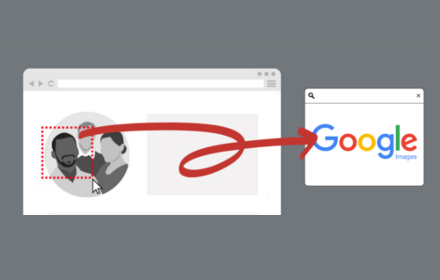
With this extension users can search google images simply with clip & paste. The following is how it works.

1. For win10/11: win+shift+s to clip an image even outside the browser, and for mac: shift+control+command+4;

2. Click at the input box below(select another visual search engine other than Google Images at the bottom if you prefer), and then press ctrl+v or command+v;

3. Wait a moment until it returns an URL. If timeout error happens, please delete the error message and ctrl+v or command+v again.

Enjoy !
Technical
- Version
- 4.6.14
- Manifest
- V3
- Size
- 137KiB
- Min Chrome
- 88
- Languages
- 49
- Featured
- Yes
Metadata
- ID
- pmpogggmiaehmjempogkkklfckignfgl
- Developer ID
- u1e79a5c8e214aac60dcb03fee8276f29
- Developer Email
- [email protected]
- Created
- May 2, 2020
- Last Updated (Store)
- May 29, 2026
- Last Scraped
- Jun 17, 2026
- Website
- —
- Support URL
- https://github.com/BoostPic/BoostPic
Similar extensions
Alternatives to BoostPic - Google Reverse Image Search on the fly, ranked by description similarity.
Screenshot Search
select and capture any area on a web page, then effortlessly perform reverse image searches on Google Images
3.0K
★ 3.7

Google scraper
application for copying Google search results
99
★ 3.0

Screenshot Lens
One-click screenshot capture with instant Google Image Search. Click extension, drag to select, release to search.
57

Google Lens ImageSearcher
Search images using Google Lens directly from the context menu
20.0K
★ 4.3

GSC Quick Render
Clicks the Copy button in GSC and renders the result.
7

Search Scribe
Boost your keyword research with Search Scribe. Instantly copy search suggestions from Google, Bing, and YouTube.
11
★ 5.0
Select and Search
Select and Search on Google
6

Quick Image Search
Right click an image or some selected text and use that for a secure search using Google Images.
30.0K
★ 4.0
Data sourced from the Chrome Web Store · last verified Jun 17, 2026.