
zwitcha - Switch Prompts & Webhooks While Recording
Switch prompts & webhooks while recording. Voice to text with AI processing and instant automation. Your words, your way.
As of June 2026, zwitcha - Switch Prompts & Webhooks While Recording has 25 users and a 5.00/5 rating from 9 reviews in the Productivity category.
Usersup 8.7 percent+8.7%
25
25
Ratingno change0%
5.00
9 reviews
Reviewsno change0%
9
Version
2.1.0
Manifest V3
90-day change · In the last 90 days this extension 1 version update.
History
7 snapshotsTracking since Apr 17, 2026.
View as table
| Date | Users | Rating | Reviews | Version |
|---|---|---|---|---|
| Apr 17, 2026 | 23 | 5.00 | 9 | 1.2.0 |
| Apr 25, 2026 | 26 | 5.00 | 9 | 2.1.0 |
| May 9, 2026 | 24 | 5.00 | 9 | 2.1.0 |
| May 13, 2026 | 21 | 5.00 | 9 | 2.1.0 |
| May 25, 2026 | 23 | 5.00 | 9 | 2.1.0 |
| Jun 1, 2026 | 22 | 5.00 | 9 | 2.1.0 |
| Jun 8, 2026 | 21 | 5.00 | 9 | 2.1.0 |
| Now | 25 | 5.00 | 9 | 2.1.0 |
Changelog
- Apr 17, 2026description
Meet zwitcha — where "Switcher" meets "Zwitscher" (German for bird chirping). The only voice transcription extension that lets you switch between AI prompts and webhooks WHILE you're recording. Change your mind mid-sentence? Switch to a different prompt. Want to trigger a webhook? Do it without stopping. Your voice, your workflow, your control.

THE SWITCHING DIFFERENCE

Switch Prompts Mid-Recording
Started recording for a quick note but realized it should be an email? Just click the sparkle icon (✨) while recording and activate your "Email Formatter" prompt. No need to stop, re-record, or manually edit. zwitcha adapts to your thinking in real-time.

Trigger Webhooks On-Demand
See the webhook icon while recording? Click it to instantly send your transcription to Notion, Slack, or any automation tool—without interrupting your recording. Capture the thought, send it where it needs to go, all in one fluid motion.

Post-Processing Power
Finished recording? Run custom AI prompts on your transcription to transform it:

* Raw notes → Professional email
* Stream of consciousness → Action items
* Meeting recording → Structured summary
* Voice memo → Code comments
* Casual speech → Polished prose

This is what makes zwitcha different: flexibility while you speak, power after you speak.

CORE FEATURES

Instant Voice Recording
Press Alt+S and start speaking. Your words become text, powered by OpenAI's Whisper AI—one of the most accurate speech recognition engines available. Works on any webpage, any time.

AI-Powered Transcription
Powered by OpenAI's industry-leading Whisper API, zwitcha delivers highly accurate transcriptions across multiple languages and accents. Your audio is processed securely and transcribed text is automatically copied to your clipboard, ready to paste anywhere.

Custom AI Prompts (Post-Processing)
After recording, instantly process your transcription with custom AI prompts that:

* Fix grammar and spelling errors
* Format text professionally
* Translate to other languages
* Summarize long recordings
* Extract key points and action items
* Rewrite in different tones or styles
* And many more...

Dynamic Prompt Switching (Unique Feature)
Create unlimited custom prompts and toggle them ON/OFF DURING recording:

* Start recording with no prompt active
* Mid-recording, realize you need formatting
* Click the sparkle (✨) button to activate your chosen prompt
* Continue recording—your intent changes on the fly
* Your transcription will be processed with the active prompt

Real-world example: You're voice-journaling about your day, then remember a work task. Click to activate your "Task Extractor" prompt without stopping. One recording, two purposes, zero friction.

Live Webhook Triggering (Unique Feature)
The game-changer: trigger webhooks WHILE you're recording. See the webhook icon (🔗) during recording? Click it to instantly send your transcription-in-progress to your automation tools. No waiting, no extra steps.

Configure webhooks for different destinations:

* Task management tools (Notion, Asana, Trello)
* Note-taking apps (Evernote, OneNote)
* Communication platforms (Slack, Discord, Teams)
* Custom automation workflows (Zapier, Make, n8n)
* Your own applications and APIs

Perfect for: Logging voice memos, creating tasks from voice commands, or building voice-controlled automations.

Smart Recording Controls

* Alt+S (Windows/Linux) or Alt+S (Mac): Start/stop recording
* Space (while recording): Pause/Resume recording
* Option/Alt (while recording): Available for future extensions
* Click ✨: Activate/Deactivate custom prompt for post-processing
* Click 🔗: Trigger webhook with your current transcription
* Esc: Cancel recording

Text Shortcuts & Auto-Replacement
Create custom shortcuts to automatically replace words or phrases in your transcriptions. Say "my email" and it becomes "[[email protected]](mailto:[email protected])". Say "my address" and get your full mailing address. Perfect for:

* Email addresses and phone numbers
* Long company or product names
* Technical terms and abbreviations
* Personal information you say frequently
* URLs and links
* And many more...

No more spelling out your email address or repeating long phrases—just create a shortcut once and speak naturally forever.

Real-Time Audio Visualization
See your audio levels in real-time with a beautiful visual indicator that confirms your microphone is working and shows recording activity.

Keyboard Shortcuts Configuration
Customize your keyboard shortcuts in the options page to match your workflow preferences. Default uses Alt+S for recording toggle.

THE SWITCHING WORKFLOW (What Makes zwitcha Special)

Scenario 1: The Thought Evolution

* Press Alt+S, start brain-dumping ideas
* Mid-recording, one idea stands out as urgent
* Click ✨ to activate "Extract Action Items" prompt
* Continue recording—everything captured
* Stop recording—get transcription as extracted tasks

Scenario 2: The Mind-Change

* Start recording a casual voice note
* Realize this should be a professional email
* Click ✨ to activate "Email Formatter" prompt
* Keep recording in casual language
* Get professionally formatted email output

Scenario 3: The Webhook Trigger

* Start recording a task memo
* Realize this needs to go to your task management tool
* Click 🔗 to trigger webhook while still recording
* Continue capturing additional context
* Your transcription is sent to the webhook AND processed locally

This is the power of switching: your workflow adapts to your thoughts, not the other way around.

USE CASES

Content Creation

* Start with rough ideas, activate "Blog Outline" prompt mid-recording
* Record stream-of-consciousness, trigger webhooks to send to different platforms
* Use shortcuts for frequently mentioned tools, products, or URLs
* Capture creative thoughts and automatically format for different mediums

Professional Work

* Record meeting notes, trigger webhook to Slack for urgent items, continue recording
* Activate "Raw Notes" then switch to "Executive Summary" when key decisions emerge
* Set up shortcuts for colleague names, project codes, or company terms
* Multi-task: record once, send to multiple tools with different formatting

Development & Technical

* Describe a bug casually, activate "Technical Report" format
* Voice-code comments, activate different documentation style prompts
* Create shortcuts for API endpoints, function names, or technical terms
* Trigger webhooks to create GitHub issues after recording context

Personal Productivity

* Set up shortcuts for your email, address, phone number
* Brain dump everything, activate prompts to categorize on-the-fly
* Start with journal entry, activate task extraction when you remember to-dos
* One recording → multiple outputs (journal, tasks, reminders)

PRIVACY & SECURITY

Your privacy matters to us:

* API keys stored securely in Chrome's encrypted storage
* Audio sent directly to OpenAI's API—no third-party storage
* No recordings saved after transcription completes
* Webhook data transmitted only when you explicitly trigger webhooks
* Works entirely on-demand—no background listening or recording

SETUP & CONFIGURATION

Getting Started (2 minutes)

* Install the extension
* Click the extension icon and select "Options"
* Enter your OpenAI API key (get one free at platform.openai.com)
* (Optional) Configure custom prompts, webhooks, and shortcuts
* Start recording with Alt+S

Advanced Configuration
In the Options page, you can:

Prompts Tab: Create and manage custom AI prompts for post-processing

* Add multiple prompts with custom names and instructions
* Toggle prompts on/off during recording to apply different processing
* Delete or update prompts at any time

Webhooks Tab: Set up webhook URLs for automation

* Add multiple webhook URLs with custom names
* Trigger webhooks while recording
* Enable/disable webhooks as needed

Shortcuts Tab: Create text replacement shortcuts

* Define trigger phrases and their replacements
* Auto-replace common phrases in transcriptions
* Enable/disable individual shortcuts

Keyboard Shortcuts: Customize your recording hotkey

* Change the default Alt+S to your preferred combination
* Set different shortcuts for different needs

Import/Export Settings: Backup and restore your configuration

* Export all settings (prompts, webhooks, shortcuts) to JSON
* Import previously saved configurations
* Share configuration files with team members

TRANSPARENT PRICING

zwitcha is free to use. You only pay for the OpenAI API usage:

* Whisper API: $0.006 per minute of audio
* GPT processing (custom prompts): Varies by model and usage
* Example: 100 minutes of transcription = ~$0.60
* Check OpenAI's website for the most recent pricing

Monitor your usage in your OpenAI dashboard to stay in control of costs.

WHY CHOOSE ZWITCHA?

The Only Extension That Lets You Switch
Every other voice-to-text tool makes you decide BEFORE recording: "Is this a note? An email? A task?" zwitcha lets you decide DURING recording. Your thoughts flow naturally, and the tool adapts to you—not the other way around.

True Real-Time Flexibility

* Activate/deactivate prompts without stopping recording
* Trigger webhooks mid-sentence
* Auto-replace common phrases with shortcuts
* Multi-purpose every recording
* One voice input → multiple formatted outputs

Fast & Lightweight
No bloated interface or unnecessary features. Just launch, record, switch as needed, and transcribe. Works instantly on any webpage without disrupting your workflow.

Flexible Automation
Unlike basic voice-to-text tools, zwitcha lets you process and route your transcriptions automatically. Set up once, save hours of manual work.

Privacy-First Design
Your data stays between you and OpenAI's secure API. No third-party servers, no data collection, no tracking.

Built by Developers, for Professionals
Created with real productivity needs in mind. Clean interface, powerful features, and reliable performance.

TECHNICAL REQUIREMENTS

* Chrome browser (or Chromium-based: Edge, Brave, Opera)
* OpenAI API key with Whisper API access
* Microphone access
* Internet connection for transcription

GETTING THE MOST FROM ZWITCHA

Master the Switch

* Record freely: Don't pre-plan. Just start talking.
* Switch mid-flow: Click ✨ or 🔗 buttons while recording
* Use shortcuts: Set up auto-replacements for things you say often
* Multiple outputs: Activate prompt, then trigger webhook—get both processed text AND automated action
* Learn your patterns: Notice when you naturally shift topics? Set up prompts for each.

Custom Prompt Ideas

* Convert to Email
* Extract Tasks
* Translate to [language]
* Format as JSON
* Summarize Key Points

Text Shortcuts Examples

* Trigger: my email → Replacement: [[email protected]](mailto:[email protected])
* Trigger: my phone → Replacement: +1 (555) 123-4567
* Trigger: company name → Replacement: Acme Corporation International
* Trigger: project alpha → Replacement: Project Alpha: Q4 Revenue Initiative
* Trigger: github repo → Replacement: [https://github.com/username/repository](https://github.com/username/repository)

Webhook Automation Examples

* Create a webhook for quick notes (Notion) and one for work tasks (Asana)
* Set up an urgent webhook for Slack and an archive webhook for Google Sheets
* Configure different webhooks for draft review vs. final publishing

SUPPORT & TROUBLESHOOTING

Common Issues

Microphone not working?

* Check Chrome's microphone permissions at chrome://settings/content/microphone

Transcription failed?

* Verify your OpenAI API key is valid and you have available credits

Extension not responding?

* Reload from chrome://extensions/ and check the browser console for errors

Webhook not triggering?

* Ensure webhook URL is valid and the endpoint is accessible

For more help, visit the extension's support page or check OpenAI's documentation.

VERSION HISTORY

v.1.2.0 - Current Release
Changes:

* Added allowing setting custom keyboard shortcuts for recording / transcription toggle and action (hold) buttons
* Revamped the UI of the settings page

v1.1.0
Changes:

* Updated default keyboard shortcut from Ctrl+Space to Alt+S for better compatibility
* Improved prompt activation flow—prompts now toggle ON/OFF during recording rather than switching between multiple prompts
* Refined UI with clearer prompt and webhook button styling
* Enhanced post-processing: active prompts are now applied to transcriptions automatically
* Better webhook handling with improved trigger timing
* More intuitive options interface with separate tabs for prompts, webhooks, and shortcuts
* Added keyboard shortcuts configuration panel
* Added import/export functionality for settings backup and sharing
* Improved shortcuts integration—text replacements now applied before prompt processing
* Enhanced documentation and in-app tooltips

Technical:

* Manifest v3 compliance verified
* Chrome permission model optimized
* Storage API utilization improved
* Content script stability enhanced

v1.0.0 - Initial Release
Features:

* Real-time prompt activation/deactivation during recording
* Live webhook triggering while recording
* Text shortcuts with auto-replacement
* OpenAI Whisper integration for accurate transcription
* Post-processing custom AI prompts
* Multiple webhook configurations
* Keyboard shortcuts for recording controls
* Real-time audio visualization
* Clipboard integration

LEARN MORE

* OpenAI Whisper Documentation: [https://platform.openai.com/docs](https://platform.openai.com/docs)
* Chrome Extensions Guide: [https://developer.chrome.com/docs/extensions](https://developer.chrome.com/docs/extensions)
* Webhook Integration Examples (included in extension options)

WHAT USERS SAY

zwitcha helps thousands of users capture their thoughts and switch their workflow in real-time. No more "should I record this as a note or email?" Just record, switch if needed, and let zwitcha handle the rest.

READY TO TRANSFORM YOUR VOICE WORKFLOW?

Install zwitcha now and experience the freedom of switching. Your thoughts flow naturally—your tool should too.

Stop deciding before you speak. Start switching while you speak.

Note: This extension requires an OpenAI API key. Get one free at [https://platform.openai.com/api-keys](https://platform.openai.com/api-keys)

zwitcha = Switcher + Zwitscher (chirping)

Your voice, your workflow, your way.
Meet zwitcha — where "Switcher" meets "Zwitscher" (German for bird chirping). The only voice transcription extension that lets you switch between AI prompts and webhooks WHILE you're recording. Change your mind mid-sentence? Switch to a different prompt. Want to trigger a webhook? Do it without stopping. Your voice, your workflow, your control.

THE SWITCHING DIFFERENCE

Switch Prompts Mid-Recording
Started recording for a quick note but realized it should be an email? Just click the sparkle icon (✨) while recording and activate your "Email Formatter" prompt. No need to stop, re-record, or manually edit. zwitcha adapts to your thinking in real-time.

Trigger Webhooks On-Demand
See the webhook icon while recording? Click it to instantly send your transcription to any automation tool—without interrupting your recording. Capture the thought, send it where it needs to go, all in one fluid motion.

Post-Processing Power
Finished recording? Run custom AI prompts on your transcription to transform it:

* Raw notes → Professional email
* Stream of consciousness → Action items
* Meeting recording → Structured summary
* Voice memo → Code comments
* Casual speech → Polished prose

This is what makes zwitcha different: flexibility while you speak, power after you speak.

CORE FEATURES

Instant Voice Recording
Press Alt+S and start speaking. Your words become text, powered by OpenAI's Whisper AI—one of the most accurate speech recognition engines available. Works on any webpage, any time.

AI-Powered Transcription
Powered by OpenAI's industry-leading Whisper API, zwitcha delivers highly accurate transcriptions across multiple languages and accents. Your audio is processed securely and transcribed text is automatically copied to your clipboard, ready to paste anywhere.

Custom AI Prompts (Post-Processing)
After recording, instantly process your transcription with custom AI prompts that:

* Fix grammar and spelling errors
* Format text professionally
* Translate to other languages
* Summarize long recordings
* Extract key points and action items
* Rewrite in different tones or styles
* And many more...

Dynamic Prompt Switching (Unique Feature)
Create unlimited custom prompts and toggle them ON/OFF DURING recording:

* Start recording with no prompt active
* Mid-recording, realize you need formatting
* Click the sparkle (✨) button to activate your chosen prompt
* Continue recording—your intent changes on the fly
* Your transcription will be processed with the active prompt

Real-world example: You're voice-journaling about your day, then remember a work task. Click to activate your "Task Extractor" prompt without stopping. One recording, two purposes, zero friction.

Live Webhook Triggering (Unique Feature)
The game-changer: trigger webhooks WHILE you're recording. See the webhook icon (🔗) during recording? Click it to instantly send your transcription-in-progress to your automation tools. No waiting, no extra steps.

Configure webhooks for different destinations:

* Task management tools
* Note-taking apps
* Communication platforms
* Custom automation workflows
* Your own applications and APIs

Perfect for: Logging voice memos, creating tasks from voice commands, or building voice-controlled automations.

Smart Recording Controls

* Alt+S (Windows/Linux) or Alt+S (Mac): Start/stop recording
* Space (while recording): Pause/Resume recording
* Option/Alt (while recording): Available for future extensions
* Click ✨: Activate/Deactivate custom prompt for post-processing
* Click 🔗: Trigger webhook with your current transcription
* Esc: Cancel recording

Text Snippets & Auto-Replacement
Create custom snippets to automatically replace words or phrases in your transcriptions. Say "my email" and it becomes "[[email protected]](mailto:[email protected])". Say "my address" and get your full mailing address. Perfect for:

* Email addresses and phone numbers
* Long company or product names
* Technical terms and abbreviations
* Personal information you say frequently
* URLs and links
* And many more...

No more spelling out your email address or repeating long phrases—just create a snippet once and speak naturally forever.

Real-Time Audio Visualization
See your audio levels in real-time with a beautiful visual indicator that confirms your microphone is working and shows recording activity.

Keyboard Shortcuts Configuration
Customize your keyboard shortcuts in the options page to match your workflow preferences. Default uses Alt+S for recording toggle.

THE SWITCHING WORKFLOW (What Makes zwitcha Special)

Scenario 1: The Thought Evolution

* Press Alt+S, start brain-dumping ideas
* Mid-recording, one idea stands out as urgent
* Click ✨ to activate "Extract Action Items" prompt
* Continue recording—everything captured
* Stop recording—get transcription as extracted tasks

Scenario 2: The Mind-Change

* Start recording a casual voice note
* Realize this should be a professional email
* Click ✨ to activate "Email Formatter" prompt
* Keep recording in casual language
* Get professionally formatted email output

Scenario 3: The Webhook Trigger

* Start recording a task memo
* Realize this needs to go to your task management tool
* Click 🔗 to trigger webhook while still recording
* Continue capturing additional context
* Your transcription is sent to the webhook AND processed locally

This is the power of switching: your workflow adapts to your thoughts, not the other way around.

USE CASES

Content Creation

* Start with rough ideas, activate "Blog Outline" prompt mid-recording
* Record stream-of-consciousness, trigger webhooks to send to different platforms
* Use snippets for frequently mentioned tools, products, or URLs
* Capture creative thoughts and automatically format for different mediums

Professional Work

* Record meeting notes, trigger webhook for urgent items, continue recording
* Activate "Raw Notes" then switch to "Executive Summary" when key decisions emerge
* Set up snippets for colleague names, project codes, or company terms
* Multi-task: record once, send to multiple tools with different formatting

Development & Technical

* Describe a bug casually, activate "Technical Report" format
* Voice-code comments, activate different documentation style prompts
* Create snippets for API endpoints, function names, or technical terms
* Trigger webhooks to create GitHub issues after recording context

Personal Productivity

* Set up snippets for your email, address, phone number
* Brain dump everything, activate prompts to categorize on-the-fly
* Start with journal entry, activate task extraction when you remember to-dos
* One recording → multiple outputs (journal, tasks, reminders)

PRIVACY & SECURITY

Your privacy matters to us:

* API keys stored securely in Chrome's encrypted storage
* Audio sent directly to OpenAI's API—no third-party storage
* No recordings saved after transcription completes
* Webhook data transmitted only when you explicitly trigger webhooks
* Works entirely on-demand—no background listening or recording

SETUP & CONFIGURATION

Getting Started (2 minutes)

* Install the extension
* Click the extension icon and select "Options"
* Enter your OpenAI API key (get one free at platform.openai.com)
* (Optional) Configure custom prompts, webhooks, and snippets
* Start recording with Alt+S

Advanced Configuration
In the Options page, you can:

Prompts Tab: Create and manage custom AI prompts for post-processing

* Add multiple prompts with custom names and instructions
* Toggle prompts on/off during recording to apply different processing
* Delete or update prompts at any time

Webhooks Tab: Set up webhook URLs for automation

* Add multiple webhook URLs with custom names
* Trigger webhooks while recording
* Enable/disable webhooks as needed

Snippets Tab: Create text replacement snippets

* Define trigger phrases and their replacements
* Auto-replace common phrases in transcriptions
* Enable/disable individual snippets

Keyboard Shortcuts: Customize your recording hotkey

* Change the default Alt+S to your preferred combination
* Set different shortcuts for different needs

Import/Export Settings: Backup and restore your configuration

* Export all settings (prompts, webhooks, snippets) to JSON
* Import previously saved configurations
* Share configuration files with team members

TRANSPARENT PRICING

zwitcha is free to use. You only pay for the OpenAI API usage:

* Whisper API: $0.006 per minute of audio
* GPT processing (custom prompts): Varies by model and usage
* Example: 100 minutes of transcription = ~$0.60
* Check OpenAI's website for the most recent pricing

Monitor your usage in your OpenAI dashboard to stay in control of costs.

WHY CHOOSE ZWITCHA?

The Only Extension That Lets You Switch
Every other voice-to-text tool makes you decide BEFORE recording: "Is this a note? An email? A task?" zwitcha lets you decide DURING recording. Your thoughts flow naturally, and the tool adapts to you—not the other way around.

True Real-Time Flexibility

* Activate/deactivate prompts without stopping recording
* Trigger webhooks mid-sentence
* Auto-replace common phrases with snippets
* Multi-purpose every recording
* One voice input → multiple formatted outputs

Fast & Lightweight
No bloated interface or unnecessary features. Just launch, record, switch as needed, and transcribe. Works instantly on any webpage without disrupting your workflow.

Flexible Automation
Unlike basic voice-to-text tools, zwitcha lets you process and route your transcriptions automatically. Set up once, save hours of manual work.

Privacy-First Design
Your data stays between you and OpenAI's secure API. No third-party servers, no data collection, no tracking.

Built by Developers, for Professionals
Created with real productivity needs in mind. Clean interface, powerful features, and reliable performance.

TECHNICAL REQUIREMENTS

* Chrome browser (or Chromium-based: Edge, Brave, Opera)
* OpenAI API key with Whisper API access
* Microphone access
* Internet connection for transcription

GETTING THE MOST FROM ZWITCHA

Master the Switch

* Record freely: Don't pre-plan. Just start talking.
* Switch mid-flow: Click ✨ or 🔗 buttons while recording
* Use snippets: Set up auto-replacements for things you say often
* Multiple outputs: Activate prompt, then trigger webhook—get both processed text AND automated action
* Learn your patterns: Notice when you naturally shift topics? Set up prompts for each.

Custom Prompt Ideas

* Convert to Email
* Extract Tasks
* Translate to [language]
* Format as JSON
* Summarize Key Points

Text Snippet Examples

* Trigger: my email → Replacement: [[email protected]](mailto:[email protected])
* Trigger: my phone → Replacement: +1 (555) 123-4567
* Trigger: company name → Replacement: Acme Corporation International
* Trigger: project alpha → Replacement: Project Alpha: Q4 Revenue Initiative
* Trigger: github repo → Replacement: [https://github.com/username/repository](https://github.com/username/repository)

Webhook Automation Examples

* Create a webhook for quick notes and one for work tasks
* Set up an urgent webhook and an archive webhook for Sheets
* Configure different webhooks for draft review vs. final publishing

SUPPORT & TROUBLESHOOTING

Common Issues

Microphone not working?

* Check Chrome's microphone permissions at chrome://settings/content/microphone

Transcription failed?

* Verify your OpenAI API key is valid and you have available credits

Extension not responding?

* Reload from chrome://extensions/ and check the browser console for errors

Webhook not triggering?

* Ensure webhook URL is valid and the endpoint is accessible

For more help, visit the extension's support page or check OpenAI's documentation.

VERSION HISTORY

v.2.1.0
Changes:

* Changend Chrome Extension Icons and default color
* Added 5 different Accent Colors to change the color of Settings page and modal
* Added feature to delete / clear history items

v.2.0.1
Changes:

* Changed Chrome Extension Icons and main color
* Revamped the UI of the settings page
* Added history as Settings menu item storing 20 items on the Options page to copy previous generations / transcripts to clipboard
* Updated the models to the latest models

v.1.2.0
Changes:

* Added allowing setting custom keyboard shortcuts for recording / transcription toggle and action (hold) buttons
* Revamped the UI of the settings page

v1.1.0
Changes:

* Updated default keyboard shortcut from Ctrl+Space to Alt+S for better compatibility
* Improved prompt activation flow—prompts now toggle ON/OFF during recording rather than switching between multiple prompts
* Refined UI with clearer prompt and webhook button styling
* Enhanced post-processing: active prompts are now applied to transcriptions automatically
* Better webhook handling with improved trigger timing
* More intuitive options interface with separate tabs for prompts, webhooks, and shortcuts
* Added keyboard shortcuts configuration panel
* Added import/export functionality for settings backup and sharing
* Improved shortcuts integration—text replacements now applied before prompt processing
* Enhanced documentation and in-app tooltips

Technical:

* Manifest v3 compliance verified
* Chrome permission model optimized
* Storage API utilization improved
* Content script stability enhanced

v1.0.0 - Initial Release
Features:

* Real-time prompt activation/deactivation during recording
* Live webhook triggering while recording
* Text shortcuts with auto-replacement
* OpenAI Whisper integration for accurate transcription
* Post-processing custom AI prompts
* Multiple webhook configurations
* Keyboard shortcuts for recording controls
* Real-time audio visualization
* Clipboard integration

LEARN MORE

* OpenAI Whisper Documentation: [https://platform.openai.com/docs](https://platform.openai.com/docs)
* Chrome Extensions Guide: [https://developer.chrome.com/docs/extensions](https://developer.chrome.com/docs/extensions)
* Webhook Integration Examples (included in extension options)

WHAT USERS SAY

zwitcha helps thousands of users capture their thoughts and switch their workflow in real-time. No more "should I record this as a note or email?" Just record, switch if needed, and let zwitcha handle the rest.

READY TO TRANSFORM YOUR VOICE WORKFLOW?

Install zwitcha now and experience the freedom of switching. Your thoughts flow naturally—your tool should too.

Stop deciding before you speak. Start switching while you speak.

Note: This extension requires an OpenAI API key. Get one free at [https://platform.openai.com/api-keys](https://platform.openai.com/api-keys)

zwitcha = Switcher + Zwitscher (chirping)

Your voice, your workflow, your way.
Permissions & access
- Permissions
- storageactiveTabclipboardWrite
- Host access
- https://api.openai.com/*, https://api.mistral.ai/*
Screenshots


About
Meet zwitcha — where "Switcher" meets "Zwitscher" (German for bird chirping). The only voice transcription extension that lets you switch between AI prompts and webhooks WHILE you're recording. Change your mind mid-sentence? Switch to a different prompt. Want to trigger a webhook? Do it without stopping. Your voice, your workflow, your control.

THE SWITCHING DIFFERENCE

Switch Prompts Mid-Recording
Started recording for a quick note but realized it should be an email? Just click the sparkle icon (✨) while recording and activate your "Email Formatter" prompt. No need to stop, re-record, or manually edit. zwitcha adapts to your thinking in real-time.

Trigger Webhooks On-Demand
See the webhook icon while recording? Click it to instantly send your transcription to any automation tool—without interrupting your recording. Capture the thought, send it where it needs to go, all in one fluid motion.

Post-Processing Power
Finished recording? Run custom AI prompts on your transcription to transform it:

* Raw notes → Professional email
* Stream of consciousness → Action items
* Meeting recording → Structured summary
* Voice memo → Code comments
* Casual speech → Polished prose

This is what makes zwitcha different: flexibility while you speak, power after you speak.

CORE FEATURES

Instant Voice Recording
Press Alt+S and start speaking. Your words become text, powered by OpenAI's Whisper AI—one of the most accurate speech recognition engines available. Works on any webpage, any time.

AI-Powered Transcription
Powered by OpenAI's industry-leading Whisper API, zwitcha delivers highly accurate transcriptions across multiple languages and accents. Your audio is processed securely and transcribed text is automatically copied to your clipboard, ready to paste anywhere.

Custom AI Prompts (Post-Processing)
After recording, instantly process your transcription with custom AI prompts that:

* Fix grammar and spelling errors
* Format text professionally
* Translate to other languages
* Summarize long recordings
* Extract key points and action items
* Rewrite in different tones or styles
* And many more...

Dynamic Prompt Switching (Unique Feature)
Create unlimited custom prompts and toggle them ON/OFF DURING recording:

* Start recording with no prompt active
* Mid-recording, realize you need formatting
* Click the sparkle (✨) button to activate your chosen prompt
* Continue recording—your intent changes on the fly
* Your transcription will be processed with the active prompt

Real-world example: You're voice-journaling about your day, then remember a work task. Click to activate your "Task Extractor" prompt without stopping. One recording, two purposes, zero friction.

Live Webhook Triggering (Unique Feature)
The game-changer: trigger webhooks WHILE you're recording. See the webhook icon (🔗) during recording? Click it to instantly send your transcription-in-progress to your automation tools. No waiting, no extra steps.

Configure webhooks for different destinations:

* Task management tools
* Note-taking apps
* Communication platforms
* Custom automation workflows
* Your own applications and APIs

Perfect for: Logging voice memos, creating tasks from voice commands, or building voice-controlled automations.

Smart Recording Controls

* Alt+S (Windows/Linux) or Alt+S (Mac): Start/stop recording
* Space (while recording): Pause/Resume recording
* Option/Alt (while recording): Available for future extensions
* Click ✨: Activate/Deactivate custom prompt for post-processing
* Click 🔗: Trigger webhook with your current transcription
* Esc: Cancel recording

Text Snippets & Auto-Replacement
Create custom snippets to automatically replace words or phrases in your transcriptions. Say "my email" and it becomes "[[email protected]](mailto:[email protected])". Say "my address" and get your full mailing address. Perfect for:

* Email addresses and phone numbers
* Long company or product names
* Technical terms and abbreviations
* Personal information you say frequently
* URLs and links
* And many more...

No more spelling out your email address or repeating long phrases—just create a snippet once and speak naturally forever.

Real-Time Audio Visualization
See your audio levels in real-time with a beautiful visual indicator that confirms your microphone is working and shows recording activity.

Keyboard Shortcuts Configuration
Customize your keyboard shortcuts in the options page to match your workflow preferences. Default uses Alt+S for recording toggle.

THE SWITCHING WORKFLOW (What Makes zwitcha Special)

Scenario 1: The Thought Evolution

* Press Alt+S, start brain-dumping ideas
* Mid-recording, one idea stands out as urgent
* Click ✨ to activate "Extract Action Items" prompt
* Continue recording—everything captured
* Stop recording—get transcription as extracted tasks

Scenario 2: The Mind-Change

* Start recording a casual voice note
* Realize this should be a professional email
* Click ✨ to activate "Email Formatter" prompt
* Keep recording in casual language
* Get professionally formatted email output

Scenario 3: The Webhook Trigger

* Start recording a task memo
* Realize this needs to go to your task management tool
* Click 🔗 to trigger webhook while still recording
* Continue capturing additional context
* Your transcription is sent to the webhook AND processed locally

This is the power of switching: your workflow adapts to your thoughts, not the other way around.

USE CASES

Content Creation

* Start with rough ideas, activate "Blog Outline" prompt mid-recording
* Record stream-of-consciousness, trigger webhooks to send to different platforms
* Use snippets for frequently mentioned tools, products, or URLs
* Capture creative thoughts and automatically format for different mediums

Professional Work

* Record meeting notes, trigger webhook for urgent items, continue recording
* Activate "Raw Notes" then switch to "Executive Summary" when key decisions emerge
* Set up snippets for colleague names, project codes, or company terms
* Multi-task: record once, send to multiple tools with different formatting

Development & Technical

* Describe a bug casually, activate "Technical Report" format
* Voice-code comments, activate different documentation style prompts
* Create snippets for API endpoints, function names, or technical terms
* Trigger webhooks to create GitHub issues after recording context

Personal Productivity

* Set up snippets for your email, address, phone number
* Brain dump everything, activate prompts to categorize on-the-fly
* Start with journal entry, activate task extraction when you remember to-dos
* One recording → multiple outputs (journal, tasks, reminders)

PRIVACY & SECURITY

Your privacy matters to us:

* API keys stored securely in Chrome's encrypted storage
* Audio sent directly to OpenAI's API—no third-party storage
* No recordings saved after transcription completes
* Webhook data transmitted only when you explicitly trigger webhooks
* Works entirely on-demand—no background listening or recording

SETUP & CONFIGURATION

Getting Started (2 minutes)

* Install the extension
* Click the extension icon and select "Options"
* Enter your OpenAI API key (get one free at platform.openai.com)
* (Optional) Configure custom prompts, webhooks, and snippets
* Start recording with Alt+S

Advanced Configuration
In the Options page, you can:

Prompts Tab: Create and manage custom AI prompts for post-processing

* Add multiple prompts with custom names and instructions
* Toggle prompts on/off during recording to apply different processing
* Delete or update prompts at any time

Webhooks Tab: Set up webhook URLs for automation

* Add multiple webhook URLs with custom names
* Trigger webhooks while recording
* Enable/disable webhooks as needed

Snippets Tab: Create text replacement snippets

* Define trigger phrases and their replacements
* Auto-replace common phrases in transcriptions
* Enable/disable individual snippets

Keyboard Shortcuts: Customize your recording hotkey

* Change the default Alt+S to your preferred combination
* Set different shortcuts for different needs

Import/Export Settings: Backup and restore your configuration

* Export all settings (prompts, webhooks, snippets) to JSON
* Import previously saved configurations
* Share configuration files with team members

TRANSPARENT PRICING

zwitcha is free to use. You only pay for the OpenAI API usage:

* Whisper API: $0.006 per minute of audio
* GPT processing (custom prompts): Varies by model and usage
* Example: 100 minutes of transcription = ~$0.60
* Check OpenAI's website for the most recent pricing

Monitor your usage in your OpenAI dashboard to stay in control of costs.

WHY CHOOSE ZWITCHA?

The Only Extension That Lets You Switch
Every other voice-to-text tool makes you decide BEFORE recording: "Is this a note? An email? A task?" zwitcha lets you decide DURING recording. Your thoughts flow naturally, and the tool adapts to you—not the other way around.

True Real-Time Flexibility

* Activate/deactivate prompts without stopping recording
* Trigger webhooks mid-sentence
* Auto-replace common phrases with snippets
* Multi-purpose every recording
* One voice input → multiple formatted outputs

Fast & Lightweight
No bloated interface or unnecessary features. Just launch, record, switch as needed, and transcribe. Works instantly on any webpage without disrupting your workflow.

Flexible Automation
Unlike basic voice-to-text tools, zwitcha lets you process and route your transcriptions automatically. Set up once, save hours of manual work.

Privacy-First Design
Your data stays between you and OpenAI's secure API. No third-party servers, no data collection, no tracking.

Built by Developers, for Professionals
Created with real productivity needs in mind. Clean interface, powerful features, and reliable performance.

TECHNICAL REQUIREMENTS

* Chrome browser (or Chromium-based: Edge, Brave, Opera)
* OpenAI API key with Whisper API access
* Microphone access
* Internet connection for transcription

GETTING THE MOST FROM ZWITCHA

Master the Switch

* Record freely: Don't pre-plan. Just start talking.
* Switch mid-flow: Click ✨ or 🔗 buttons while recording
* Use snippets: Set up auto-replacements for things you say often
* Multiple outputs: Activate prompt, then trigger webhook—get both processed text AND automated action
* Learn your patterns: Notice when you naturally shift topics? Set up prompts for each.

Custom Prompt Ideas

* Convert to Email
* Extract Tasks
* Translate to [language]
* Format as JSON
* Summarize Key Points

Text Snippet Examples

* Trigger: my email → Replacement: [[email protected]](mailto:[email protected])
* Trigger: my phone → Replacement: +1 (555) 123-4567
* Trigger: company name → Replacement: Acme Corporation International
* Trigger: project alpha → Replacement: Project Alpha: Q4 Revenue Initiative
* Trigger: github repo → Replacement: [https://github.com/username/repository](https://github.com/username/repository)

Webhook Automation Examples

* Create a webhook for quick notes and one for work tasks
* Set up an urgent webhook and an archive webhook for Sheets
* Configure different webhooks for draft review vs. final publishing

SUPPORT & TROUBLESHOOTING

Common Issues

Microphone not working?

* Check Chrome's microphone permissions at chrome://settings/content/microphone

Transcription failed?

* Verify your OpenAI API key is valid and you have available credits

Extension not responding?

* Reload from chrome://extensions/ and check the browser console for errors

Webhook not triggering?

* Ensure webhook URL is valid and the endpoint is accessible

For more help, visit the extension's support page or check OpenAI's documentation.

VERSION HISTORY

v.2.1.0
Changes:

* Changend Chrome Extension Icons and default color
* Added 5 different Accent Colors to change the color of Settings page and modal
* Added feature to delete / clear history items

v.2.0.1
Changes:

* Changed Chrome Extension Icons and main color
* Revamped the UI of the settings page
* Added history as Settings menu item storing 20 items on the Options page to copy previous generations / transcripts to clipboard
* Updated the models to the latest models

v.1.2.0
Changes:

* Added allowing setting custom keyboard shortcuts for recording / transcription toggle and action (hold) buttons
* Revamped the UI of the settings page

v1.1.0
Changes:

* Updated default keyboard shortcut from Ctrl+Space to Alt+S for better compatibility
* Improved prompt activation flow—prompts now toggle ON/OFF during recording rather than switching between multiple prompts
* Refined UI with clearer prompt and webhook button styling
* Enhanced post-processing: active prompts are now applied to transcriptions automatically
* Better webhook handling with improved trigger timing
* More intuitive options interface with separate tabs for prompts, webhooks, and shortcuts
* Added keyboard shortcuts configuration panel
* Added import/export functionality for settings backup and sharing
* Improved shortcuts integration—text replacements now applied before prompt processing
* Enhanced documentation and in-app tooltips

Technical:

* Manifest v3 compliance verified
* Chrome permission model optimized
* Storage API utilization improved
* Content script stability enhanced

v1.0.0 - Initial Release
Features:

* Real-time prompt activation/deactivation during recording
* Live webhook triggering while recording
* Text shortcuts with auto-replacement
* OpenAI Whisper integration for accurate transcription
* Post-processing custom AI prompts
* Multiple webhook configurations
* Keyboard shortcuts for recording controls
* Real-time audio visualization
* Clipboard integration

LEARN MORE

* OpenAI Whisper Documentation: [https://platform.openai.com/docs](https://platform.openai.com/docs)
* Chrome Extensions Guide: [https://developer.chrome.com/docs/extensions](https://developer.chrome.com/docs/extensions)
* Webhook Integration Examples (included in extension options)

WHAT USERS SAY

zwitcha helps thousands of users capture their thoughts and switch their workflow in real-time. No more "should I record this as a note or email?" Just record, switch if needed, and let zwitcha handle the rest.

READY TO TRANSFORM YOUR VOICE WORKFLOW?

Install zwitcha now and experience the freedom of switching. Your thoughts flow naturally—your tool should too.

Stop deciding before you speak. Start switching while you speak.

Note: This extension requires an OpenAI API key. Get one free at [https://platform.openai.com/api-keys](https://platform.openai.com/api-keys)

zwitcha = Switcher + Zwitscher (chirping)

Your voice, your workflow, your way.
Technical
- Version
- 2.1.0
- Manifest
- V3
- Size
- 84.58KiB
- Min Chrome
- 88
- Languages
- 1
- Featured
- No
Metadata
- ID
- oeceolfmggdphfgmipoklckkegophjkd
- Developer ID
- u307d567ad6ce324361b5c6e22b7db7e0
- Developer Email
- [email protected]
- Created
- Jan 19, 2026
- Last Updated (Store)
- Apr 13, 2026
- Last Scraped
- Jun 8, 2026
- Website
- —
- Support URL
- —
- Privacy Policy
- https://zwitcha.com/privacy-policy-extension/
Similar extensions
Alternatives to zwitcha - Switch Prompts & Webhooks While Recording, ranked by description similarity.

TalkScribe AI - New Gen Speech-to-Text (STT)
Voice dictation with stable microphone connection. Speak to type on any webpage.
116
★ 4.9
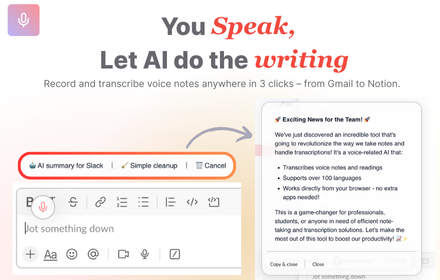
VoiceRecorder.AI - Record thoughts & let AI do the writing on any websites
VoiceRecorder.AI - Record thoughts & let AI do the writing on any websites
42
★ 5.0

AI Prompt Assistant
Save and insert custom AI prompts with // shortcuts and autocomplete in supported chat tools.
36
★ 5.0

AI Prompts
Meet AI Prompts - your personal ChatGPT prompt library inside a browser. Your promptbase to get better results from any AI model.
23

Text Expander By Ofi Khan
A universal text expander for easing repetitive typing tasks across all websites.
85
★ 4.3

Audio to Text Transcription
Use Audio to Text Transcription to transcribe audio to text from mic, tab, or file — powered by Groq and Whisper AI
2.0K
★ 5.0

Thoughtful Voice
Record and drop audio/video directly to Gemini and ChatGPT.
7
★ 5.0

ZenDump - Productivity Everywhere
Capture tasks, ideas & notes anywhere. AI Brain Dump, Email-to-Dump, Mind Mirror, Focus timer, notes, streaks & ZenTab.
11
Data sourced from the Chrome Web Store · last verified Jun 8, 2026.