
TalkScribe AI - New Gen Speech-to-Text (STT)
Voice dictation with stable microphone connection. Speak to type on any webpage.
As of June 2026, TalkScribe AI - New Gen Speech-to-Text (STT) has 116 users and a 4.86/5 rating from 22 reviews in the Productivity category.
Usersup 65.7 percent+65.7%
116
116
Ratingno change0%
4.86
22 reviews
Reviewsup 4.8 percent+4.8%
22
Version
1.12
Manifest V3
History
10 snapshotsTracking since Apr 1, 2026.
View as table
| Date | Users | Rating | Reviews | Version |
|---|---|---|---|---|
| Apr 1, 2026 | 70 | 4.86 | 21 | 1.12 |
| Apr 8, 2026 | 73 | 4.86 | 21 | 1.12 |
| Apr 19, 2026 | 78 | 4.86 | 22 | 1.12 |
| Apr 26, 2026 | 81 | 4.86 | 22 | 1.12 |
| May 3, 2026 | 83 | 4.86 | 22 | 1.12 |
| May 9, 2026 | 85 | 4.86 | 22 | 1.12 |
| May 20, 2026 | 95 | 4.86 | 22 | 1.12 |
| May 27, 2026 | 109 | 4.86 | 22 | 1.12 |
| Jun 3, 2026 | 105 | 4.86 | 22 | 1.12 |
| Jun 9, 2026 | 106 | 4.86 | 22 | 1.12 |
| Now | 116 | 4.86 | 22 | 1.12 |
Permissions & access
- Permissions
- tabsstoragescriptingactiveTabcontextMenus
- Host access
- <all_urls>
Screenshots


About
""" IMPORTANT!  -  TalkScribe AI uses a browser-specific dictation engine and is designed to work perfectly in the Google Chrome and Microsoft Edge browsers only. """


TalkScribe AI lets you type by speaking anywhere on the web. One click activates your mic across all tabs—no re‑clicking needed. Create custom voice commands, switch languages instantly, and use the built‑in Dictation Pad for longer writing. Speech recognition runs in your browser; audio never leaves your device.

You speak. It types. Meet TalkScribe AI — the browser‑native dictation companion that turns your voice into clean, ready‑to‑send text anywhere on the web. With all‑tabs‑active dictation, custom voice commands, true background listening, a focused Dictation Pad, and instant language switching, you'll write at the speed of thought — without losing your flow.

---Why people install (needs-first)---

You want to think out loud and see polished text appear — not fight tiny inputs or restart the mic after every tab switch.
You need to move fast in real work: email, AI chats, tickets, forms, docs — all without breaking focus.
You care about privacy: speech recognition runs in your browser, no audio uploads to our servers.
10 real-world scenarios where TalkScribe AI shines

1- AI chats (Chat faster, think clearer)
Ask and iterate at the speed of voice. Dictate prompts, refine follow‑ups, and capture results without breaking your train of thought. Background dictation lets you switch tabs to copy references and keep talking — no restarts.

2 - Email triage and replies (Inbox to zero, without typing fatigue)
Speak short replies or full paragraphs. Add smart punctuation with quick taps for clean, professional messages. You’ll clear your inbox in a fraction of the time.

3 - Forms and web apps (Say it, don’t type it)
HR systems, bug trackers, ecommerce back‑office — speak into any input. If a page is tricky, open Dictation Pad, compose freely, then insert perfectly where you need it.

4 - Research notes while reading (Stay in flow)
Skim articles, switch tabs for sources, and keep dictating your notes in the background. Tab handoff is seamless — your mic follows you.

5 - Long‑form drafting (Reports, blog posts, proposals)
Dictation Pad gives you a calm, focused canvas. Draft, refine with both voice and keyboard, autosave locally, then paste or insert into your target editor.

6 - Meeting summaries and action items (Capture the gold)
After a call, talk through the highlights. Use smart punctuation and quick edits to turn raw thoughts into clear action items fast.

7 - Students and researchers (Read, synthesize, cite)
Explain concepts in your own words, capture quotes, and build outlines as you study. Dictation keeps you moving while ideas are fresh.

8 - Multilingual workflows (Switch language instantly)
Keep two favorite languages at your fingertips and toggle with one shortcut. Perfect for bilingual teams, global customers, or code‑mixed terminology.

9 - Customer tickets and CRM updates (Less typing, more helping)
Dictate issue summaries, steps to reproduce, and resolutions. Reset with one key if anything stalls — no toggling the extension on/off. Keep support flow smooth.

10 - Comfort and accessibility (Reduce strain, keep momentum)
Speaking is often faster and friendlier to your hands. With one‑key Reset and resilient background dictation, your flow keeps going — even on long days.


---What makes TalkScribe AI different---

. All Tabs, One Click Activate your mic once and it stays live across every open tab—until you turn it off. No re-clicking, no "mic busy" errors. Switch tabs freely; your dictation follows.

. Custom Voice Commands Create your own voice shortcuts. Say "send it" to press Enter, "my signature" to insert your sign-off—any phrase triggers any action you define.

. True Background Dictation Keep speaking while you browse, switch tabs, or jump into other apps. TalkScribe AI keeps listening and transcribing in the background.

. Dictation Pad for Deep Work A focused space that opens on any page. Compose long text, refine with voice and keyboard, then insert perfectly.

. Instant Language Switching Toggle between your last two languages with a single key. 50+ languages supported.

. Stay Live as Long as You Want Leave your mic on for hours—or days. No timeouts, no reconnects. Click the mic off anytime to stop; your voice never leaves your browser.

. One-tap Reset If anything feels stuck, press Reset—it instantly clears the jam so you keep dictating.

. Privacy-first by Design Speech recognition runs entirely in your browser; no audio uploads to our servers.


---Shortcuts you’ll actually use (fully customizable)---

Toggle microphone: Ctrl+I (Mac: Cmd+I)
Reset microphone: Ctrl+Q (Mac: Cmd+Q)
Toggle language: Alt+Q (Mac: Ctrl+Q)
Dictation Pad: Ctrl+M (Mac: Cmd+M)


---Getting started (takes seconds)---

1.Install and pin the extension.
2.Open any page with a text field.
3.Press your mic toggle (Ctrl+I / Cmd+I) and start speaking.
4.Use Dictation Pad (Ctrl+M) for longer writing, then Insert.
5.Need another language? Tap Alt+Q (Mac: Ctrl+Q).
6.If anything feels stuck, press Reset (Ctrl+Q) and continue.


---Reliability that respects your time---

Dictation can stall across tools — TalkScribe AI builds in fast recovery. A single Reset shortcut clears most hiccups instantly. The extension uses a pinned microphone tab for rock-solid, long-duration sessions that won't drop unexpectedly.


---Plans and pricing (simple and transparent)---

Trial: Start unlimited for the first days — get comfortable without friction.
Free: Keep using TalkScribe forever with a daily minutes allowance (resets at midnight).
Pro: Remove the daily limit for heavy use. One‑time annual license; no auto‑renew by default — you decide if/when to renew.
Tip: Link your email to unlock extra trial days and use Pro across Chrome profiles seamlessly.


---Privacy and Data Safety (at a glance)---

Collected (minimal): optional email for licensing; device/installation identifiers; basic usage counters (e.g., daily dictation minutes).
Not collected: audio content; browsing history; page text/forms; payment card data.
Sharing: only with our payment provider (Paddle) for purchase/licensing needs. No ads, no analytics SDKs.
Security: HTTPS/TLS; limited scope; deletion requests via Support.


---Permissions — why we ask---

Runs on any site after you initiate dictation (toolbar/shortcut).
Injects small overlays for language selection and Dictation Pad.
Uses local storage for preferences and lightweight counters.
Creates a small pinned tab to maintain a stable microphone connection for long sessions. We never upload your audio or read your browsing history.


Write faster. Think clearer. Stay in flow. TalkScribe AI turns your voice into clean, ready-to-send text wherever you work on the web. Try it today and feel the difference in minutes.
Technical
- Version
- 1.12
- Manifest
- V3
- Size
- 1.94MiB
- Min Chrome
- 88
- Languages
- 1
- Featured
- No
Metadata
- ID
- nhnpdebbfgkmfocciiahbgahgpnfaiip
- Developer ID
- u44bd7c047b97123b5e85c9590dfb2f16
- Developer Email
- [email protected]
- Created
- Dec 18, 2025
- Last Updated (Store)
- Mar 6, 2026
- Last Scraped
- Jun 9, 2026
- Website
- muvusoft.site
- Privacy Policy
- https://muvusoft.site/talkscribeai/privacy.html
Similar extensions
Alternatives to TalkScribe AI - New Gen Speech-to-Text (STT), ranked by description similarity.

Free ChatGPT Voice Dictation - TalkScribe AI Lite
Completely Free Professional Voice typing extension for ChatGPT. Speak naturally and chat hands-free. Simple, fast!
40
★ 5.0

AICHE - Voice Typing & Dictation | AI Speech to Text
AI voice typing & speech to text for any website. Dictate naturally, get polished text instantly. Works everywhere.
12

Talk to Text
Smart Talk to Text – Accurate speech to text with voice typing via microphone dictation, focused on your field in your browser.
754
★ 4.0
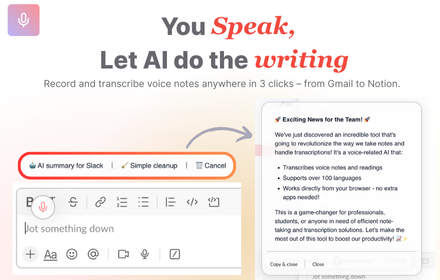
VoiceRecorder.AI - Record thoughts & let AI do the writing on any websites
VoiceRecorder.AI - Record thoughts & let AI do the writing on any websites
42
★ 5.0

AI Voice Note Taker - Online Voice Typing
AI-powered, real-time voice to text transcription directly in your browser.
565
★ 4.2

Vi Voice - Voice Input Assistant
Speech-to-text dictation with AI punctuation. Voice typing in 11 languages. Instant transcription. GDPR compliant & private.
57
★ 5.0

Speech to Text
Convert speech to text instantly with this voice dictation extension. Transcribe audio,voice memos files to text with high accuracy
1.0K
★ 4.2

OratioAI - Speech to Text & AI Voice Chat
Type anywhere using your voice with OratioAI. Converse with ChatGPT using dictation.
3
Data sourced from the Chrome Web Store · last verified Jun 9, 2026.