
ZenDump - Productivity Everywhere
Capture tasks, ideas & notes anywhere. AI Brain Dump, Email-to-Dump, Mind Mirror, Focus timer, notes, streaks & ZenTab.
As of June 2026, ZenDump - Productivity Everywhere has 11 users in the Productivity category.
Usersup 10.0 percent+10.0%
11
11
Ratingno change0%
—
— reviews
Reviewsno change0%
—
Version
1.6.0
Manifest V3
History
8 snapshotsTracking since Apr 6, 2026.
View as table
| Date | Users | Rating | Reviews | Version |
|---|---|---|---|---|
| Apr 6, 2026 | 10 | — | — | 1.6.0 |
| Apr 18, 2026 | 7 | — | — | 1.6.0 |
| Apr 25, 2026 | 8 | — | — | 1.6.0 |
| May 3, 2026 | 10 | — | — | 1.6.0 |
| May 9, 2026 | 11 | — | — | 1.6.0 |
| May 14, 2026 | 10 | — | — | 1.6.0 |
| May 26, 2026 | 11 | — | — | 1.6.0 |
| Jun 8, 2026 | 13 | — | — | 1.6.0 |
| Now | 11 | — | — | 1.6.0 |
Permissions & access
- Permissions
- contextMenusstoragetabsnotificationsalarms
- Host access
- https://*/*, http://*/*
Screenshots


About
Stop losing ideas. Start capturing everything that matters.

Your brain is for thinking, not storing. ZenDump captures every thought, task, and idea from anywhere on the web - so you never forget what matters.

TALK OR WRITE TO AI, GET ORGANISED (NO FORMS TO FILL)

Stop manually filling task forms. Just talk or write naturally to our AI Brain Dump feature.

Here's how it works:
Type: "Remind me to call mom tomorrow at 5pm, finish the proposal by Friday, and buy milk ..."
Result: Three perfectly organized items—tasks created, reminders set, deadlines extracted. All automatic.

More examples:
"What should I focus on today?" → AI shows your priorities and overdue items
"Create my Monday morning task list" → Instant organized checklist
"I'm overwhelmed with this project" → AI helps you break it down
Smart Templates included:
Get instant help with Monday planning, weekly reviews, end-of-day wrap-ups, project kickoffs, meeting prep, and monthly reflections. Just click and talk.

Everything syncs: Your conversations appear on mobile, web, and this extension. Start on your laptop, continue on your phone.

CAPTURE ANYTHING FROM ANY WEBPAGE
See something important while browsing? Save it in 2 seconds.

Three easy ways:
Floating bubble - That little button in the corner of every page. Click once to save.
Right-click menu - Highlight text → Right-click → "Save to ZenDump"
Keyboard shortcut - Press Command+Shift+Z (Mac) or Control+Shift+Z (Windows)
What happens: AI automatically figures out if it's a task, idea, note, or reference. You can add priority levels (Low, Medium, High, Urgent) and set quick reminders (1 hour, 3 hours, tomorrow).

Real example: Reading an email and see "Send the report by Friday"? Highlight those words, press the shortcut. Done. It's saved with the Friday deadline automatically detected.

FIND ANYTHING YOU'VE SAVED, INSTANTLY

Problem: "I saved something about that project 2 weeks ago... where is it?"
Solution: Press Command+Shift+Space (Mac) or Control+Shift+Space (Windows) from any webpage. A search window appears. Start typing. Results show up in real-time.

Smart search: Even if you don't remember exact words, fuzzy matching finds what you're looking for. Saved a recipe 3 months ago? Type "pasta" and it appears.

FOCUS MODE WITH ACCOUNTABILITY PARTNER

The problem: You sit down to work but end up on YouTube. Two hours disappear.
The solution: Built-in focus timers that help you stay on track.

Choose your duration:
Pomodoro (25 minutes) - The classic focus technique
Deep Work (90 minutes) - For complex tasks that need uninterrupted time
Sprint (15 minutes) - Quick wins for small tasks
Focus Buddy feature: Invite a friend or colleague to focus with you. You see each other's timer status and can send encouragement like "You got this!" or "Keep pushing!" during the session. Working alone is hard. Having someone focus alongside you changes everything.

TURN NEW TABS INTO PRODUCTIVITY DASHBOARDS

Instead of seeing: A blank search bar when you open a new tab.

You see:
Today's important tasks with their reminder times
Your productivity streak (don't break it!)
A motivational quote
One-click focus timer to start working
Quick notes section
Turn every tab you open into a productivity check-in.

COLLABORATIVE NOTES WITH SHARING

Create notes right from your browser and share them with your team.

How it works:
Write a note in the extension
Click share, enter someone's email
Choose permission: View Only, Can Comment, or Can Edit
They get access instantly
Everything syncs: Notes you create here appear in your Knowledge Base on the web app. Notes created on other devices show up here too.

Use cases: Meeting notes your team can edit, project ideas you want feedback on, documentation you need to share.

SHARE YOUR MOOD WITH YOUR CIRCLE

The problem: Working remotely means you don't know how your teammates or friends are really doing.
The solution: Quick mood sharing with your inner circle.

Pick how you're feeling (happy, stressed, tired, focused, excited), add your energy level, and optionally write a quick note like "Crushing deadlines today!" Your circle sees it and can check in or celebrate with you.

See who's having a great day (celebrate them!), notice who's struggling (send support). It's like a group chat's vibe check, but simpler and less intrusive.

BUILD STREAKS AND LEVEL UP

Complete tasks to build daily streaks. Finish focus sessions to earn experience points. Level up and unlock achievement badges.
Why it works: Seeing your streak counter go from 3 days → 7 days → 30 days makes productivity feel like progress, not punishment.

Badges you can earn:
Early Bird (complete task before 7am)
Night Owl (complete task after 10pm)
Centurion (complete 100 tasks)
Team Player (delegate 5 tasks)
Your productivity score updates weekly based on completion rate, streaks, and focus sessions.

WORKS ACROSS ALL YOUR DEVICES
Capture something on your laptop's browser? It instantly appears on:

Your iPhone or Android phone app
The web app at zendump.co
Any other browser where you've installed the extension
Everything stays synced in real-time. No manual exports or imports. Just works.

YOUR PRIVACY MATTERS
We don't track which websites you visit
We don't sell your data to anyone
Extension tokens expire after 30 days for security
All data encrypted with HTTPS
You control your data—delete or revoke access anytime

GET STARTED IN 60 SECONDS
Install this extension
Sign in with your email or generate a secure token at zendump.co/settings
Start capturing thoughts from any webpage
Free to start. Create your account at zendump.co

Support: [email protected]
Privacy Policy: zendump.co/privacy
Terms of Service: zendump.co/terms

Your brain has 6,000+ thoughts per day. Stop trying to remember them all.

ZenDump: Your second brain.
Technical
- Version
- 1.6.0
- Manifest
- V3
- Size
- 160KiB
- Min Chrome
- 88
- Languages
- 1
- Featured
- No
Metadata
- ID
- jkihgdojgmebjmffdomjhiahkekmkfbb
- Developer ID
- uc780808ec6dc14b7d3a3029f656d78e1
- Developer Email
- [email protected]
- Created
- Nov 25, 2025
- Last Updated (Store)
- Mar 8, 2026
- Last Scraped
- Jun 8, 2026
- Website
- —
- Support URL
- https://www.zendump.co/contact
- Privacy Policy
- https://www.zendump.co/privacy
Similar extensions
Alternatives to ZenDump - Productivity Everywhere, ranked by description similarity.

Cluefy Clipper
Save AI conversations and snippets to Cluefy
—

ExtenNote - Smart Notes
AI-powered note-taking on any webpage with cloud sync, smart tags, and task management.
6
★ 5.0

MindSnap: AI Notes & Summary
Capture ideas and summarize web content with private local AI. Native sync for Notion and Obsidian.
3

Quick Notes Sidebar
Floating notepad on any website. Take notes while browsing - syncs across all tabs instantly.
23
★ 5.0

BrightCrafter: Productivity tool with ChatGPT integration
Boost productivity with Bright Crafter: Free ChatGPT-powered tool for focus, task management, distraction blocking & more! 🚀✨
37
★ 5.0

capture
Capture text from any webpage or LinkedIn posts to your library.
13
★ 5.0
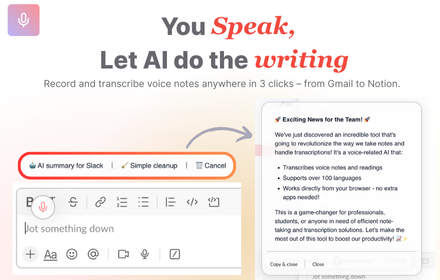
VoiceRecorder.AI - Record thoughts & let AI do the writing on any websites
VoiceRecorder.AI - Record thoughts & let AI do the writing on any websites
42
★ 5.0

AI Prompts
Meet AI Prompts - your personal ChatGPT prompt library inside a browser. Your promptbase to get better results from any AI model.
23
Data sourced from the Chrome Web Store · last verified Jun 8, 2026.