
Audio to Text Transcription
Use Audio to Text Transcription to transcribe audio to text from mic, tab, or file — powered by Groq and Whisper AI
As of June 2026, Audio to Text Transcription has 2,000 users and a 4.95/5 rating from 55 reviews in the Productivity category.
Usersup 100.0 percent+100.0%
2.0K
2,000
Ratingdown 1.0 percent−1.0%
4.95
55 reviews
Reviewsup 175.0 percent+175.0%
55
Version
1.13.0
Manifest V3
90-day change · In the last 90 days this extension gained 1.0K users, 3 version updates.
History
14 snapshotsTracking since Apr 1, 2026.
View as table
| Date | Users | Rating | Reviews | Version |
|---|---|---|---|---|
| Apr 1, 2026 | 1.0K | 5.00 | 20 | 1.10.0 |
| Apr 16, 2026 | 1.0K | 5.00 | 21 | 1.10.2 |
| Apr 22, 2026 | 1.0K | 5.00 | 31 | 1.11.2 |
| Apr 27, 2026 | 1.0K | 4.97 | 33 | 1.11.4 |
| May 7, 2026 | 1.0K | 4.97 | 35 | 1.11.4 |
| May 11, 2026 | 1.0K | 4.97 | 37 | 1.12.0 |
| May 14, 2026 | 1.0K | 4.92 | 38 | 1.12.0 |
| May 19, 2026 | 2.0K | 4.92 | 39 | 1.12.0 |
| May 23, 2026 | 2.0K | 4.93 | 41 | 1.12.0 |
| May 28, 2026 | 2.0K | 4.93 | 42 | 1.12.0 |
| Jun 2, 2026 | 2.0K | 4.93 | 42 | 1.13.0 |
| Jun 6, 2026 | 2.0K | 4.93 | 45 | 1.13.0 |
| Jun 10, 2026 | 2.0K | 4.93 | 46 | 1.13.0 |
| Jun 22, 2026 | 2.0K | 4.94 | 48 | 1.13.0 |
| Now | 2.0K | 4.95 | 55 | 1.13.0 |
Changelog
- Apr 22, 2026description
Meet audio to text transcription, a Chrome extension that turns spoken words into usable notes. Built for clarity and speed, it fits perfectly into daily workflows. Powered by Groq AI and Whisper AI, it delivers snappy, accurate results — helping you stay focused and productive.

💡 Why It Matters
Typing breaks focus and wastes time. With Audio To Text Transcription, you can capture calls, lectures, interviews, or creative ideas — all while staying hands-free. No switching apps, no waiting for uploads — just record, transcribe, and keep moving.
Whether you’re writing an article, summarizing a meeting, or documenting a podcast, this AI transcription audio to text tool keeps your flow uninterrupted.

🚀 How It Works
🎙️ Record Mode
1️⃣ Click the toolbar button and open the Record tab.
2️⃣ Choose your source — microphone, current tab, or both.
3️⃣ Press Start recording and speak or play audio; it will transcribe audio to text in real time.
4️⃣ Pause, resume, or stop anytime.
5️⃣ Copy the transcript or download it as a .txt file.
📂 Upload Mode
1️⃣ Switch to the Upload tab.
2️⃣ Drag and drop an audio file.
3️⃣ It’s processed automatically using AI transcription audio to text.
4️⃣ Review, edit, and save or export the results.

🧩 Main Features
🎧 Two capture modes — record live or upload for transcription.
⚡ Groq AI + Whisper AI integration — fast and accurate.
🎙️ One-click recording from mic, tab, or both.
📂 Upload files — turn recordings into text.
⏱️ Real-time progress with visual indicators.
📝 Copy or download transcripts as .txt.
🔔 Auto-stop protection for large files.
🧠 Smart formatting with punctuation.
🔒 Privacy-first — capture stays in your control.

💼 Who Benefits
🔹 Students — transcribe lectures easily.
🔹 Journalists — turn interviews into editable notes.
🔹 Creators — capture ideas hands-free.
🔹 Managers — document stand-ups and calls.
🔹 Researchers — convert field audio into searchable text.

✨ Use Cases
🗣️ Record calls, podcasts, or meetings.
🎓 Upload seminars for a clean audio to text transcript.
💡 Dictate thoughts — voice to text keeps up as you think.
🎬 Capture webinars with tab recording.
🧾 Export results — transcription software from audio to text saves time.

⚡ Smart Transcription Experience
Audio To Text Transcription software was designed for real-time speed and reliability. The interface is simple, yet powerful: start recording, see progress instantly, and let AI handle the rest. You can combine microphone input with tab sound to transcribe podcasts, webinars, or conference calls with precision. Every result is formatted clearly, with punctuation and sentence breaks preserved automatically.
The extension uses Groq AI to accelerate processing and Whisper AI for natural language recognition — making AI transcription audio to text not just fast, but contextually accurate. From short notes to hour-long discussions, every transcription remains structured, readable, and ready to share.

❓ FAQ
– 💬 Webinars and calls?
Yes — pick the active tab or both inputs.
– 📁 Transcript from a file?
Yes — drop it into the Upload tab.
– ⏱️ Recording length?
Auto-stop after 10 minutes for safety.
– 🌍 Accents and jargon?
Handled by Whisper AI and Groq AI models.
– ✍️ Voice into text drafts?
Yes — dictate ideas and refine later.
– 📤 Where to save?
Copy, paste, or download as .txt.

⚙️ Performance & Reliability
AUDIO TO TEXT TRANSCRIPTION handles mic capture, tab sound, and uploads in one place. The combination of Groq’s speed and Whisper AI’s accuracy keeps transcription instant yet detailed. For teams and creators alike, audio to text transcription software reduces manual work and keeps ideas flowing.
From note-taking to full transcripts, it adapts to your routine. Writers can create drafts, students can summarize lessons, and professionals can capture insights on the go. Every feature focuses on reliability, clarity, and ease of use — making it an ideal transcription software from audio to text solution for daily productivity.

🌟 Summary
✅ Convert voice recording or audio file into text.
✅ Powered by Groq AI and Whisper AI for accuracy.
✅ Ideal for meetings, lectures, and creative sessions.
✅ Secure, intuitive, and fast.

Ready to turn speech into organized writing? Start with Audio To Text Transcription — and let text by speech handle the typing while you focus on what matters.
Meet audio to text transcription, a Chrome extension built for speed and clarity. Whether you need to transcribe a voice recording, convert a podcast, or turn a call into notes — Groq AI and Whisper AI handle it in seconds.

💡 Why It Matters
Typing breaks focus. With audio to text transcription, you talk to text — and it keeps up. No switching apps, no manual notes. Just speak or upload, and get a clean result immediately.

🚀 How It Works
🎙️ Record Mode
1️⃣ Click the toolbar button and open the Record tab.
2️⃣ Choose your source — microphone, current tab, or both.
3️⃣ Start recording; the extension will transcribe audio to text in real time.
4️⃣ Pause, resume, or stop anytime.
5️⃣ Copy the transcript or download it as a .txt file.
📂 Upload Mode
1️⃣ Switch to the Upload tab.
2️⃣ Drag and drop an audio or video file
3️⃣ It’s processed automatically using AI transcription audio to text.
4️⃣ Review, edit, and save or export the results.

🧩 Main Features
🎧 Two capture modes — record live or upload for transcription.
⚡ Groq AI + Whisper AI — fast and accurate voice to text.
🎙️ One-click recording from mic, tab, or both.
🎥 Transcribe video to text by capturing tab audio.
📍 Timestamped paragraphs — transcript split into segments with time markers.
✨ AI summary — get overview and key points in one click.
⏱️ Real-time progress with visual indicators.
📝 Download transcripts as .txt or copy instantly.
🔔 Auto-stop protection for large files.
🧠 Smart punctuation and sentence formatting
🔒 Privacy-first: your audio stays in your control

💼 Who Benefits
🔹 Students — transcribe lectures and seminars into clear notes.
🔹 Journalists — turn interviews into editable text by speech.
🔹 Creators — talk to text hands-free and capture every idea.
🔹 Managers — document stand-ups and calls automatically.
🔹 Researchers — convert voice into text from field recordings.

✨ Use Cases
- Transcribe audio to text from meetings, calls, or podcasts.
- Upload a seminar for a clean audio to text transcript.
- Transcribe YouTube video or any browser audio with tab capture.
- Dictate ideas — voice to text keeps up as you think.
- Review timestamped segments and remove irrelevant parts.
- Generate an AI summary of any meeting or lecture in one click.

⚡ Smart Transcription Experience
Audio to text transcription software was designed for reliability under real conditions. Start recording, watch progress in real time, and get structured results instantly. Every transcript audio to text is split into timestamped paragraphs — easy to navigate and edit. The built-in AI summary turns any transcript into a structured overview with key points and action items.
From quick voice notes to hour-long discussions, this transcription software from audio to text adapts to your routine.

❓ FAQ
– 💬 Can I transcribe webinars or calls?
 Yes — select the active tab or both tab and mic as your source.
– 📁 Transcript from a file?
 Drop it into the Upload tab — supports audio and video files.
 – ⏱️ Does the transcript have timestamps?
 Yes — each paragraph shows when it starts for easy navigation.
 – 🗂️Can I summarize the transcript?
 Yes — one click generates a structured summary with key points and action items.
 – ⏳ Recording length limit?
 Each session runs up to 180 minutes; a daily usage limit applies.
– 🌍 Accents and jargon?
 Whisper AI and Open AI handle varied speech accurately.
 – 🎬 Can I transcribe YouTube video?
 Yes — use tab recording to transcribe video to text from any browser tab.

⚙️ Performance & Reliability
Groq's speed combined with Whisper AI keeps audio transcription instant yet detailed. For teams and creators alike, this audio to text transcription software reduces manual work and keeps ideas flowing — from short notes to full transcripts, all through reliable text by speech conversion.

🌟 Summary
✅ Transcribe audio to text from mic, tab, or uploaded file.
✅ Timestamped paragraphs and AI-generated summary included.
✅ Powered by Groq and Open AI (using Whisper).
✅ Ideal for meetings, lectures, interviews, and creative sessions.
✅ Secure, intuitive and fast.

Need to turn speech into organized writing? audio to text transcription handles it — so you stay focused on what matters
- Apr 22, 2026short_description
Use Audio to Text Transcription powered by Groq and Whisper to convert your voice recording or audio file into clear text instantly
Use Audio to Text Transcription to transcribe audio to text from mic, tab, or file — powered by Groq and Whisper AI
Permissions & access
- Permissions
- sidePanelstorageoffscreentabCapturetabsdownloadsscripting
- Host access
- <all_urls>
Screenshots

About
Meet audio to text transcription, a Chrome extension built for speed and clarity. Whether you need to transcribe a voice recording, convert a podcast, or turn a call into notes — Groq AI and Whisper AI handle it in seconds.

💡 Why It Matters
Typing breaks focus. With audio to text transcription, you talk to text — and it keeps up. No switching apps, no manual notes. Just speak or upload, and get a clean result immediately.

🚀 How It Works
🎙️ Record Mode
1️⃣ Click the toolbar button and open the Record tab.
2️⃣ Choose your source — microphone, current tab, or both.
3️⃣ Start recording; the extension will transcribe audio to text in real time.
4️⃣ Pause, resume, or stop anytime.
5️⃣ Copy the transcript or download it as a .txt file.
📂 Upload Mode
1️⃣ Switch to the Upload tab.
2️⃣ Drag and drop an audio or video file
3️⃣ It’s processed automatically using AI transcription audio to text.
4️⃣ Review, edit, and save or export the results.

🧩 Main Features
🎧 Two capture modes — record live or upload for transcription.
⚡ Groq AI + Whisper AI — fast and accurate voice to text.
🎙️ One-click recording from mic, tab, or both.
🎥 Transcribe video to text by capturing tab audio.
📍 Timestamped paragraphs — transcript split into segments with time markers.
✨ AI summary — get overview and key points in one click.
⏱️ Real-time progress with visual indicators.
📝 Download transcripts as .txt or copy instantly.
🔔 Auto-stop protection for large files.
🧠 Smart punctuation and sentence formatting
🔒 Privacy-first: your audio stays in your control

💼 Who Benefits
🔹 Students — transcribe lectures and seminars into clear notes.
🔹 Journalists — turn interviews into editable text by speech.
🔹 Creators — talk to text hands-free and capture every idea.
🔹 Managers — document stand-ups and calls automatically.
🔹 Researchers — convert voice into text from field recordings.

✨ Use Cases
- Transcribe audio to text from meetings, calls, or podcasts.
- Upload a seminar for a clean audio to text transcript.
- Transcribe YouTube video or any browser audio with tab capture.
- Dictate ideas — voice to text keeps up as you think.
- Review timestamped segments and remove irrelevant parts.
- Generate an AI summary of any meeting or lecture in one click.

⚡ Smart Transcription Experience
Audio to text transcription software was designed for reliability under real conditions. Start recording, watch progress in real time, and get structured results instantly. Every transcript audio to text is split into timestamped paragraphs — easy to navigate and edit. The built-in AI summary turns any transcript into a structured overview with key points and action items.
From quick voice notes to hour-long discussions, this transcription software from audio to text adapts to your routine.

❓ FAQ
– 💬 Can I transcribe webinars or calls?
 Yes — select the active tab or both tab and mic as your source.
– 📁 Transcript from a file?
 Drop it into the Upload tab — supports audio and video files.
 – ⏱️ Does the transcript have timestamps?
 Yes — each paragraph shows when it starts for easy navigation.
 – 🗂️Can I summarize the transcript?
 Yes — one click generates a structured summary with key points and action items.
 – ⏳ Recording length limit?
 Each session runs up to 180 minutes; a daily usage limit applies.
– 🌍 Accents and jargon?
 Whisper AI and Open AI handle varied speech accurately.
 – 🎬 Can I transcribe YouTube video?
 Yes — use tab recording to transcribe video to text from any browser tab.

⚙️ Performance & Reliability
Groq's speed combined with Whisper AI keeps audio transcription instant yet detailed. For teams and creators alike, this audio to text transcription software reduces manual work and keeps ideas flowing — from short notes to full transcripts, all through reliable text by speech conversion.

🌟 Summary
✅ Transcribe audio to text from mic, tab, or uploaded file.
✅ Timestamped paragraphs and AI-generated summary included.
✅ Powered by Groq and Open AI (using Whisper).
✅ Ideal for meetings, lectures, interviews, and creative sessions.
✅ Secure, intuitive and fast.

Need to turn speech into organized writing? audio to text transcription handles it — so you stay focused on what matters
Technical
- Version
- 1.13.0
- Manifest
- V3
- Size
- 912KiB
- Min Chrome
- 88
- Languages
- 52
- Featured
- Yes
Metadata
- ID
- pkfoaaglghblmjjjpbniicjcpehfbmgd
- Developer ID
- ue1c0dafa5ecb8544360af62a0e4fcc3a
- Developer Email
- [email protected]
- Created
- Nov 15, 2025
- Last Updated (Store)
- May 24, 2026
- Last Scraped
- Jun 22, 2026
- Website
- audio-to-text-transcription.com
- Support URL
- —
Similar extensions
Alternatives to Audio to Text Transcription, ranked by description similarity.

Speech to Text
Convert speech to text instantly with this voice dictation extension. Transcribe audio,voice memos files to text with high accuracy
1.0K
★ 4.2

Audio Transcriber
Try audio transcriber – easily transcribe audio to text in seconds. Fast, accurate transcription right from your browser.
1.0K
★ 5.0

Voice to Text
Our Voice to Text extension helps you instantly transform your spoken words into written text!
2.0K
★ 4.8

Audio to Text Converter
Use AI to transcribe people's voices from audio and video into text.
104

Transkriptor Transcribe Audio to Text
Convert audio to text. Automatically record and transcribe your meetings, and other conversations with Transkriptor.
100.0K
★ 4.7

TranscribeAudio - Tab Audio to Text
Real-time transcription of any browser tab audio — meetings, videos, podcasts, and lectures to text
419
★ 2.3

AI Voice Note Taker - Online Voice Typing
AI-powered, real-time voice to text transcription directly in your browser.
565
★ 4.2
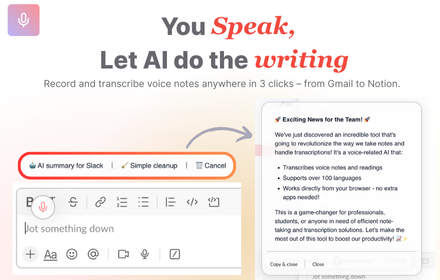
VoiceRecorder.AI - Record thoughts & let AI do the writing on any websites
VoiceRecorder.AI - Record thoughts & let AI do the writing on any websites
42
★ 5.0
Data sourced from the Chrome Web Store · last verified Jun 22, 2026.