
Document Converter
Convert documents and images to PDF/Word.
As of June 2026, Document Converter has 11 users in the Productivity category.
Usersup 22.2 percent+22.2%
11
11
Ratingno change0%
—
— reviews
Reviewsno change0%
—
Version
2.0.1
Manifest V3
History
6 snapshotsTracking since Apr 18, 2026.
View as table
| Date | Users | Rating | Reviews | Version |
|---|---|---|---|---|
| Apr 18, 2026 | 9 | — | — | 2.0.1 |
| Apr 28, 2026 | 11 | — | — | 2.0.1 |
| May 7, 2026 | 12 | — | — | 2.0.1 |
| May 15, 2026 | 10 | — | — | 2.0.1 |
| May 24, 2026 | 11 | — | — | 2.0.1 |
| Jun 3, 2026 | 12 | — | — | 2.0.1 |
| Now | 11 | — | — | 2.0.1 |
Permissions & access
- Permissions
- unlimitedStorage
- Host access
- None declared
Screenshots

About
Document Converter is a free tool that lets you view, convert, merge, and edit documents and images entirely within your browser. No uploads, no servers, no compromises - your files never leave your device.

Key Features:
• Convert & Merge - Combine multiple files into PDF or Word documents
• Image Editing - Crop, rotate, resize, and apply filters (grayscale, brightness, contrast)
• Camera Capture - Capture photos directly from your device camera
• Drag & Drop - Easy file management with drag-and-drop reordering
• Full History - Undo/Redo support for all editing operations
• Zoom Controls - View documents and images at any size
• 100% Private - All processing happens locally in your browser

Perfect For:
✓ Creating PDF portfolios from multiple images
✓ Converting scanned documents to digital formats
✓ Merging multiple documents into one file
✓ Quick image editing and enhancement
✓ Document organization and management

Privacy & Security:
Document Converter processes everything locally in your browser. No files are uploaded to servers, no data is collected, and no tracking occurs. Your documents remain completely private and secure.

Free & Open Source:
This extension is completely free with no hidden costs, no ads, and no premium features. The source code is available on GitHub for transparency.
Technical
- Version
- 2.0.1
- Manifest
- V3
- Size
- 1.13MiB
- Min Chrome
- 88
- Languages
- 1
- Featured
- No
Metadata
- ID
- oeamicjoljgmioepjniabbpccmgoakcj
- Developer ID
- uff0a2d4793276b1db68800b83605a86c
- Developer Email
- [email protected]
- Created
- Dec 12, 2025
- Last Updated (Store)
- Dec 17, 2025
- Last Scraped
- Jun 3, 2026
- Website
- —
- Support URL
- —
Similar extensions
Alternatives to Document Converter, ranked by description similarity.

Converto.cloud: View | Edit | Convert | Sign PDF Tools
Your Free All-in-One PDF Converter Tool
80

Image & PDF Compressor
Reduce image and PDF file sizes by 50-80% with smart compression. All processing happens locally in your browser.
19

SmallPDF Free Chrome Extension
With SmallPDF Free you can easily manage PDFs and images from your browser.
2.0K
★ 3.7

Ultimate PDF: All-in-One Editor
Convert, merge, split, rotate, compress PDFs and more. 100% local and private.
48

Image Converter
Быстрое конвертирование изображений между PNG, JPG, WEBP, HEIC, AVIF и другими форматами прямо в браузере.
4
★ 5.0
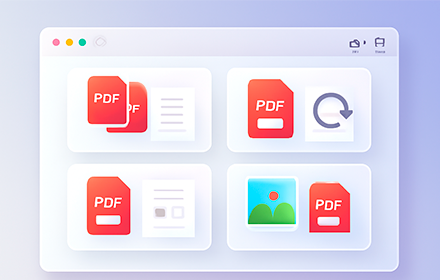
PDF Tools - merge, rotate, organize
Free PDF tools - merge, rotate, organize, and manage PDF files locally in your browser
33

Parisfyx - Image to PDF
Convert and combine multiple images into a single PDF file.
—

Word to PDF
Convert Word documents to PDF format locally in your browser
58
Data sourced from the Chrome Web Store · last verified Jun 3, 2026.