
SmallPDF Free Chrome Extension
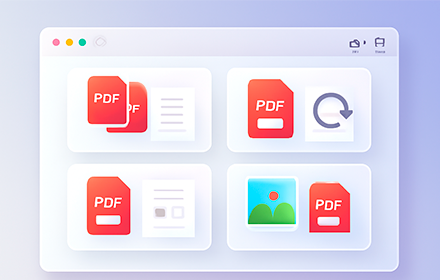
With SmallPDF Free you can easily manage PDFs and images from your browser.
As of May 2026, SmallPDF Free Chrome Extension has 2,000 users and a 3.67/5 rating from 6 reviews in the Productivity category.
Usersno change0%
2.0K
2,000
Ratingno change0%
3.67
6 reviews
Reviewsno change0%
6
Version
0.0.2
Manifest V3
Permissions & access
- Permissions
- activeTabscripting
- Host access
- <all_urls>
Screenshots


About
SmallPDF Free Chrome extension offers a powerful and versatile solution for managing various documents and images online. Our feature-rich extension integrates seamlessly into your browsing experience, giving you access to all the tools available on SmallPDFFree, right when you need them.

Here are the key features of our extension:

Grab PDFs and Images: As you browse, the extension automatically detects and grabs all images (JPG, JFIF, PNG, PSD) and PDF files on the active browser tab. A preview of all detected files is displayed within the extension, allowing you to select any file and instantly open it with the relevant SmallPDFfree tools—whether you want to compress, merge, split, convert, or edit.

Screenshots: Capture and save screenshots of the active tab directly through the extension, then convert them instantly using SmallPDFfree tools. Whether it's a full web page or a specific section, our tool integrates OCR technology for seamless conversions.

Comprehensive PDF Tools:

Compress PDFs: Adjust size and quality of your PDF files to meet your requirements.
Edit PDFs: Add or modify text, forms, annotations, images, shapes, highlights and signatures in PDFs.
OCR PDFs: Make scanned or digital PDFs - text selectable and searchable with Optical Character Recognition.
Rotate PDFs: Rotate PDFs 360°, previewing and adjusting page orientation with ease.
Split PDFs: Split PDFs (small or large) into individual pages or sections as needed.
Merge PDFs: Combine PDFs and images of any size without losing formatting or quality.
Crop PDFs: Crop single or multiple pages from a PDF file with precision.
Convert: Our Converter lets you convert PDFs to Word while preserving layout, or to PowerPoint for editable presentations. Extract data with PDF to Excel for organized spreadsheets. Developers can transform PDFs into structured data with PDF to JSON, XML, YAML, or convert to PDF/A for long-term archival.

For image tasks, convert PDFs into high-quality formats like JPG/JPEG, PNG, PSD, RAW, TIFF, or encode into BASE64 for secure storage.

Our Chrome extension ensures you have the flexibility and tools to handle any PDF or image task without the need for signups, logins, or limits. With its seamless integration with wide range of tools, it's a must-have for anyone working with PDFs or images online.
Technical
- Version
- 0.0.2
- Manifest
- V3
- Size
- 127KiB
- Min Chrome
- 88
- Languages
- 1
- Featured
- No
Metadata
- ID
- kkhdanpipknnpoffomepifkfapjdakie
- Developer ID
- u801fabcc6a4160f4fe067ffbf57e3362
- Developer Email
- [email protected]
- Created
- Oct 11, 2024
- Last Updated (Store)
- Dec 5, 2024
- Last Scraped
- May 29, 2026
- Website
- https://smallpdffree.com/
- Support URL
- https://smallpdffree.com/contact-us/
- Privacy Policy
- https://smallpdffree.com/privacy-policy/
Similar extensions
Alternatives to SmallPDF Free Chrome Extension, ranked by description similarity.

Smallpdf—Edit, Convert, Compress, & AI Summarize PDF
Easy-to-use PDF tools to compress, convert, merge, chat to, split, e-sign, and edit PDF files in your browser.
3.0M
★ 4.6

Converto.cloud: View | Edit | Convert | Sign PDF Tools
Your Free All-in-One PDF Converter Tool
80

Smart PDF - Professional Tools
Premium PDF Tools: Merge (Grid), Watermark, Page Numbers, Convert, Edit.
35
★ 5.0

Free PDF Editor & Reader — Compress, Merge, Convert PDFs · PDFly
Edit PDF, convert PDF to Word, merge, split & compress PDF files. Free PDF editor, reader, e-sign & AI tools — all in one.
2.0K
★ 4.2
PDF Tools - merge, rotate, organize
Free PDF tools - merge, rotate, organize, and manage PDF files locally in your browser
33

Web2PDF - HTML to PDF Converter
Download web pages as PDF, DOC or TXT. Maintains layout, images and links. Free web content converter for Chrome.
1.0K
★ 3.7

I Love PDF 3 - Chrome Extension
iLovePDF3 – Free browser extension No limits, no login, no subscription.
865
★ 5.0

PDF Toolkit - handle all your PDF Manipulation
PDF Toolkit transforms the way you work with PDF documents in Chrome, providing editing capabilities without the complexity or cost.
21
Data sourced from the Chrome Web Store · last verified May 29, 2026.