
Chrome Sign Builder
Chrome Sign Builder is a digital signage utility that allows you to schedule and display content across your managed Chrome device…
As of May 2026, Chrome Sign Builder has — users and a 4.12/5 rating from 121 reviews.
Usersno change0%
—
—
Ratingno change0%
4.12
121 reviews
Reviewsdown 1.6 percent−1.6%
121
Version
1.8.2
Manifest V2
History
2 snapshotsTracking since Apr 24, 2026.
Not enough history yet for this metric — the chart fills in as we collect more snapshots.
View as table
| Date | Users | Rating | Reviews | Version |
|---|---|---|---|---|
| Apr 24, 2026 | — | 4.12 | 123 | 1.8.2 |
| May 21, 2026 | — | 4.11 | 122 | 1.8.2 |
| Now | — | 4.12 | 121 | 1.8.2 |
Permissions & access
- Permissions
- storagesystem.displaypowerunlimitedStoragevideoCapturewebview
- Host access
- http://*/*, https://*/*
Screenshots

About
Chrome Sign Builder is a digital signage utility that allows you to schedule and display content across your managed Chrome device network.

Chrome Sign Builder makes it easy to show web content content such as restaurant menus, images, and YouTube videos and playlists–as well as Google Presentations, which can be edited by anyone who has access to the presentation.

You configure Chrome Sign Builder once. In initial setup, you create schedules and specify the URLs for content that will be displayed according to the schedules. Later you might need to change the content at those URLs, but you don’t have to reconfigure schedules and settings in Chrome Sign Builder.

By installing this item, you agree to the Google Terms of Service and Privacy Policy at https://www.google.com/policies/.
Technical
- Version
- 1.8.2
- Manifest
- V2
- Size
- 1.01MiB
- Min Chrome
- 36
- Languages
- 1
- Featured
- No
Metadata
- ID
- odjaaghiehpobimgdjjfofmablbaleem
- Developer ID
- u2266ff3db2f313e0eb362b1ba2389d80
- Developer Email
- —
- Created
- Jul 7, 2014
- Last Updated (Store)
- Oct 2, 2020
- Last Scraped
- May 21, 2026
- Website
- —
- Support URL
- —
- Privacy Policy
- —
Similar extensions
Alternatives to Chrome Sign Builder, ranked by description similarity.
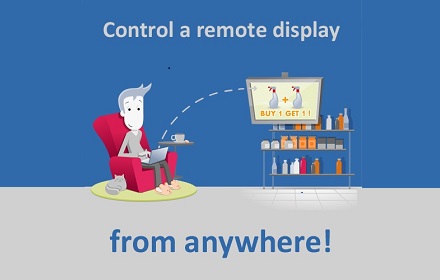
NoviSign Studio for Digital Signage
From one PC, broadcast your content in minutes to any number of screens and locations
1.0K
★ 4.7

Clovertise Social Digital Signage
Clovertise enables in-store digital display, web-site and social media marketing from a single source!
—
★ 5.0

Quickesign
Quickesign Digital Signage Chrome Channel
—

Signage Player
Digital signage player for any business to run stable 24/7. Download once, install on your ChromeOS device and control the content…
—
★ 3.0

Hypersign
Hypersign Chrome Extension
—
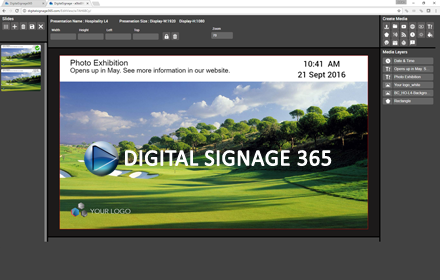
DigitalSignage 365
A web based digital signage solution for restaurants, schools, internal communications and retail.
125
★ 3.0
Signagelive
Play all your digital signage content managed in the cloud at Signagelive.com on your Chrome device
—
★ 3.8

Social Billboards-Emea
Bring your screens to life
—
Data sourced from the Chrome Web Store · last verified May 21, 2026.