Signagelive
Play all your digital signage content managed in the cloud at Signagelive.com on your Chrome device
As of June 2026, Signagelive has — users and a 3.78/5 rating from 9 reviews.
Usersno change0%
—
—
Ratingno change0%
3.78
9 reviews
Reviewsno change0%
9
Version
3.02.348
Manifest V2
90-day change · In the last 90 days this extension 1 version update.
History
2 snapshotsTracking since May 5, 2026.
Not enough history yet for this metric — the chart fills in as we collect more snapshots.
View as table
| Date | Users | Rating | Reviews | Version |
|---|---|---|---|---|
| May 5, 2026 | — | 3.78 | 9 | 3.01.347 |
| May 15, 2026 | — | 3.78 | 9 | 3.01.347 |
| Now | — | 3.78 | 9 | 3.02.348 |
Permissions & access
- Permissions
- videoCaptureaudioCaptureunlimitedStoragesystem.networksystem.cpusystem.storagestoragesystem.displaysystem.memorypowerwebviewidlealwaysOnTopWindowsenterprise.deviceAttributesenterprise.hardwarePlatform
- Host access
- <all_urls>, http://*.rackcdn.com/, https://*.rackcdn.com/, http://*/, https://*/, http://*.signagelive.com/, https://*.signagelive.com/, http://static.signagelive.com/, https://static.signagelive.com/
Screenshots
About
Signagelive is a fully featured digital signage solution for Google ChromeOS devices

Signagelive is a cloud-based digital signage service used daily in 43 countries by 1,500+ customers. Signagelive is used in a wide range of  applications, including; schools, internal communications and retail. Signagelive provides all the features required to create, schedule and publish great looking content to your ChromeOS device or network of devices.

Signagelive for ChromeOS downloads and plays multi-zone layouts and content offline. We support images, videos, Widgets, Web Triggers and IPTV streams. You can install Signagelive for ChromeOS to operate as kiosk with the ability to schedule interactive and passive content, with a time-out to return to the passive content when the ChromeOS device is no longer being used.

An active Signagelive licence is required to use Signagelive for Chrome.

Features include:
- Plays media scheduled and published through the Signagelive cloud
- Supports offline playback
- Supports Web, video and images, fullscreen and layouts
- Ability to trigger content
- Play complete web applications offline with Signagelive widgets
- System information reporting including CPU usage and memory usage
- Automatic application updates
- Scheduled device reboots
- Can be configured as a kiosk

* Can be embedded within another application
* Requires a Google Management Console licence and a Signagelive licence
Technical
- Version
- 3.02.348
- Manifest
- V2
- Size
- 707KiB
- Min Chrome
- 23
- Languages
- 1
- Featured
- No
Metadata
- ID
- hbfbekdejbpmnpilhdnfokjehnianfeb
- Developer ID
- ua7abfc15a0734dd683407f9208ab4cb4
- Developer Email
- [email protected]
- Created
- Nov 26, 2014
- Last Updated (Store)
- May 5, 2026
- Last Scraped
- Jun 9, 2026
- Website
- —
- Support URL
- https://support.signagelive.com/
- Privacy Policy
- —
Similar extensions
Alternatives to Signagelive, ranked by description similarity.

CloudPixel Player
Digital Signage transforms the way you reach your current and prospective customers. It facilitates the transition
from the dull,…
—

Signage Player
Digital signage player for any business to run stable 24/7. Download once, install on your ChromeOS device and control the content…
—
★ 3.0

Hypersign
Hypersign Chrome Extension
—

NoviSign Studio for Digital Signage
From one PC, broadcast your content in minutes to any number of screens and locations
1.0K
★ 4.7

Revel Digital Player
Turn your Chrome OS device into digital signage. The Revel Digital Player app works in conjunction with the Revel Digital…
—
★ 5.0

Scala Enterprise Player
(Build ID: 6d132c)
—
★ 5.0
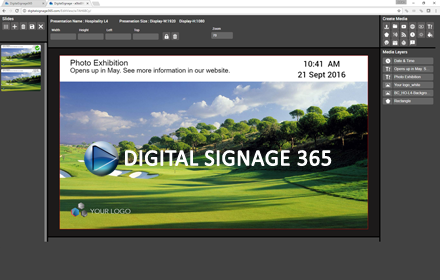
DigitalSignage 365
A web based digital signage solution for restaurants, schools, internal communications and retail.
125
★ 3.0

Digital Signage Player for Chrome OS
NoviSign Digital Signage player for Google Chrome OS. Great for Chromebox, Chrome
box mini, Chromebit, Chromebase, Chrome base…
—
★ 4.0
Data sourced from the Chrome Web Store · last verified Jun 9, 2026.