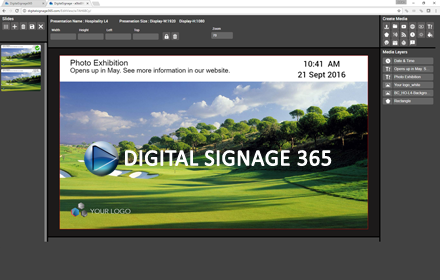
DigitalSignage 365
A web based digital signage solution for restaurants, schools, internal communications and retail.
As of June 2026, DigitalSignage 365 has 125 users and a 3.00/5 rating from 9 reviews.
Usersdown 13.2 percent−13.2%
125
125
Ratingno change0%
3.00
9 reviews
Reviewsno change0%
9
Version
1.0.4
Manifest V2
History
3 snapshotsTracking since Apr 1, 2026.
View as table
| Date | Users | Rating | Reviews | Version |
|---|---|---|---|---|
| Apr 1, 2026 | 144 | 3.00 | 9 | 1.0.4 |
| May 3, 2026 | 147 | 3.00 | 9 | 1.0.4 |
| Jun 2, 2026 | 133 | 3.00 | 9 | 1.0.4 |
| Now | 125 | 3.00 | 9 | 1.0.4 |
Permissions & access
- Permissions
- tabsbrowserstoragevideoCapturewebviewaudioaudioCapturedesktopCapturefullscreenoverrideEscFullscreen
- Host access
- http://*/*, https://*/*
Screenshots


About
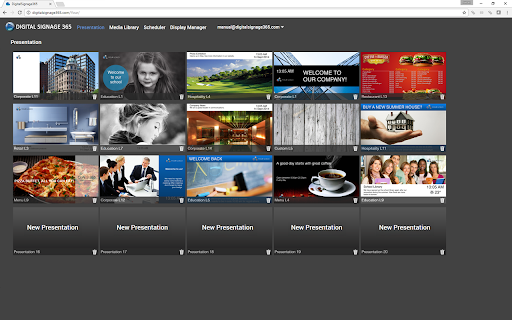
Digital Signage 365 is a web based digital signage solution used in a wide range of applications such as restaurants, schools, internal communications and retail and its operating in over 18 countries used with over 14,000 display clients.

Digital Signage 365 includes user friendly designed templates, functions for advance scheduling, display management, media library and its supports playback for the most common media types like video, web, image, IP video. Content is easily edit by simple drag´n drop in the Web browser. What you see is what you get in your digital screens.

Digital Signage 365 can be used with our free display client for PC, Chrome APP, Android Samsung SSSP, LG WEB OS or Smart TV.

Digital Signage 365 is hosted in Windows Azure to give stability and reliability cloud solution operating in 24/7.

Digital Signage 365
1. Sign-up to www.digitalsignage365.com
2. Create a presentation and upload media.
3. Link the presentation to your Chrome client in Display Manager
4. Download the Digital Signage 365 Chrome Client app to your local Chrome device
5. Start the Digital Signage 365 Chrome Client in your local Chrome device
6. Add the verify code from Digital Signage 365 and Display Manager page
7. Presentation starts to play in the local Chrome device
Technical
- Version
- 1.0.4
- Manifest
- V2
- Size
- 80.42KiB
- Min Chrome
- 38
- Languages
- 1
- Featured
- No
Metadata
- ID
- lcdnbbnbhkhdkbndjechbjkimaigfehe
- Developer ID
- u7ef283f07bb27747a0514e9716db028a
- Developer Email
- —
- Created
- Mar 25, 2015
- Last Updated (Store)
- Mar 16, 2017
- Last Scraped
- Jun 2, 2026
- Website
- —
- Support URL
- —
- Privacy Policy
- —
Similar extensions
Alternatives to DigitalSignage 365, ranked by description similarity.

Infochannel 365
Info Channel 365 is a web based digital signage solution for restaurants, schools, internal communications and retail.
13
★ 5.0

Hypersign
Hypersign Chrome Extension
—

CloudPixel Player
Digital Signage transforms the way you reach your current and prospective customers. It facilitates the transition
from the dull,…
—
NoviSign Studio for Digital Signage
From one PC, broadcast your content in minutes to any number of screens and locations
1.0K
★ 4.7

Digital Signage India
Digital Signage - Engage Visually.
—

Javaherian v1.7 - [Cache App]
Screen Dynamics...
—

ScreenDynamics.com v0.1
Digital Signage App
—

ScreenDynamics.com v0.3
Digital Signage App
—
Data sourced from the Chrome Web Store · last verified Jun 2, 2026.