NoviSign Studio for Digital Signage
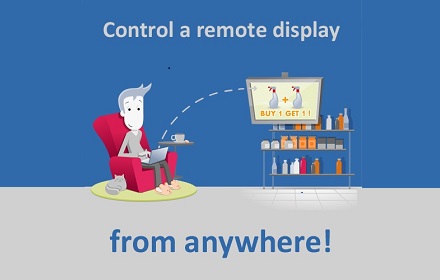
From one PC, broadcast your content in minutes to any number of screens and locations
As of May 2026, NoviSign Studio for Digital Signage has 1,000 users and a 4.68/5 rating from 19 reviews.
Usersno change0%
1.0K
1,000
Ratingno change0%
4.68
19 reviews
Reviewsno change0%
19
Version
1.0.2
Manifest V2
History
1 snapshotsTracking since Apr 24, 2026.
View as table
| Date | Users | Rating | Reviews | Version |
|---|---|---|---|---|
| Apr 24, 2026 | 1.0K | 4.68 | 19 | 1.0.2 |
| Now | 1.0K | 4.68 | 19 | 1.0.2 |
Permissions & access
- Permissions
- None declared
- Host access
- None declared
Screenshots
About
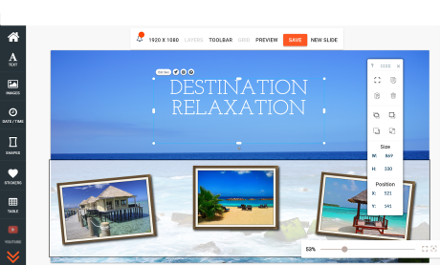
NoviSign online digital signage software as a service use novisign to create beautiful, dynamic screens in your place of business with no technical or design skills required! Android Digital Signage turns any device into a beautiful screen


Novisign is a cloud-based software platform that enables users to create, manage and broadcast rich, engaging digital content – as easy as drag and drop— at affordable prices.  Our vision is to be the gold standard broadcast platform enabling SMBs to broadcast their message in their own businesses, creating an open-exchange and local business networks around the world.

Features and Benefits:
•	Standard Equipment - Using standard, off the shelf, hardware components, any business can easily utilize NoviSign with minimal investment
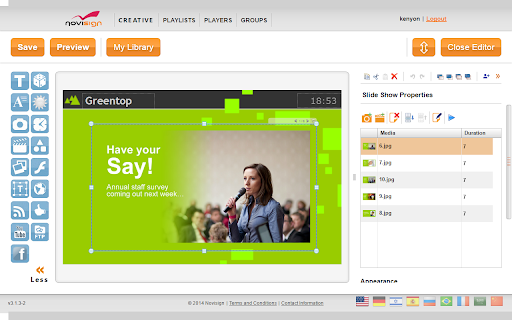
•	Web-Based Editor – Create dynamic “playlists” of content including videos, images, social streams, reviews, etc. , that are dynamic and automatically broadcast from the cloud to any branch of the business
•	Simple Design “Studio” – Drag and Drop pre-fab components to create exciting, engaging interactive content with no special skills required
•	Interactive Content – Create polls, trivia, redeemable offers, games, etc., to engage customers, increase visit time and spending
•	Controlled from Anywhere – Easily access and change content from any device and any location in the world
•	Uniform Messages – Create uniform messaging and branding for all branches and franchises for higher visibility and recognition

Player supported
Android, chromeos, windows

as for chrome  os you can use chromebase, chromebit, chromebox

NoviSign welcome White Label partners

 We are also offering Professional services for customers that needs to integrate this signage with other systems and technology, you can see our queue management systems, RFID, cameras adn many more nice projects
Technical
- Version
- 1.0.2
- Manifest
- V2
- Size
- 14.59KiB
- Min Chrome
- 23
- Languages
- 1
- Featured
- No
Metadata
- ID
- dfdapkjlkicjglbmoebpphldabhlpgja
- Developer ID
- u378536bc4006e4571c85964871342bf8
- Developer Email
- [email protected]
- Created
- Sep 21, 2014
- Last Updated (Store)
- Feb 12, 2017
- Last Scraped
- May 19, 2026
- Website
- http://www.novisign.com/
- Privacy Policy
- —
Similar extensions
Alternatives to NoviSign Studio for Digital Signage, ranked by description similarity.

Digital Signage Player for Chrome OS
NoviSign Digital Signage player for Google Chrome OS. Great for Chromebox, Chrome
box mini, Chromebit, Chromebase, Chrome base…
—
★ 4.0

CloudPixel Player
Digital Signage transforms the way you reach your current and prospective customers. It facilitates the transition
from the dull,…
—
DigitalSignage 365
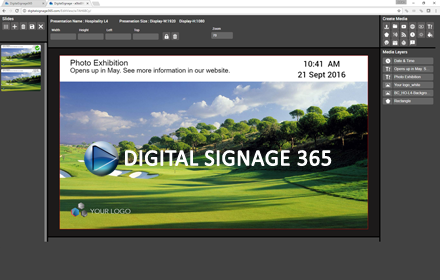
A web based digital signage solution for restaurants, schools, internal communications and retail.
125
★ 3.0

Hypersign
Hypersign Chrome Extension
—
Signagelive
Play all your digital signage content managed in the cloud at Signagelive.com on your Chrome device
—
★ 3.8

embed signage
embed signage is cloud based Digital Signage software that can publish digital signage content to an unlimited number of…
—
★ 3.7
MangoSigns Chrome Player
Turn any TV into a digital display and showcase your social media feeds, weather, real time news and more. Deliver your message.
288
★ 4.7

MangoSigns Chrome Kiosk
Turn any TV into a digital display and showcase your social media feeds, weather, news and more. Kiosk Enabled
—
Data sourced from the Chrome Web Store · last verified May 19, 2026.