
Select2Copy - Copy Multiple Text Selections Instantly
Select multiple texts across webpages and copy them all at once - fast, simple, efficient.
As of June 2026, Select2Copy - Copy Multiple Text Selections Instantly has 99 users and a 5.00/5 rating from 1 reviews in the Workflow & Planning category.
Usersup 160.5 percent+160.5%
99
99
Ratingno change0%
5.00
1 reviews
Reviewsno change0%
1
Version
1.2.0
Manifest V3
History
11 snapshotsTracking since Apr 1, 2026.
View as table
| Date | Users | Rating | Reviews | Version |
|---|---|---|---|---|
| Apr 1, 2026 | 38 | 5.00 | 1 | 1.2.0 |
| Apr 11, 2026 | 43 | 5.00 | 1 | 1.2.0 |
| Apr 21, 2026 | 49 | 5.00 | 1 | 1.2.0 |
| Apr 28, 2026 | 58 | 5.00 | 1 | 1.2.0 |
| May 6, 2026 | 68 | 5.00 | 1 | 1.2.0 |
| May 11, 2026 | 74 | 5.00 | 1 | 1.2.0 |
| May 16, 2026 | 83 | 5.00 | 1 | 1.2.0 |
| May 23, 2026 | 84 | 5.00 | 1 | 1.2.0 |
| May 30, 2026 | 86 | 5.00 | 1 | 1.2.0 |
| Jun 5, 2026 | 85 | 5.00 | 1 | 1.2.0 |
| Jun 12, 2026 | 92 | 5.00 | 1 | 1.2.0 |
| Now | 99 | 5.00 | 1 | 1.2.0 |
Permissions & access
- Permissions
- scriptingactiveTabclipboardWrite
- Host access
- None declared
Screenshots

About
Select2Copy — lets you select multiple pieces of text across any webpage, collect them, and copy them all at once with a single shortcut - making research, referencing, and extraction faster and simpler than ever. Whether you're collecting quotes, notes, or research, this extension simplifies multi-snippet selection and copying.

✨ Features:

✅ Activate with Alt+ A – Enter selection mode to start capturing highlighted text snippets.

✅ Select Freely – Click and drag to highlight any text on the page; all selections are remembered and highlighted in yellow.

✅ Copy All with Alt+ C – Copies all collected selections at once to your clipboard, separated by line breaks.

✅ Clear Selections with Esc – Removes all current selections and highlights but keeps the extension active.

✅ Deactivate with Alt + D – Exits selection mode and clears everything.

✅ Badge Counter – See the number of selections made directly on the extension icon.
✅ Visual Feedback – Clean, color-coded toast notifications for actions (blue = activate, green = copy, red = deactivate).


Perfect For:

📚 Researchers & students gathering quotes

✍️ Writers & bloggers collecting sources

📊 Product managers & CEOs capturing market insights

⚡ Anyone multitasking online like a pro


Your brain deserves better tools. Empower it with Select2Copy.


🛡️ No trackers. No data collection. Just pure utility.


Select2Copy -- is your ultimate tool for researching, curating, and gathering information across the web — without breaking your flow. Please share your feedback for further improvements.
Technical
- Version
- 1.2.0
- Manifest
- V3
- Size
- 38.73KiB
- Min Chrome
- 88
- Languages
- 1
- Featured
- No
Metadata
- ID
- nheigelejfplfamkfbeankgapnkhphjh
- Developer ID
- ue346d604c11a8fd83cd6e1e0822eb9c1
- Developer Email
- [email protected]
- Created
- Jun 26, 2025
- Last Updated (Store)
- Mar 14, 2026
- Last Scraped
- Jun 12, 2026
- Website
- —
- Support URL
- —
Similar extensions
Alternatives to Select2Copy - Copy Multiple Text Selections Instantly, ranked by description similarity.

SELECTED TEXT
Select web text for abstracts or references.
23
★ 5.0

Pure Copy
Smart clipboard manager: Save text snippets, copy without formatting, track history. Perfect for productivity.
21

Copy Text Easily
Extension that lets you view and reuse clipboard history with drag and drop, and copy text with one click
30.0K
★ 3.9

Web Content Copier
Copy headings and paragraphs from the current webpage.
6.0K
★ 4.5

CleanClip – Copy as Plain Text
Automatically strips formatting from copied text for seamless plain text pasting
9

SnipCat – Save & Copy Text Highlights
Highlight any text on a page, save it, and copy all snippets at once.
4

Text Snippet Saver
Save and copy text snippets easily
151
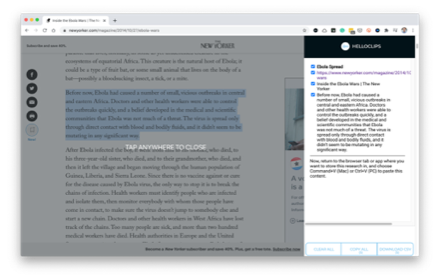
HelloClips
A free and private clipping tool for writers, podcasters, sales professionals — anyone compiling text research for any purpose.
104
★ 3.7
Data sourced from the Chrome Web Store · last verified Jun 12, 2026.